DuraStation™ EV Charger User Manual
29
GE Industrial Solutions ©2014 GE Company All Rights Reserved
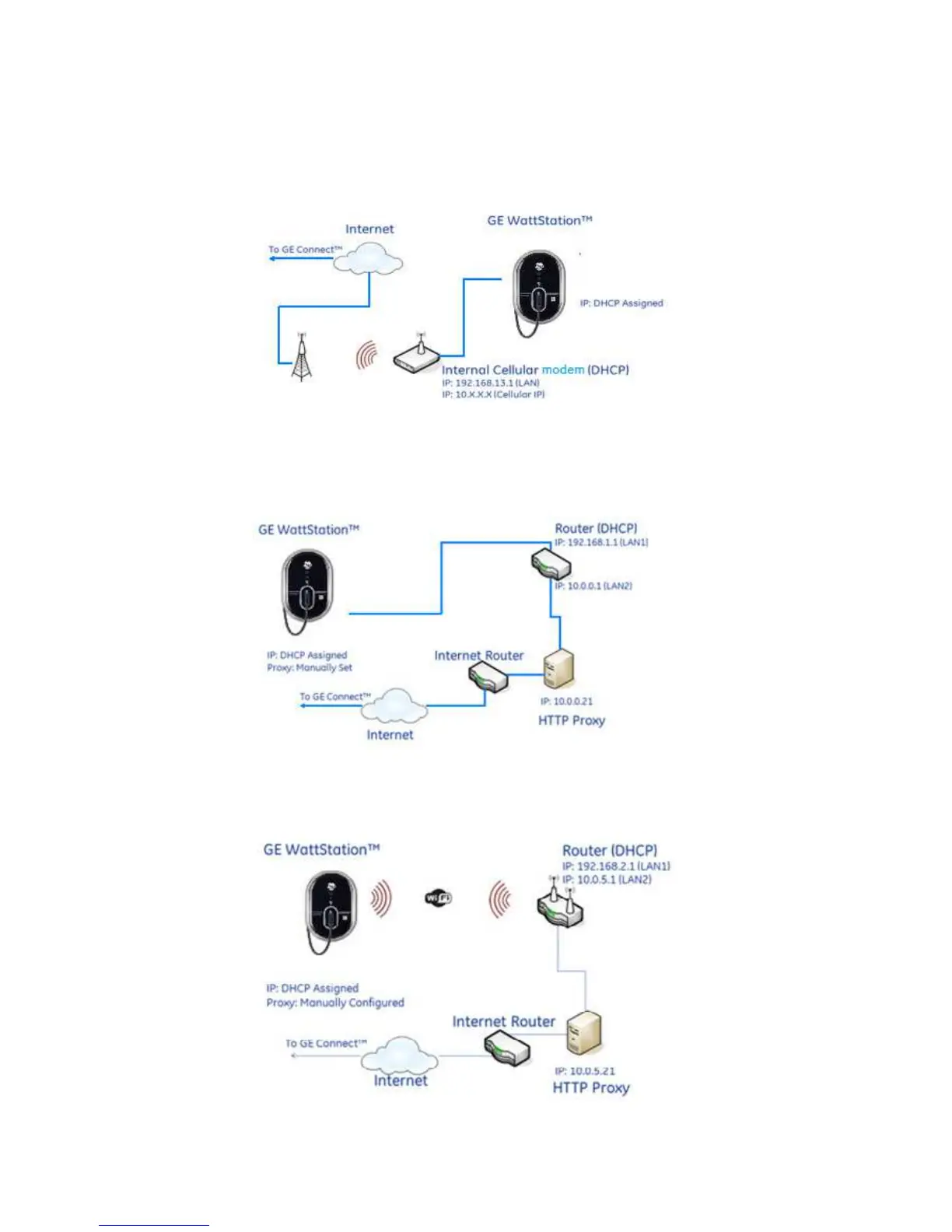
Topology #3: Cellular
In this configuration connectivity to the internet is via Cellular modem. The Cellular modem is
housed inside the DuraStation unit and is not separately accessible or serviceable.
Topology #4: Ethernet + Proxy Server
In this configuration the unit’s Ethernet port is used to provide primary connectivity via an
installation site’s proxy server. The proxy server IP address and TCP port must be manually
configured locally on the GE CONNECT page of local configuration tool (see section 4.2.6).
Topology #5: WiFi + Proxy Server
In this configuration the unit’s WiFi port is used to provide primary connectivity via an
installation site’s proxy server. The proxy server IP address and TCP port must be manually
configured locally on the GE CONNECT page of local configuration tool (see section 4.2.6).



 To Next Page