DuraStation™ EV Charger User Manual
17
GE Industrial Solutions ©2014 GE Company All Rights Reserved
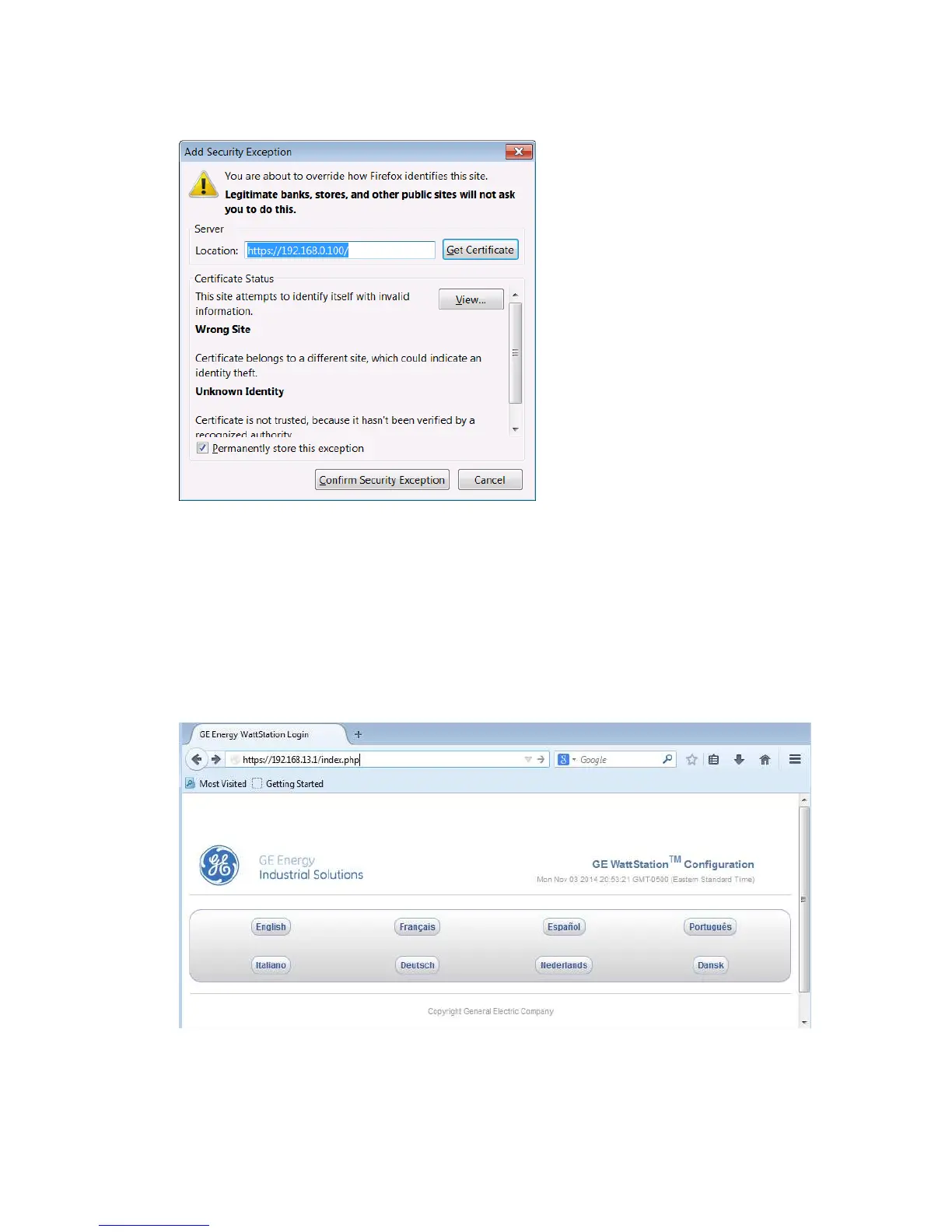
Add Security Exception window in Mozilla Firefox
Click on “Confirm Security Exception”
Figure – 4.9
Following these steps will allow you to bypass the security alert page for future accesses to the
configuration tool.
4.2.3 Using the Configuration Tool
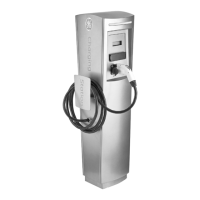
From this point forward there is no difference between the browsers. The initial login screen will
appear as follows. First select your language of choice.
Select Language screen in Configuration tool
Figure – 4.10



 To Next Page