DVSR xU User Manual 81
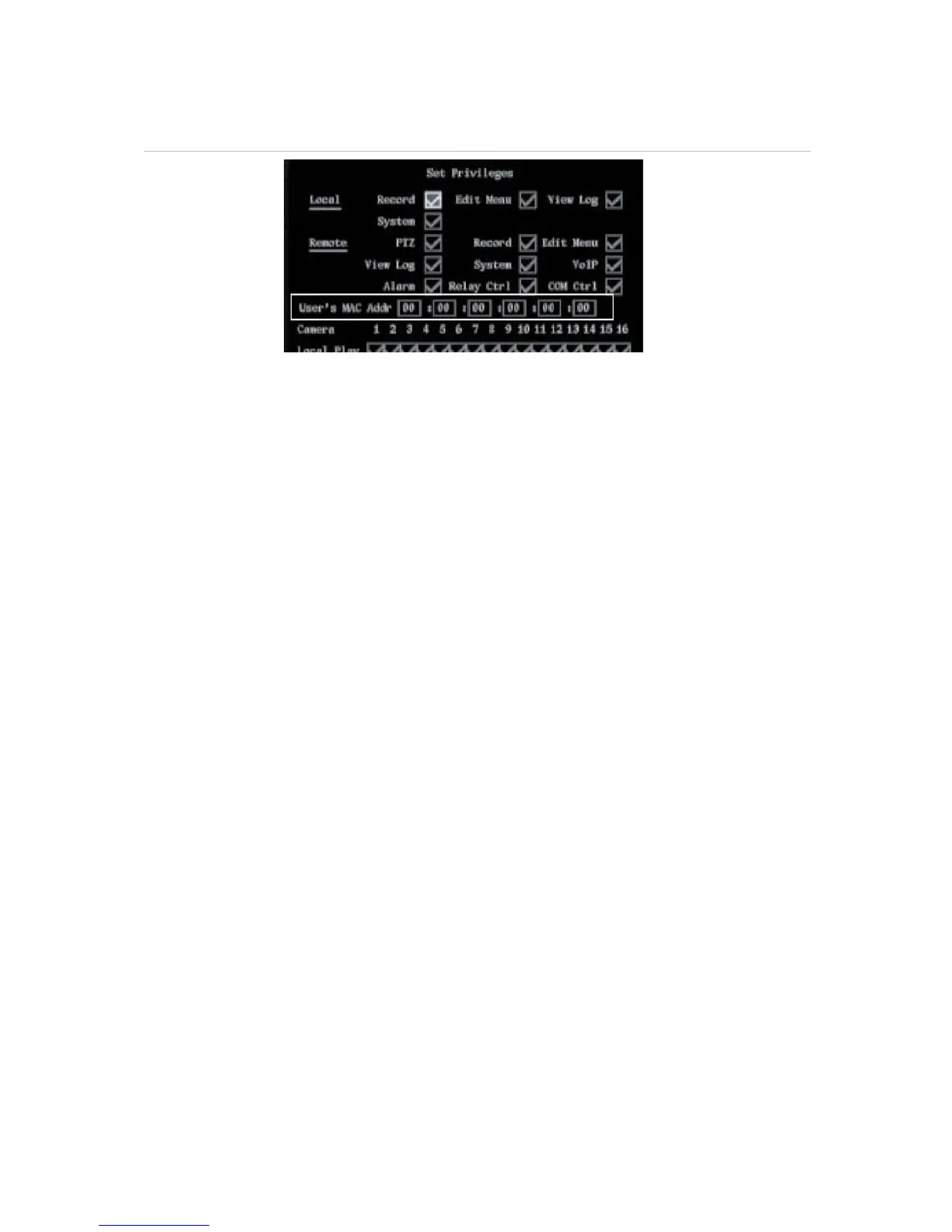
Figure 56: User’s MAC address
3. Go to the User’s MAC Addr. and press EDIT or left-click the mouse. Use the number buttons to
enter t the MAC address. Press Enter to accept the entry if using the front panel or remote control.
4. Go to OK and press Enter or left-click the mouse to return to the user management menu. Select
OK and press Enter or left-click the mouse to save the changes and return to the main menu.
To delete a user
Only the
system administrator can add or delete users.
1. In the user management screen select the user you want to delete.
2. Go to Delete User and press Enter or left-click the mouse. The Delete pop-up dialog box appears.
3. Go to OK and press Enter or left-click the mouse to delete the user, or select Cancel and press
Enter or ESC to abort. You will return to the user management menu.
4. In the user management menu select OK to save the changes and return to the main menu.


 To Next Page