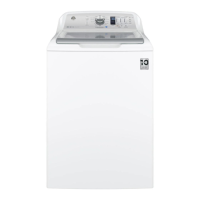
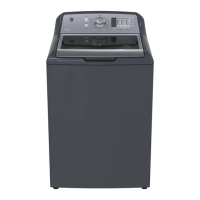
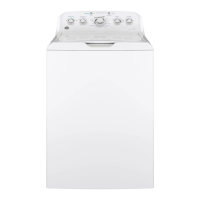
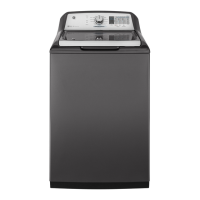
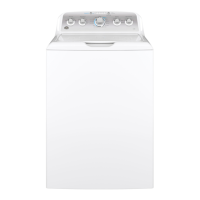
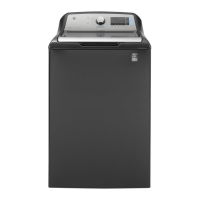
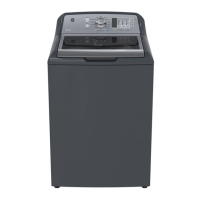
This document describes a top-loading washing machine, focusing on its operation, features, and maintenance. The washer is designed for household laundry, incorporating various cycles and options to cater to different fabric types and soil levels.
Function Description
The washing machine's primary function is to clean clothes through a combination of agitation, soaking, rinsing, and spinning. It utilizes an Infusor wash action, which is a high-efficiency system designed to use less water while providing effective cleaning. The machine features an Automatic Load Sensing capability that determines the correct agitation profile, duration, and water amount based on the load size and type. This sensing process involves a brief spin at the beginning of the cycle and can take up to 3 minutes for larger loads.
The washer offers a range of wash cycles, including Whites, Towels/Sheets, Bulky Items, Heavy Duty, Jeans, SaniFresh With Oxi, Colors, Normal, Casuals, Delicates, Active Wear, Cold Wash, Speed Wash, Basket Clean, and Drain & Spin. Each cycle is tailored for specific types of laundry, with recommended settings for wash temperature, soil level, and spin selection to optimize performance. For instance, the "SaniFresh with Oxi" cycle is designed to eliminate 99.9% of bacteria when used with an Oxi additive and hot water. The "Basket Clean" cycle is specifically for cleaning the washer's interior, using more water and bleach to prevent soil and detergent accumulation.
Usage Features
The washer's operation is controlled via a central knob for cycle selection and various buttons for options and settings.
- Power Button: Used to "wake up" the display or put the washer into idle mode. It's important to note that pressing the Power button does not disconnect the appliance from the power supply.
- Start/Pause Button: Initiates or pauses a cycle. The lid must be closed for the washer to start. If the lid is opened during a cycle, the washer will pause, and the "Lid" status will scroll across the display. Pressing Start again resumes the cycle. If paused for more than 24 hours, the cycle will be canceled.
- Display and Status Lights: The display shows the estimated time remaining for the cycle and scrolls various status messages such as "BALANCING" (rebalancing load), "DELAY" (Delay Wash initiated), "End" (cycle complete), "FILL" (filling with water), "H2O SUPPLY" (water level not sensed), "Lid" (lid open), "SEnSing" (sensing load size), and "PAUSE" (cycle paused). Status lights indicate the current phase of the cycle (Delay, Fill, Soak, Wash, Rinse, Spin). A blinking Spin light indicates an out-of-balance condition, which the washer attempts to correct.
- Cycle Selector Knob: Allows users to choose from various wash cycles. Turning the knob after a cycle has started will stop the current cycle and allow selection of a new one.
- Settings (Temp, Soil, Spin): Individual settings for agitation (Soil), water temperature (Temp), and spin (Spin) can be adjusted. Higher settings generally use more washer energy, but longer spin times can reduce dryer time/energy usage.
- Deep Fill Option: Adds an incremental amount of water to the wash load. Holding the button for 3 seconds provides the deepest fill level. This option can also be activated after the washer has started filling.
- Warm Rinse Option: Provides a warm rinse to the wash load, with rinsing operations adjusted for effective application.
- Auto Soak Option: Begins with brief agitation, followed by a specified soak period (15 min, 30 min, 1 hr, 2 hr) before continuing the cycle.
- Deep Rinse Option: Provides a deep rinse, recommended when using fabric softener or for heavily soiled clothes.
- Delay Wash Option: Allows users to delay the start of a cycle for 1 to 9 hours.
- Extra Rinse Option: Recommended for heavily soiled clothes or when using extra detergent/bleach to remove additional residues.
- My Cycle Settings: Users can customize and save their preferred Temp, Soil, Spin, Extra Rinse, Deep Fill, Warm Rinse, Auto Soak, Deep Rinse, and Stain Removal Guide settings for each cycle.
- Volume Control: Adjusts the volume of the end-of-cycle signal and other system tones.
- Control Lock: Locks the washer controls to prevent accidental selections. It is activated by pressing and holding the Warm Rinse and Auto Soak buttons for 3 seconds. The Power button remains functional when controls are locked.
- Stain Removal Guide: This feature allows users to select specific stain types (Tomato, Wine, Blood, Grass, Dirt). The washer then performs a tailored treatment, including an initial water fill at a specific temperature, a concentrated cleaning step, and an active soak, before proceeding with the selected wash cycle. The Soil and Temperature levels are automatically adjusted to match the recommended default for the chosen stain.
Loading and Detergent Use:
- Detergent Dispenser: Liquid or powdered HE detergent should be added to the right side of the dispenser drawer. Detergent pods should be placed directly in the bottom of the wash basket.
- Liquid Fabric Softener Dispenser: Liquid fabric softener should be added to the left side of the dispenser drawer. Fabric softener crystals should not be used in the dispenser.
- Liquid Bleach Dispenser: Liquid chlorine bleach should be added to the front left corner dispenser. Do not mix liquid chlorine bleach with laundry pretreatments like Oxi products in the same wash load.
- Pretreatment: Laundry pretreatments, such as Oxi products, should be placed directly in the bottom of the wash basket before adding clothes.
- Loading: Items should be loaded loosely and evenly around the Infusor. Overloading can negatively impact wash performance. Large items like sheets or blankets should be loaded around the outside of the basket, not across the Infusor. Waterproof or water-resistant items should only be washed on the Delicates cycle to prevent abnormal vibration and potential damage.
Maintenance Features
- Exterior Cleaning: Spills on the exterior should be wiped off immediately with a damp cloth.
- Interior Cleaning (Basket Clean Cycle): The "Basket Clean" cycle should be performed at least once a month to clean the washer's interior, using water and bleach to control soil and detergent accumulation. Users are instructed to add one cup of liquid bleach or washing machine cleaner to the basket before starting this cycle.
- Dispenser Drawer Cleaning: The dispenser drawer can be removed and washed in warm, soapy water to clean any detergent or softener residue. Siphon caps should be pushed back into place after cleaning. The dispenser box itself is not removable but can be wiped clean.
- Water Supply Hoses: GE recommends replacing water supply hoses every 5 years to minimize the risk of leaks and water damage. Users should turn off water faucets when the washer is not in use to prevent leakage.
- Moving and Storage: If the washer needs to be moved or stored in freezing temperatures, a service technician should remove water from the drain pump and hoses.
- Long Vacations: For extended periods of non-use, water supply faucets should be shut off, and all water drained from hoses and the water filter pump area if freezing temperatures are expected.
- Troubleshooting Tips: The manual includes a comprehensive troubleshooting section to help users diagnose and resolve common issues such as water problems (low water flow, leaks, incorrect temperature), performance issues (colored spots, lint, clothes too wet), and unusual sounds. This section provides "Possible Causes" and "What To Do" for each problem, empowering users to address minor issues without professional service. For example, if the "H2O SUPPLY" message appears, users are advised to check their house water supply and ensure valves are open. If the "Lid" message appears, it indicates that three cycles have been started without opening the lid, and the user needs to open and close the lid to reset.


 To Next Page
 General