EasyManua.ls Logo

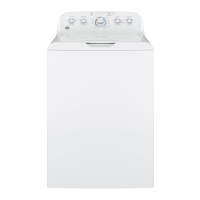
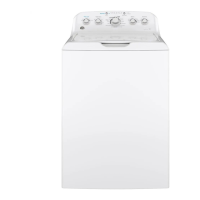
GE GTW490 - User Manual

GE GTW490
56 pages
Print Icon
To Next Page IconTo Next Page
Loading...
WASHERS
SAFETY INSTRUCTIONS ..........3
USING THE WASHER
Getting Started ...................... 5
Loading .............................15
Appliance Communication .............16
CARE AND CLEANING ............17
INSTALLATION
INSTRUCTIONS
.....................18
TROUBLESHOOTING TIPS ......23
LIMITED WARRANTY ............27
CONSUMER SUPPORT .......... 28
OWNER’S MANUAL &
INSTALLATION
INSTRUCTIONS
Write the model and serial
numbers here:
Model # _________________
Serial # _________________
You can find them under the
lid of the washer.
ENGLISH/ESPAÑOL
GE is a trademark of the General Electric Company. Manufactured under trademark license.
GTW540
GTW525
GTW500
GTW490
GTW485
GTW480
GTW465
GTW460
GTW340
GTW335
GTW330
GTW220
HTW240
HTW200
49-3000255 Rev 2 08-21 GEA
G033

Other manuals for GE GTW490

Questions and Answers

  • C
    charlesdavisSep 5, 2025
    Why is the water temperature incorrect in my GE GTW490?
    • H
      haroldyoungSep 5, 2025
      If the water temperature in your GE Washer seems incorrect, first ensure that both hot and cold water faucets are fully turned on and that the hoses are connected to the correct faucets, noting the “H” and “C” markings on the water valves. Check the water valve screens for blockage by turning off the water source, disconnecting the hoses, cleaning the screens with a brush or toothpick, reconnecting the hoses, and turning the water back on, ensuring no leaks. Finally, verify that your house water heater is set to deliver water between 120°F and 140°F (48°C–60°C).
  • D
    Denise RobinsonAug 25, 2025
    Why won't my GE GTW490 operate?
    • E
      Eddie ChristensenAug 25, 2025
      If your GE Washer won’t operate, several factors could be the cause. First, ensure the washer is securely plugged into a working outlet. Check that both hot and cold water faucets are fully turned on. Make sure the lid is closed and press Start, as a safety feature prevents operation when the lid is open. Inspect your house circuit breakers or fuses and replace any blown fuses or reset tripped breakers. Try resetting the electronics by unplugging the washer, waiting two minutes, plugging it back in, and pressing Start. Finally, ensure you have pressed the Start button.
  • J
    John DyerAug 25, 2025
    Why are clothes too wet after washing in my GE GTW490 Washer?
    • A
      Andre FergusonAug 26, 2025
      If your clothes are too wet after washing in your GE Washer, ensure that the selected cycle matches the load type. Some fabrics may feel wetter when rinsed with cold water. If the wash load is out of balance, redistribute the load and run it through a Drain & Spin cycle.
  • M
    Marvin SampsonSep 13, 2025
    Why does my GE Washer cause snags, holes, tears, rips or excessive wear?
    • J
      Julie HarperSep 13, 2025
      If your GE Washer is causing snags, holes, tears, rips, or excessive wear on your clothes, consider the following: * Fasten snaps, hooks, buttons, and zippers. Remove loose items like pins, objects in pockets, and sharp buttons. Turn knits (which snag easily) inside out. * Check the bleach package instructions for proper amount. Never add undiluted bleach to wash or allow clothes to come in contact with undiluted bleach. * Rinse items that may have chemicals on them before washing. Use Quick Wash cycle with Extra Rinse option. (on some models)
  • D
    Daniel RoseSep 23, 2025
    What to do if there are colored spots on clothes after washing in my GE GTW490?
    • J
      Jennifer KellySep 23, 2025
      If you notice colored spots on your clothes after washing them in your GE washer, it could be due to incorrect use of fabric softener. Check the fabric softener package for instructions and ensure you've selected the Deep Rinse option. Dye transfer may also be the cause, so sort whites or lightly colored items separately from dark colors. For stains, pretreat them and rewash using the Speed Wash cycle before drying.
  • K
    Kim GallagherSep 8, 2025
    Why is my GE GTW490 Washer rocking or moving?
    • C
      Christine StephensSep 8, 2025
      If your GE Washer is rocking or moving, it's likely due to uneven leveling legs. Adjust the leveling legs by rotating each leg in the appropriate direction until the washer is stable.
  • T
    Thomas RobertsonSep 1, 2025
    Why does my GE GTW490 leave colored spots on clothes?
    • L
      Logan JohnsonSep 1, 2025
      If you notice colored spots on your clothes after washing in your GE Washer, it could be due to: * Incorrect use of fabric softener. Check the package instructions and follow directions for using the dispenser. Make sure you have selected the Deep Rinse/Extra Rinse option (on some models). Pretreat the stain and rewash using the Quick Wash cycle before drying (on some models). * Dye transfer. Sort whites or lightly colored items from dark colors.
  • L
    leslie10Sep 23, 2025
    What to do if water pumped out before cycle is complete in GE GTW490 Washer?
    • S
      Scott HernandezSep 23, 2025
      If the water is pumped out of your GE washer before the cycle is complete, it's possible the previous cycle was cancelled. To resolve this, close the lid, select a new cycle, and start the machine.
  • B
    bartlettscottSep 16, 2025
    How to stop water siphoning out of my GE GTW490?
    • L
      Laura OliverSep 16, 2025
      The drain hose must exceed 30” height at some point between the washer back and the drain pipe. Use anti-siphon clip. See the Installation Instructions.
  • B
    Brenda MillerAug 28, 2025
    How to fix a GE GTW490 Washer that won't drain?
    • D
      Diana BrownAug 28, 2025
      If your GE washer isn't draining, the drain hose might be kinked or improperly connected. Straighten the drain hose, ensuring the washer isn't sitting on it. Also, make sure the top of the drain outlet is less than 8 ft (2.44 m) above the floor.

Summary

Important Safety Information

Using the Washer

Controls

Overview and identification of the washing machine's control panel and functions.

Getting started

Step-by-step guide for the initial setup and operation of the washing machine.

Automatic Load Sensing

How the washer automatically adjusts water and cycle for load size and type.

Wash Cycles-Cycle Selector Knob

Guide to selecting appropriate wash cycles based on fabric type, soil level, and wash temperature.

Stain PreTreat

Details on using the Stain PreTreat feature to target specific types of stains.

Loading

Proper Use of Detergent

Guidance on using the correct amount of detergent for optimal wash performance.

Sorting Wash Loads

Tips for sorting laundry by color, soil level, fabric type, and lint production.

Installation Instructions

BEFORE YOU BEGIN

Important preliminary steps and notes for installers and consumers.

TOOLS REQUIRED FOR WASHER INSTALLATION

List of tools needed for the proper installation of the washing machine.

PARTS REQUIRED (Sold separately)

List of necessary parts that must be purchased separately for installation.

PARTS SUPPLIED

List of parts included with the washing machine for installation.

LOCATION OF YOUR WASHER

Guidelines for selecting an appropriate and safe location for the washing machine.

IMPORTANT: Minimum Installation Clearances

Required clearances around the washer for proper ventilation, access, and servicing.

WATER SUPPLY REQUIREMENTS

Specifications for water pressure, temperature, and supply lines for installation.

UNPACKING THE WASHER

Steps for removing the washing machine from its packaging and preparing it for installation.

REMOVE THE BASE

Instructions on how to remove the shipping base from the washing machine.

CONNECT DRAIN HOSE TO WASHER

How to attach the drain hose to the back of the washing machine.

CONNECT WATER HOSES TO WASHER

Connecting the hot and cold water supply hoses to the washer.

CONNECT WATER HOSES TO OUTLET VALVES

Connecting the water supply hoses to the home's hot and cold water faucets.

CONNECT TO DRAIN

Properly connecting the drain hose to a standpipe or wall drain.

ELECTRICAL REQUIREMENTS

GROUNDING INSTRUCTIONS

Essential steps for grounding the washer to prevent electrical shock hazards.

CONNECT POWER AND INSTALL

Plugging in the washer and leveling the unit for proper operation.

Troubleshooting Tips...

Washer wont operate

Troubleshoot steps when the washing machine fails to start or operate.

LIMITED WARRANTY

GE Appliances;Hotpoint Washer Limited Warranty

Details of the limited warranty coverage provided by GE Appliances for washers.

GE GTW490 Specifications

General IconGeneral
Appliance CategoryWasher
Washer TypeTop Load
Capacity4.2 cu. ft.
ColorWhite
Number of Wash Cycles12
AgitatorYes
Spin Speed700 RPM
Energy Star CertifiedYes
Voltage120 V
Agitator TypeDual Action
Width27 in
Depth27 in
Height44 in

Related product manuals