EasyManua.ls Logo

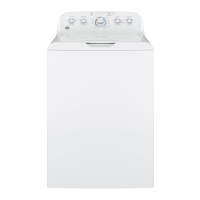
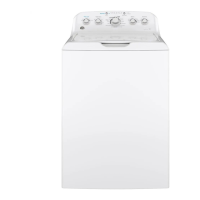
GE GTW490 - User Manual

GE GTW490
56 pages
Print Icon
To Next Page IconTo Next Page
Loading...
WASHERS
SAFETY INSTRUCTIONS ..........3
USING THE WASHER
Getting Started ...................... 5
Loading .............................15
Appliance Communication .............16
CARE AND CLEANING ............17
INSTALLATION
INSTRUCTIONS
.....................18
TROUBLESHOOTING TIPS ......23
LIMITED WARRANTY ............27
CONSUMER SUPPORT .......... 28
OWNER’S MANUAL &
INSTALLATION
INSTRUCTIONS
Write the model and serial
numbers here:
Model # _________________
Serial # _________________
You can find them under the
lid of the washer.
ENGLISH/ESPAÑOL
GE is a trademark of the General Electric Company. Manufactured under trademark license.
GTW540
GTW525
GTW500
GTW490
GTW485
GTW480
GTW465
GTW460
GTW340
GTW335
GTW330
GTW220
HTW240
HTW200
49-3000255 Rev 2 08-21 GEA
G033

Other manuals for GE GTW490

Questions and Answers

  • M
    marcuskellyAug 28, 2025
    Why won't my GE Washer start?
    • W
      wsmithAug 28, 2025
      If your GE washer isn't starting, check these potential causes: ensure the washer is properly plugged into a working outlet. Verify that both hot and cold water faucets are fully turned on. Make sure the lid is closed completely. Check your house's circuit breakers or fuses, replacing any blown fuses or resetting tripped breakers. Try resetting the electronics by unplugging the washer for 2 minutes, then plugging it back in. Finally, be sure you pressed the Start button.
  • B
    Brenda MillerAug 28, 2025
    How to fix a GE GTW490 Washer that won't drain?
    • D
      Diana BrownAug 28, 2025
      If your GE washer isn't draining, the drain hose might be kinked or improperly connected. Straighten the drain hose, ensuring the washer isn't sitting on it. Also, make sure the top of the drain outlet is less than 8 ft (2.44 m) above the floor.
  • H
    howardyorkAug 29, 2025
    How to fix a GE GTW490 Washer that won't operate?
    • T
      Terry JohnsonAug 29, 2025
      If your GE Washer isn't operating, here are a few things to check: * Make sure the power cord is securely plugged into a working outlet. * Ensure both hot and cold water faucets are fully turned on. * Confirm that the lid is closed and press Start, as a safety feature prevents operation when the lid is open. * Check your house's circuit breakers or fuses and replace if necessary. The washer should ideally have its own separate outlet. * Try resetting the electronics by unplugging the washer, waiting two minutes, plugging it back in, and then pressing Start. * Ensure you have pressed the Start button.
  • D
    Dawn RodriguezAug 29, 2025
    How to fix a GE Washer when the water won’t drain?
    • M
      Martha GreenAug 29, 2025
      If the water isn't draining from your GE washer, check if the drain hose is kinked or improperly connected. Straighten the drain hose, ensure the washer isn't sitting on it, and verify that the top of the drain outlet is less than 8 ft (2.44 m) above the floor.
  • K
    Kevin WeberAug 30, 2025
    How to reduce suds in my GE Washer?
    • D
      danielle94Aug 30, 2025
      To reduce excessive suds in your GE Washer, consider the following: If you have soft water, use less detergent. Measure your detergent carefully, and if the load is lightly soiled, reduce the amount of soap. Also, consider switching to a High Efficiency detergent.
  • S
    Shannon HinesAug 30, 2025
    How to prevent lint on clothes in my GE Washer?
    • D
      Debbie JonesAug 30, 2025
      To prevent lint or residue on clothes in your GE Washer, consider these points: If you air dry your clothes, they may retain more lint. Separate lint producers from lint collectors when sorting your laundry. For small loads, use a shorter wash time with the Light Soil setting. If detergent isn't dissolving properly, rewash using liquid detergent and warmer water. Avoid overloading the washer, and loosely load clothes around the outside of the basket. Check the fabric softener package for correct usage and ensure the Deep Rinse option is selected (on some models).
  • S
    Steven CamposAug 31, 2025
    What to do if water pumped out before cycle is complete in my GE GTW490?
    • J
      Jennifer BakerAug 31, 2025
      If the water is pumped out of your GE Washer before the cycle is complete, it may be because the lid was lifted or the cycle was paused for over 24 hours. Try resetting the cycle.
  • X
    xlarsonAug 31, 2025
    Why does the water level seem low in my GE GTW490 Washer?
    • M
      Michael CastroAug 31, 2025
      The water level in your GE Washer may not cover the top level of the clothes. This is normal for this high efficiency washer.
  • A
    Alexander WoodardAug 25, 2025
    What to do if my GE GTW490 Washer is leaking water?
    • J
      Joshua MaddoxAug 25, 2025
      If your GE Washer is leaking water, there are several potential causes. First, ensure you are using the correct amount of High Efficiency detergent. Using too much detergent, especially in soft water, can cause leaks. Also, check that the fill and drain hoses are tightly connected to the faucets and the drain facility, and that rubber washers are properly installed. A clogged household drain could also be the culprit, potentially requiring a plumber. Ensure the drain hose isn't rubbing against the wall, which can cause wear. Finally, ensure the hoses are tightened at the faucets and inspect the fill hoses for damage; replace them every 5 years.
  • T
    Thomas RobertsonSep 1, 2025
    Why does my GE GTW490 leave colored spots on clothes?
    • L
      Logan JohnsonSep 1, 2025
      If you notice colored spots on your clothes after washing in your GE Washer, it could be due to: * Incorrect use of fabric softener. Check the package instructions and follow directions for using the dispenser. Make sure you have selected the Deep Rinse/Extra Rinse option (on some models). Pretreat the stain and rewash using the Quick Wash cycle before drying (on some models). * Dye transfer. Sort whites or lightly colored items from dark colors.

Summary

Important Safety Information

Using the Washer

Controls

Overview and identification of the washing machine's control panel and functions.

Getting started

Step-by-step guide for the initial setup and operation of the washing machine.

Automatic Load Sensing

How the washer automatically adjusts water and cycle for load size and type.

Wash Cycles-Cycle Selector Knob

Guide to selecting appropriate wash cycles based on fabric type, soil level, and wash temperature.

Stain PreTreat

Details on using the Stain PreTreat feature to target specific types of stains.

Loading

Proper Use of Detergent

Guidance on using the correct amount of detergent for optimal wash performance.

Sorting Wash Loads

Tips for sorting laundry by color, soil level, fabric type, and lint production.

Installation Instructions

BEFORE YOU BEGIN

Important preliminary steps and notes for installers and consumers.

TOOLS REQUIRED FOR WASHER INSTALLATION

List of tools needed for the proper installation of the washing machine.

PARTS REQUIRED (Sold separately)

List of necessary parts that must be purchased separately for installation.

PARTS SUPPLIED

List of parts included with the washing machine for installation.

LOCATION OF YOUR WASHER

Guidelines for selecting an appropriate and safe location for the washing machine.

IMPORTANT: Minimum Installation Clearances

Required clearances around the washer for proper ventilation, access, and servicing.

WATER SUPPLY REQUIREMENTS

Specifications for water pressure, temperature, and supply lines for installation.

UNPACKING THE WASHER

Steps for removing the washing machine from its packaging and preparing it for installation.

REMOVE THE BASE

Instructions on how to remove the shipping base from the washing machine.

CONNECT DRAIN HOSE TO WASHER

How to attach the drain hose to the back of the washing machine.

CONNECT WATER HOSES TO WASHER

Connecting the hot and cold water supply hoses to the washer.

CONNECT WATER HOSES TO OUTLET VALVES

Connecting the water supply hoses to the home's hot and cold water faucets.

CONNECT TO DRAIN

Properly connecting the drain hose to a standpipe or wall drain.

ELECTRICAL REQUIREMENTS

GROUNDING INSTRUCTIONS

Essential steps for grounding the washer to prevent electrical shock hazards.

CONNECT POWER AND INSTALL

Plugging in the washer and leveling the unit for proper operation.

Troubleshooting Tips...

Washer wont operate

Troubleshoot steps when the washing machine fails to start or operate.

LIMITED WARRANTY

GE Appliances;Hotpoint Washer Limited Warranty

Details of the limited warranty coverage provided by GE Appliances for washers.

GE GTW490 Specifications

General IconGeneral
Appliance CategoryWasher
Washer TypeTop Load
Capacity4.2 cu. ft.
ColorWhite
Number of Wash Cycles12
AgitatorYes
Spin Speed700 RPM
Energy Star CertifiedYes
Voltage120 V
Agitator TypeDual Action
Width27 in
Depth27 in
Height44 in

Related product manuals