EasyManua.ls Logo

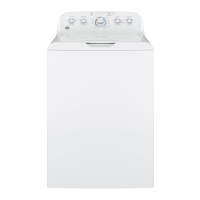
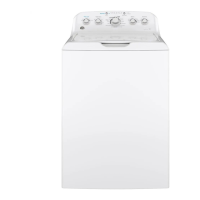
GE GTW490 - User Manual

GE GTW490
56 pages
Print Icon
To Next Page IconTo Next Page
Loading...
WASHERS
SAFETY INSTRUCTIONS ..........3
USING THE WASHER
Getting Started ...................... 5
Loading .............................15
Appliance Communication .............16
CARE AND CLEANING ............17
INSTALLATION
INSTRUCTIONS
.....................18
TROUBLESHOOTING TIPS ......23
LIMITED WARRANTY ............27
CONSUMER SUPPORT .......... 28
OWNER’S MANUAL &
INSTALLATION
INSTRUCTIONS
Write the model and serial
numbers here:
Model # _________________
Serial # _________________
You can find them under the
lid of the washer.
ENGLISH/ESPAÑOL
GE is a trademark of the General Electric Company. Manufactured under trademark license.
GTW540
GTW525
GTW500
GTW490
GTW485
GTW480
GTW465
GTW460
GTW340
GTW335
GTW330
GTW220
HTW240
HTW200
49-3000255 Rev 2 08-21 GEA
G033

Other manuals for GE GTW490

Questions and Answers

  • J
    Jennifer OlsenSep 6, 2025
    Why are there colored spots on clothes after washing in my GE GTW490?
    • K
      Kayla LongSep 6, 2025
      Colored spots on clothes after washing in your GE Washer may be due to incorrect use of fabric softener. Check the fabric softener package for instructions and follow directions for using the dispenser, ensuring you have selected the Deep Rinse option (on some models). Dye transfer can also cause colored spots, so sort whites or lightly colored items separately from dark colors.
  • R
    rosekruegerSep 7, 2025
    How to fix low water flow in my GE GTW490?
    • T
      Thomas WaltersSep 7, 2025
      To fix low water flow in your GE Washer, turn off the water source and remove the water connection hoses from the upper back of the washer and the water faucets. Clean both the hose screens (if so equipped) and the screens in the machine using a brush or a toothpick. Reconnect the hoses, turn the water back on, and check for leaks at the connections.
  • M
    Michelle RiversSep 7, 2025
    What does a blinking spin light mean on my GE Washer?
    • Z
      zachary50Sep 7, 2025
      If the spin light is blinking or on at the end of the cycle on your GE Washer, it indicates that an out-of-balance condition has been detected. Allow the cycle to continue and finish. If the load is still wet at the end, even out the load and run a Drain & Spin cycle.
  • E
    Elizabeth MendozaSep 7, 2025
    Why are laundry additives dispensing too soon in my GE GTW490?
    • M
      Michelle HallSep 8, 2025
      If laundry additives are dispensing too soon in your GE Washer, it may be due to overfilling the dispensers. Avoid overfilling or adding water to the dispenser. When using fabric softener, select the Deep Rinse option.

Summary

Important Safety Information

Using the Washer

Controls

Overview and identification of the washing machine's control panel and functions.

Getting started

Step-by-step guide for the initial setup and operation of the washing machine.

Automatic Load Sensing

How the washer automatically adjusts water and cycle for load size and type.

Wash Cycles-Cycle Selector Knob

Guide to selecting appropriate wash cycles based on fabric type, soil level, and wash temperature.

Stain PreTreat

Details on using the Stain PreTreat feature to target specific types of stains.

Loading

Proper Use of Detergent

Guidance on using the correct amount of detergent for optimal wash performance.

Sorting Wash Loads

Tips for sorting laundry by color, soil level, fabric type, and lint production.

Installation Instructions

BEFORE YOU BEGIN

Important preliminary steps and notes for installers and consumers.

TOOLS REQUIRED FOR WASHER INSTALLATION

List of tools needed for the proper installation of the washing machine.

PARTS REQUIRED (Sold separately)

List of necessary parts that must be purchased separately for installation.

PARTS SUPPLIED

List of parts included with the washing machine for installation.

LOCATION OF YOUR WASHER

Guidelines for selecting an appropriate and safe location for the washing machine.

IMPORTANT: Minimum Installation Clearances

Required clearances around the washer for proper ventilation, access, and servicing.

WATER SUPPLY REQUIREMENTS

Specifications for water pressure, temperature, and supply lines for installation.

UNPACKING THE WASHER

Steps for removing the washing machine from its packaging and preparing it for installation.

REMOVE THE BASE

Instructions on how to remove the shipping base from the washing machine.

CONNECT DRAIN HOSE TO WASHER

How to attach the drain hose to the back of the washing machine.

CONNECT WATER HOSES TO WASHER

Connecting the hot and cold water supply hoses to the washer.

CONNECT WATER HOSES TO OUTLET VALVES

Connecting the water supply hoses to the home's hot and cold water faucets.

CONNECT TO DRAIN

Properly connecting the drain hose to a standpipe or wall drain.

ELECTRICAL REQUIREMENTS

GROUNDING INSTRUCTIONS

Essential steps for grounding the washer to prevent electrical shock hazards.

CONNECT POWER AND INSTALL

Plugging in the washer and leveling the unit for proper operation.

Troubleshooting Tips...

Washer wont operate

Troubleshoot steps when the washing machine fails to start or operate.

LIMITED WARRANTY

GE Appliances;Hotpoint Washer Limited Warranty

Details of the limited warranty coverage provided by GE Appliances for washers.

GE GTW490 Specifications

General IconGeneral
Appliance CategoryWasher
Washer TypeTop Load
Capacity4.2 cu. ft.
ColorWhite
Number of Wash Cycles12
AgitatorYes
Spin Speed700 RPM
Energy Star CertifiedYes
Voltage120 V
Agitator TypeDual Action
Width27 in
Depth27 in
Height44 in

Related product manuals