14
Setting the Flush/Drain Interval:
4
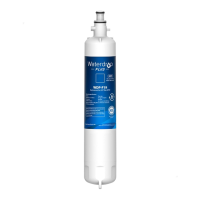
Figure 18
1) Press NEXT ve times until “t:01” appears on screen.
2) To change the ush/drain interval setting, press and
hold the UP and DOWN arrows together and press
NEXT. Release all buttons and repeat to shift to the next
interval. There are ve interval settings to choose from:
Flush/Drain
Interval Setting
No. of
Flush/Drain Cycles
per Day
Time Interval Between
Flush/Drain Cycles
t:01 1 time 24 hrs
t:02 2 times 12 hrs
t:04 4 times 6 hrs
t:08 8 times 3 hrs
t:24 24 times 1 hr
NOTE: Under conditions of turbid water and high usage of
the system, select a ush/drain interval setting appropriate
to the specic application. Increase frequency of ush/drain
cycle if the system TMP rises too quickly. Increasing the
number of ush/drain cycles per day will prolong the life of the
system; however, more water will be used for system cleaning
purposes.
Setting the Program
3
Choosing a program:
Water Clarity Advanced Plus Controller
Low Turbidity
Less than 0.5 NTU
Program 1
Medium Turbidity
Peaks to 1.0 NTU, less than 72
min. per day
Program 2
High Turbidity
Peaks to 5.0 NTU, less than 72
min. per day
Program 3
Very High Turbidity
Peaks to 10.0 NTU, less than 72
min. per day
Program 4
NOTE: If surface water is the source, select either Program 3
or Program 4 in this application.
Advanced
Plus
Controller
Cleaning
Sequence
Duration
Approx Water
Consumption Per
Cleaning Cycle at 5
gpm
Program 1 2 ushes 2.5 min 7.5 gal
Program 2 4 ushes 6 min 15 gal
Program 3
2 ushes & 1
drain
8.5 min 13.5 gal
Program 4
2 ushes & 2
drains
16.5 min 19.5 gal
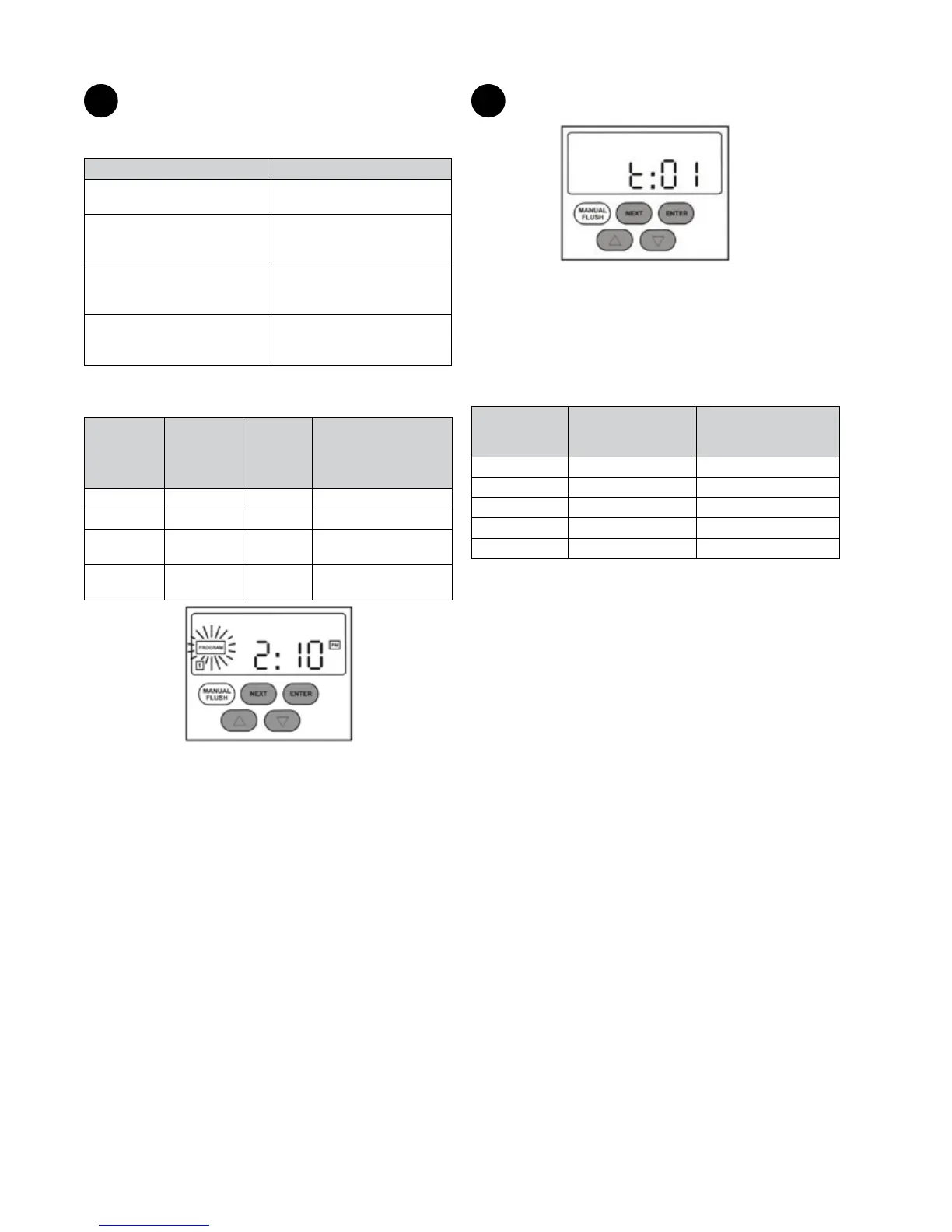
Figure 17
1) Press NEXT four times until “PROGRAM” ashes on
screen. Press ENTER.
3) Press the UP and DOWN arrows to set the Program
number. Select the appropriate Program for your
application. Press ENTER.


 To Next Page