EasyManua.ls Logo

GE JB620 - User Manual

GE JB620
56 pages
Print Icon
To Next Page IconTo Next Page
Loading...
Write the model and serial
numbers here:
Model # _________________
Serial # _________________
You can find them on a label
behind the door or drawer.
ESPAÑOL
Para consultar una version en
español de este manual de
instrucciones, visite nuestro sitio de
internet GEAppliances.com.
OWNER’S MANUAL
RANGES
Electric Free-Standing
49-80689-9 02-17 GEA
SAFETY INFORMATION .......... 3
USING THE RANGE
Surface Units ........................... 7
Cookware for Radiant Glass Cooktop. . . . . .10
Oven Controls ..........................11
Special Features ........................12
Oven Racks ............................13
Aluminum Foil and Oven Liners ...........13
Cookware ..............................13
Cooking Modes .........................14
Cooking Guide .........................15
CARE AND CLEANING
Cleaning the Range – Exterior ............16
Cleaning the Range – Interior ............17
Cleaning the Glass Cooktop ..............19
Oven Light .............................21
Oven Door ............................ 22
Storage Drawer. . . . . . . . . . . . . . . . . . . . . . . . 22
TROUBLESHOOTING TIPS ....... 23
WARRANTY ....................... 26
ACCESSORIES .................... 27
CONSUMER SUPPORT ........... 28
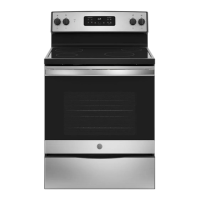
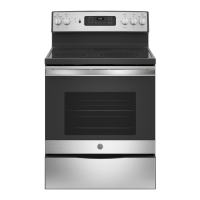
30" Free-Standing Range
JBS65, JB620, JB630, JB640,
JB650, JB690, JB695, JB700
GE is a trademark of the General Electric Company. Manufactured under trademark license.


Questions and Answers

  • K
    Kenneth DillonAug 28, 2025
    Why is "LOCK DOOR" flashing in the display of my GE JB620 Ranges?
    • B
      Bradley FreemanAug 29, 2025
      The "LOCK DOOR" message flashes on your GE Ranges display because the self-clean cycle has been selected, but the oven door is not fully closed. Make sure to close the oven door and latch it to start the cleaning cycle.
  • M
    Mitchell BrightAug 28, 2025
    Why is my GE Ranges oven not working?
    • B
      bkingAug 28, 2025
      If your GE Ranges oven is not working or appears not to work, check your home's fuse box or circuit breaker and replace the fuse or reset the breaker if necessary. Also, verify that the oven is not in Sabbath Mode.
  • P
    Philip Brown MDAug 27, 2025
    Why aren't the clock and timer working on my GE Ranges?
    • H
      Heather HeathAug 28, 2025
      If your GE Ranges clock and timer aren't working, check your home's fuse box or circuit breaker and replace the fuse or reset the breaker if necessary. Also, make sure the electrical plug is plugged into a live, properly grounded outlet.
  • L
    lopezthomasSep 7, 2025
    Why are my GE JB620 Ranges surface units not maintaining a rolling boil?
    • J
      Joshua HartSep 7, 2025
      Your GE Ranges surface units may not maintain a rolling boil due to improper cookware. Use flat-bottomed pans that match the diameter of the surface unit. In areas with low voltage, cover the pan with a lid to help retain heat until the desired temperature is reached.
  • J
    John PorterSep 10, 2025
    Why does my new GE JB620 Ranges oven doesn't cook like my old one?
    • J
      Jonathan BrooksSep 10, 2025
      Your new GE Ranges oven has a different cooking system than your old oven, which may cause it to cook differently. For the first few uses, carefully follow the recipe times and temperatures. If you still believe your new oven is too hot or too cold, you can adjust the temperature to meet your specific cooking preferences.
  • J
    Janet PhillipsSep 13, 2025
    Why is there fan noise in my GE JB620 Ranges (on some models)?
    • G
      Gary GarrisonSep 13, 2025
      If you hear fan noise in your GE Ranges (on some models), it's because a convection fan may automatically turn on and off. This is normal. The fan is designed to operate intermittently to maximize cooking evenness. The convection fan will operate during preheat of the bake cycle and will turn off after the oven is heated to the set temperature. This is normal.
  • A
    Andrew AndersonSep 18, 2025
    Why does my GE JB620 oven door glass look tinted?
    • T
      Theodore JonesSep 18, 2025
      If your GE Ranges oven door glass appears to be "tinted" or have a "rainbow" color, this is normal! Under certain light or angles you may see this tint or rainbow color.
  • R
    Rachel BrennanAug 26, 2025
    What to do if my GE Ranges oven will not self-clean?
    • J
      Jessica JohnsonAug 26, 2025
      If your GE Ranges oven will not self-clean, it could be because the temperature is too high to start a self-clean operation. Allow the oven to cool down and then reset the controls. Also, ensure that the oven controls are properly set by referring to the Cleaning the Oven section.
  • A
    Andrew AndersonAug 26, 2025
    What to do if my GE Ranges oven door will not open after a clean cycle?
    • J
      Jacob PachecoAug 26, 2025
      If your GE Ranges oven door won't open after a clean cycle, it's likely because the oven is still too hot. Allow the oven to cool below the locking temperature, and then try opening the door again.
  • O
    Oscar RobinsonAug 25, 2025
    What to do if my GE Ranges oven does not work?
    • O
      oleeAug 26, 2025
      If your GE Ranges oven isn't working, first check if a fuse in your home has blown or the circuit breaker has tripped, and replace the fuse or reset the breaker. Also, the oven controls might be improperly set, so consult the Using the Oven section. Finally, make sure that the oven is not in Sabbath Mode, referring to the Special Features section.

GE JB620 Specifications

General IconGeneral
Number of Burners4
Self-CleaningYes
ColorBlack
Fuel TypeElectric
Burner TypeRadiant
Cooktop MaterialCeramic Glass
TypeFreestanding
Cooktop SurfaceSmooth
Ignition TypeElectric

Related product manuals