Need help?
Do you have a question about the GE JCS830 and is the answer not in the manual?
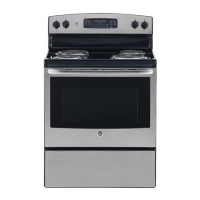
This document is an owner's manual for a GE Electric Radiant Slide-In Range, model JCS830. It provides comprehensive information on the range's functions, usage, and maintenance.
The GE Electric Radiant Slide-In Range is a cooking appliance designed for both surface cooking and oven baking/roasting. It features radiant surface units on a smooth glass cooktop and a multi-functional oven with various cooking modes. The range is equipped with an anti-tip device for safety and offers several special features to enhance the cooking experience.
The range includes knob-controlled surface units. To operate, push the knob in and turn it to the desired setting. A surface ON indicator light glows when any unit is active. For glass cooktop surfaces, a HOT COOKTOP indicator light illuminates when the unit is hot to the touch and remains on until the unit cools to approximately 150°F. The manual advises against leaving surface units unattended at medium or high heat settings to prevent fire hazards.
Some models feature Dual and Triple Surface Units, allowing users to select between 2 or 3 cooking sizes to match cookware.
Located in the back center of the glass surface, the Warming Zone is designed to keep hot, cooked food at serving temperature. It should only be used with hot food and not for heating cold food, nor for more than 2 hours, to prevent foodborne illness. For best results, food in the Warming Zone should be covered with a lid or aluminum foil. Pastries or breads should have their covers vented to allow moisture to escape. The surface warmer does not glow red like the cooking elements.
The cooktop features heating units beneath a smooth glass surface. A slight odor is normal during initial use. The cooking zones may change color when hot or cooling down, which is temporary. The surface units cycle on and off to maintain the selected control setting. Hot cookware can be placed on the cool glass surface. After use, the cooktop retains heat, so pans should be removed once food is cooked to prevent overcooking. Water stains and iridescent films are removable with ceramic cooktop cleaner or white vinegar. Heavy items should not be stored above the cooktop, and it should not be used as a cutting board. A temperature limiter protects the glass cooktop from overheating, cycling units off if a pan boils dry, is off-center, has a non-flat bottom, or if there is no pan on the unit.
The manual provides guidelines for selecting cookware. Stainless steel and heavy-weight aluminum are recommended. Copper-bottom pans are recommended but should not boil dry as overheated metal can bond to the glass. Porcelain enamel on cast iron is recommended if the bottom is coated. Porcelain enamel on steel, glass-ceramic, stoneware, and cast iron (unless specifically designed for glass cooktops) are not recommended due to poor performance or potential damage to the cooktop. Flat-bottomed woks are recommended over those with support rings.
The oven offers several cooking modes:
The range includes several adjustable features accessible through a special features menu (activated by holding Bake + Broil):
This mode disables tones, oven lights, and introduces delays for temperature changes. Only continuous or timed baking is allowed. To activate, navigate through the special features menu. Once activated, a single left opening bracket appears. To start a continuous bake, press Bake and then Start (or select a preset temperature). A second bracket "] [" indicates baking. For timed baking, select a cooking time. No tone sounds when the cook time expires. To exit, press Cancel/Off, then navigate through the special features menu to turn Sabbath mode off. If a power outage occurs in Sabbath Mode, the oven returns to Sabbath Mode when power is restored but will be off even if it was baking.
Recommended rack positions are provided in the Cooking Guide. Adjusting rack position can impact cooking results (e.g., for darker tops, move food higher). When baking with multiple pans, ensure at least 1.5 inches between pans for airflow. Racks should be placed in the desired position before turning the oven on.
Do not use foil or oven liners to cover the oven bottom, as this can trap heat, melt, and damage the product, posing a risk of shock, smoke, or fire. Foil can be used on a lower rack to catch spills, several inches below the food, but should not completely cover the rack or be closer than 1.5 inches from oven walls to ensure proper heat circulation.
Provides recommended cooking modes, rack positions, and additional suggestions for various food types, including baked goods, beef & pork, poultry, fish, casseroles, and frozen convenience foods. Emphasizes cooking food thoroughly to safe internal temperatures, with resources like IsItDoneYet.gov.
All controls should be off and surfaces cool before cleaning.
The oven interior can be cleaned manually, with Steam Clean, or Self Clean. Spills of marinades, fruit juices, and basting liquids should be wiped up immediately after surfaces cool.
To replace the 40-watt appliance bulb, disconnect power, turn the glass cover counterclockwise 1/4 turn, and remove the bulb. Replace with a new bulb, turn clockwise, and reattach the glass cover. Clean the glass cover frequently with a wet cloth when cool.
The oven door is heavy. To remove, fully open the door, pull hinge locks down, grasp both sides of the door, close to the removal position (approx. 3" open), and lift up and out. To replace, seat the hinge arm indentations into the bottom edge of the hinge slots, fully open the door, and push hinge locks up.
 General
| Type | Slide-In |
|---|---|
| Fuel Type | Electric |
| Oven Capacity | 5.3 cu. ft. |
| Number of Burners | 4 |
| Self-Cleaning | Yes |
| Wi-Fi Connectivity | No |
| Color | Stainless Steel |
| Oven Type | Single |
| Burner Type | Radiant |
| Ignition Type | Electronic |
| Broiler | Yes |
| Convection | Yes |
| Width | 30 inches |
| Warranty | 1 Year |


 To Next Page