EasyManua.ls Logo

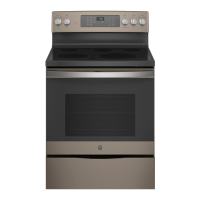
GE JD630 - User Manual

GE JD630
56 pages
Print Icon
To Next Page IconTo Next Page
Loading...
Write the model and serial
numbers here:
Model # _________________
Serial # _________________
You can find them on a label
behind the door or drawer.
ESPAÑOL
Para consultar una version en
español de este manual de
instrucciones, visite nuestro sitio de
internet GEAppliances.com.
OWNER’S MANUAL
RANGES
Electric Slide-In and Drop-In
49-2000995 Rev. 3 06-22 GEA
SAFETY INFORMATION .......... 3
USING THE RANGE
Surface Units ........................... 8
Cookware for Radiant Glass Cooktop. . . . . .10
Oven Controls ..........................11
Special Features ........................12
Oven Racks ............................13
Aluminum Foil and Oven Liners ...........13
Cookware ..............................13
Cooking Modes .........................14
Cooking Guide .........................15
CARE AND CLEANING
Cleaning the Range – Exterior ............16
Cleaning the Range – Interior ............17
Cleaning the Glass Cooktop ..............18
Oven Light ............................20
Oven Door .............................21
Oven Vent .............................21
Storage Drawer. . . . . . . . . . . . . . . . . . . . . . . . .21
TROUBLESHOOTING TIPS ....... 22
LIMITED WARRANTY ............ 26
ACCESSORIES .................... 27
CONSUMER SUPPORT ........... 28
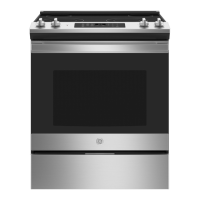
JS630 - 30" Slide In Range
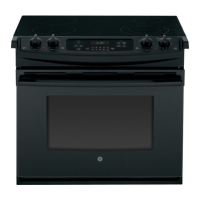
JD630 - 30" Drop In Range
GE is a trademark of the General Electric Company. Manufactured under trademark license.


Questions and Answers

  • R
    Ronald ReidSep 1, 2025
    Why does food not broil properly in my GE Ranges?
    • J
      jamesmichelleSep 1, 2025
      If food does not broil properly in your GE Ranges, ensure you select the appropriate broil mode and check the Cooking Guide for rack location suggestions. Make sure cookware is cool and suited for broiling. If using aluminum foil, conform to pan slits. In areas with low voltage, preheat the broil element for 10 minutes.
  • M
    Michelle SnyderSep 13, 2025
    What to do if plastic melted to the surface of my GE JD630 Ranges?
    • Z
      zmunozSep 13, 2025
      If you find plastic melted to the surface of your GE Ranges, it's because the hot cooktop came into contact with plastic. Consult the Glass surface—potential for permanent damage section in the Cleaning the glass cooktop section.
  • R
    Rhonda PriceAug 31, 2025
    Why is there excessive smoking during broiling with my GE Ranges?
    • A
      Amy ClayAug 31, 2025
      If you notice excessive smoking during broiling with your GE Ranges, the food is likely too close to the burner element. Lower the rack position of the food.
  • J
    jennifer96Sep 15, 2025
    Why am I unable to get the display to show “SF” on my GE JD630 Ranges?
    • R
      Rebecca MartinSep 16, 2025
      If you are unable to get the display to show “SF” on your GE Ranges, it means the oven control pads were not touched properly. The Broil Hi/Lo and Bake pads must be touched at the same time and held for 3 seconds.
  • R
    rdrakeSep 15, 2025
    Why is the oven door on my GE JD630 crooked?
    • E
      Emily ChambersSep 15, 2025
      If your GE Ranges oven door is crooked, it's likely out of position. Re-install the door.
  • E
    emilykellySep 23, 2025
    Why is there a strong odor coming from my GE JD630 Ranges?
    • S
      Shannon HernandezSep 23, 2025
      If you notice a strong odor from your GE Ranges, it's normal for the first few times the oven is used due to the insulation around the inside of the oven. This is temporary and will go away after several uses or a self-clean cycle.
  • S
    Stephanie HoustonAug 27, 2025
    Why does “LOCK DOOR” flash in the display of my GE JD630?
    • K
      krystalgreenAug 28, 2025
      If you see "LOCK DOOR" flashing on the display of your GE Ranges, it means the self-clean cycle has been selected, but the oven door isn't fully closed. Make sure to close the oven door completely to start the cleaning cycle.
  • D
    Dr. David HarrisAug 27, 2025
    Why won't the surface units on my GE Ranges maintain a rolling boil?
    • P
      perezlaceyAug 27, 2025
      If your GE Ranges surface units aren't maintaining a rolling boil or cooking isn't fast enough, ensure you're using the correct cookware size for the surface unit. If power voltage is low in your area, cover the pan with a lid to retain heat until the desired temperature is reached.
  • D
    Dr. Aaron Simon Jr.Aug 26, 2025
    What to do if my GE JD630 Ranges oven does not work?
    • R
      Raven WardAug 26, 2025
      If your GE Ranges oven does not work or appears not to work, first check if a fuse in your home may be blown or the circuit breaker tripped and replace the fuse or reset the circuit breaker. Also, be sure to check the Using the Oven section to ensure the oven controls are properly set. Verify that the oven is not in Sabbath Mode.
  • L
    leeamyAug 25, 2025
    What to do if my GE JD630 Ranges oven is not clean after a clean cycle?
    • J
      jamiecookAug 26, 2025
      If your GE Ranges oven is not clean after running a clean cycle, it could be due to improperly set oven controls. Also, heavily soiled ovens may require manual cleaning of heavy spillovers before starting the clean cycle, or running the self-clean cycle again for a longer period.

Summary

IMPORTANT SAFETY INFORMATION

ANTI-TIP DEVICE

Crucial for preventing range tipping and serious injury or death.

GENERAL SAFETY INSTRUCTIONS

Essential guidelines for safe appliance operation and user protection.

KEEP FLAMMABLE MATERIALS AWAY

Warning to keep flammable items clear of hot surfaces to prevent fire.

FIRE SAFETY STEPS

Procedures to follow in case of a fire to prevent injury and spread.

COOKTOP SAFETY INSTRUCTIONS

Specific safety precautions for using the range's cooktop surface.

RADIANT COOKTOP SAFETY INSTRUCTIONS

Guidelines for safe use and cleaning of radiant glass cooktops.

OVEN SAFETY INSTRUCTIONS

Instructions for safe operation of the oven, including potential hazards.

SELF-CLEANING OVEN SAFETY INSTRUCTIONS

Precautions for using the self-cleaning feature to prevent burns and damage.

PROPER DISPOSAL OF APPLIANCE

Guidance on environmentally safe disposal or recycling of the appliance.

REMOVING SHIPPING FILM AND TAPE

Instructions for safely removing protective film and tape before first use.

USING THE RANGE

SURFACE UNITS

Instructions on operating and understanding the cooktop surface elements.

COOKWARE FOR RADIANT GLASS COOKTOP

Guidance on selecting and using appropriate cookware for radiant glass cooktops.

OVEN CONTROLS

Explanation of the oven's control panel functions and settings.

SPECIAL FEATURES

Details on advanced oven functions like temperature adjustment and Sabbath mode.

OVEN RACKS AND LINERS

Information on rack positions, foil use, and oven liners.

COOKING MODES

Description of different oven cooking modes like Bake, Broil Hi, and Broil Lo.

COOKING GUIDE

Recommendations for rack positions and modes for various food types.

CARE AND CLEANING

EXTERIOR RANGE CLEANING

How to clean the outside surfaces, knobs, and control panel of the range.

INTERIOR OVEN CLEANING

Methods for cleaning the oven interior, including manual, steam, and self-clean.

GLASS COOKTOP CLEANING

Procedures for daily cleaning and removing residue from the glass cooktop.

OVEN LIGHT REPLACEMENT AND CARE

Instructions for replacing and cleaning the oven light bulb and cover.

OVEN DOOR AND STORAGE DRAWER CARE

Steps for removing/replacing the oven door and cleaning the storage drawer.

TROUBLESHOOTING TIPS

SURFACE UNIT AND OVEN OPERATION ISSUES

Common issues with surface units, oven temperature, and cooking results with solutions.

DISPLAY, CONTROL, AND DOOR PROBLEMS

Troubleshooting problems related to the display, controls, and oven door lock.

OVEN FUNCTION AND ERROR CODE TROUBLESHOOTING

Addressing error codes, smoking, and self-clean cycle issues.

PREHEAT, RACK, AND VENT ISSUES

Resolving issues like long preheat times, rack sliding, and steam from vents.

LIMITED WARRANTY

WARRANTY DETAILS AND EXCLUSIONS

Details on what the warranty covers, what it excludes, and terms of service.

OBTAINING WARRANTY SERVICE

How to schedule service, contact information, and warranty registration.

ACCESSORIES

AVAILABLE ACCESSORIES AND PARTS

A catalog of optional accessories and replacement parts for the range.

CONSUMER SUPPORT

GE APPLIANCES WEBSITE AND ONLINE SUPPORT

Information on accessing the GE Appliances website for support and product information.

REGISTER YOUR APPLIANCE

How to register the appliance online for enhanced communication and service.

SCHEDULE SERVICE AND EXTENDED WARRANTIES

Procedures for scheduling repair service and purchasing extended warranty plans.

CONTACT US FOR ASSISTANCE

How to contact GE Appliances with feedback or concerns about service.

GE JD630 Specifications

General IconGeneral
BrandGE
ModelJD630
CategoryRanges
LanguageEnglish

Related product manuals