EasyManua.ls Logo

GE JB735 - User Manual

GE JB735
32 pages
Print Icon
To Next Page IconTo Next Page
Loading...
Write the model and serial
numbers here:
Model # _________________
Serial # _________________
You can find them on a label
behind the door or drawer.
ESPAÑOL
Para consultar una version en
español de este manual de
instrucciones, visite nuestro sitio de
internet GEAppliances.com.
OWNER’S MANUAL
RANGES
Electric Free-Standing
49-2000999 Rev. 1 11-21 GEA
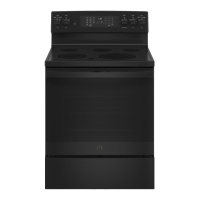
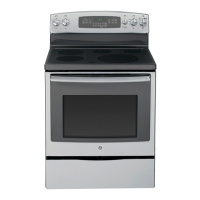
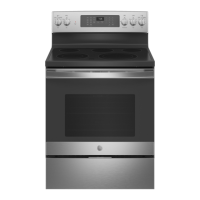
30" Free-Standing Range
PB935, JB735, JS760
GE is a trademark of the General Electric Company. Manufactured under trademark license.
SAFETY INFORMATION .......... 3
USING THE RANGE
Surface Units ........................... 7
Cookware for Radiant Glass Cooktop. . . . . . 9
WiFi Connect ..........................10
Oven Controls ..........................11
Special Features ........................12
Sabbath Mode ..........................13
Oven Racks ............................14
Aluminum Foil and Oven Liners ...........14
Oven Cookware ........................14
Cooking Modes .........................15
Cooking Guide .........................16
Air Fry Cooking Guide ...................17
CARE AND CLEANING
Cleaning the Range – Exterior ............18
Cleaning the Range – Interior ............19
Cleaning the Glass Cooktop ..............21
Oven Light ............................ 23
Oven Door ............................24
Storage Drawer. . . . . . . . . . . . . . . . . . . . . . . . 24
Removable Storage Drawer ............. 25
TROUBLESHOOTING TIPS .......26
LIMITED WARRANTY ............30
ACCESSORIES .....................31
CONSUMER SUPPORT ........... 32

Questions and Answers

  • C
    chavezmichaelAug 31, 2025
    What to do if the oven light does not work on my GE JB735 Ranges?
    • H
      Hannah NelsonAug 31, 2025
      If the oven light in your GE Ranges isn't working, first check if the light bulb is loose or defective and tighten or replace the bulb. If the bulb is fine, the pad operating the light may be broken, in which case you should call for service.
  • T
    Tyler ThomasAug 25, 2025
    What to do if the oven door will not open after a clean cycle on my GE JB735?
    • A
      Alison SimpsonAug 25, 2025
      If your GE Ranges oven door will not open after a clean cycle, it is likely that the oven is still too hot. Allow the oven to cool below the locking temperature before attempting to open it.
  • H
    Heather FreemanSep 23, 2025
    Why is there a strong odor when I use my GE JB735?
    • M
      Melissa SchmidtSep 23, 2025
      An odor from the insulation around the inside of the oven is normal for the first few times the oven is used. This is temporary and will go away after several uses or a self-clean cycle.
  • C
    Claudia JohnsonSep 5, 2025
    How to broil food properly in GE JB735?
    • P
      pearsonbarbaraSep 5, 2025
      To broil food properly in your GE Ranges, ensure you select the appropriate broil mode and use the correct rack position. Make sure food is cooked in a cool pan specifically designed for broiling. If using aluminum foil on the broiling pan and grid, ensure it has been fitted properly and slit as recommended. In some areas the power (voltage) may be low, preheat the broil element for 10 minutes.
  • K
    Katie Schultz MDSep 9, 2025
    Why is there fan noise on my GE JB735?
    • R
      Rita BarrSep 9, 2025
      If you experience fan noise on some models of GE Ranges, a convection fan may automatically turn on and off. This is normal, as the fan is designed to operate intermittently to maximize cooking evenness. The convection fan will operate during preheat of the bake cycle and will turn off after the oven is heated to the set temperature. A cooling fan may also automatically turn on and off. This is normal on some models. The cooling fan will turn off and on to cool internal parts and may run after the oven is turned off.
  • D
    Dustin CabreraSep 2, 2025
    Why is the DOOR LOCK light on when I want to cook on my GE JB735?
    • A
      allisonsteeleSep 2, 2025
      If the DOOR LOCK light is on when you want to cook with your GE Ranges, the oven door is locked because the temperature inside the oven has not dropped below the locking temperature. Press the Cancel/Off pad and allow the oven to cool.
  • K
    kimkevinAug 29, 2025
    Why is there excessive smoking during the clean cycle of my GE JB735 Ranges?
    • A
      Ashley DiazAug 29, 2025
      If you notice excessive smoking during a clean cycle of your GE Ranges, it's likely due to excessive soil or grease inside the oven. Press the Cancel/Off pad, open the windows to clear the smoke, wait for the LOCKED light to turn off, then wipe up the excess soil and reset the clean cycle.
  • G
    Gabriel GomezSep 12, 2025
    Why are the oven racks difficult to slide in my GE Ranges?
    • C
      christinacordovaSep 12, 2025
      If the oven racks are difficult to slide in your GE Ranges, and the shiny, silver-colored racks were cleaned in a self-clean cycle, apply a small amount of vegetable oil to a paper towel and wipe the edges of the oven racks with the paper towel. Do not spray with Pam® or other lubricant sprays.
  • L
    Leslie BeckSep 7, 2025
    Why is the display flashing on my GE JB735?
    • M
      Miss Rebecca WarnerSep 7, 2025
      If the display on your GE Ranges is flashing, it usually indicates a power failure. Reset the clock to resolve this issue.
  • G
    Grace BrownAug 27, 2025
    Why won't my GE JB735 oven steam clean?
    • W
      William StoneAug 27, 2025
      If your GE Ranges oven will not steam clean, allow the oven to cool to room temperature and reset the controls if the display flashes HOT. Also, ensure the oven controls are properly set by referring to the Using Steam Clean section. Make sure you close the door to start steam clean cycle.

Summary

Safety Information

General Safety and Anti-Tip Precautions

Essential operating safety, anti-tip device installation, and general precautions.

Fire Safety and Cooktop;Oven Precautions

Guidelines for fire prevention, material storage, and cooktop/oven safety.

Using the Range

Surface Units and Warming Zone Operation

Instructions for operating surface heating elements and the warming zone.

WiFi Connect and Remote Operation

Steps for connecting the oven to WiFi and enabling remote control.

Oven Controls and Special Features

Explanation of oven controls, special features, and modes like Sabbath Mode.

Oven Cooking Modes and Guide

Detailed Cooking Modes Explained

Explains various baking, broiling, roasting, and Air Fry cooking modes.

Cooking Guide and Recommendations

Provides rack positions and recommendations for different food types.

Care and Cleaning Procedures

Exterior and Interior Cleaning

Procedures for cleaning the range exterior and oven interior.

Glass Cooktop Maintenance

Steps for cleaning and maintaining the glass cooktop surface.

Oven Light, Door, and Drawer Servicing

Instructions for oven light replacement, door removal, and drawer maintenance.

Troubleshooting and Support

Troubleshooting Common Issues

Guide to resolving common problems encountered with the range.

Warranty, Accessories, and Contact

Information on product warranty, available accessories, and customer support.

GE JB735 Specifications

General IconGeneral
Number of Burners5
Oven Capacity5.3 cu. ft.
Convection OvenYes
Self-CleaningYes
Height47 inches
BrandGE
ModelJB735
ColorStainless Steel
TypeFreestanding Electric Range

Related product manuals