CO~CTION
T~
COO~G
During convection cooking, a heating element is
For information on suggested cookware, see the
used to raise the temperature of the air inside the
Cookware and Accessories section.
oven. A fan gently circulates this heated air
throughout the oven, over and around the food,
producing golden brown exteriors and rich, moist
interiors. Because the heated air is kept constantly
moving, not permitting a layer of cooler air to
develop around the food; some foods cook faster
than in
regdar
oven cooking.
How to Convection
Prehat
and Time Cook
r
,D
c
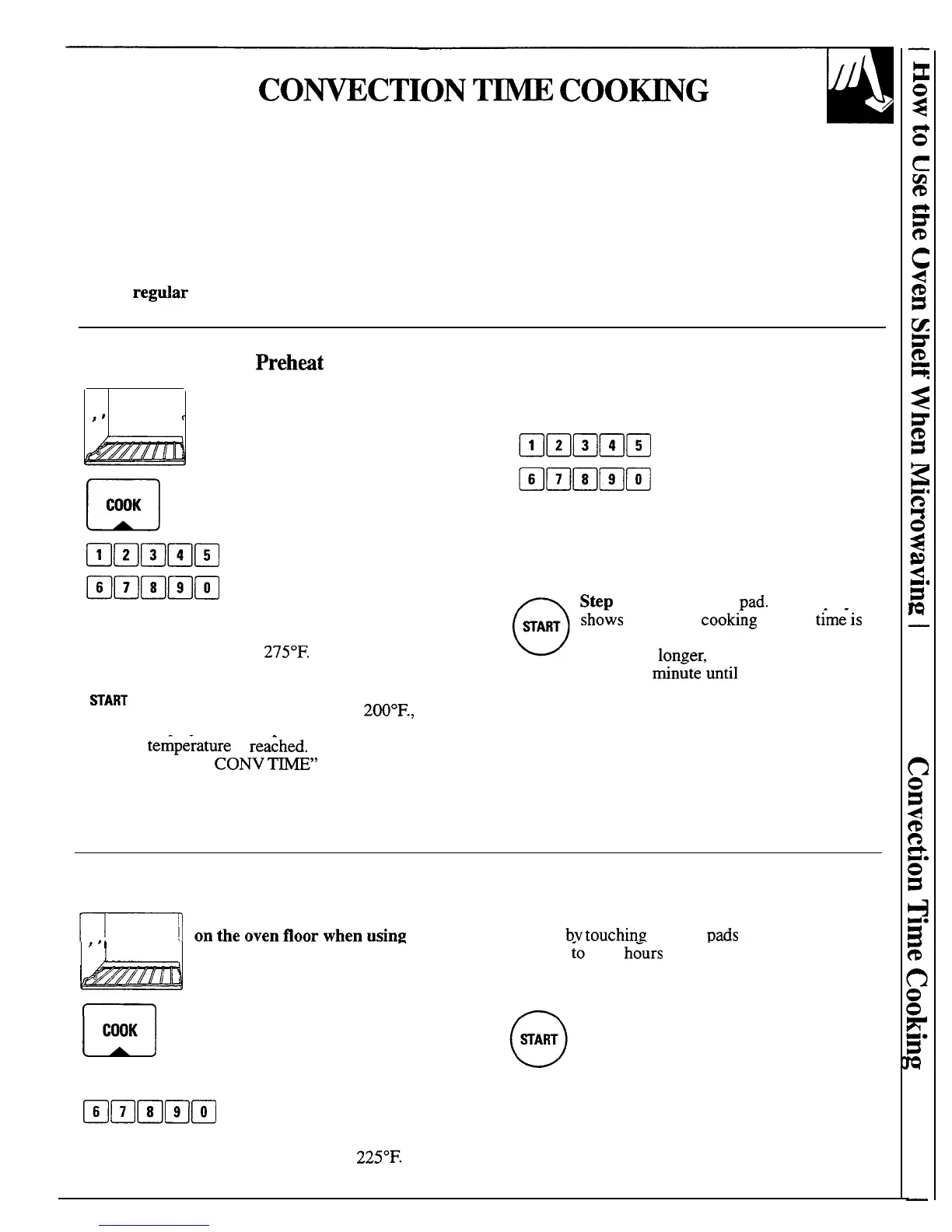
(The metal shelf must be in place
on the oven floor when using
convection or combination
cooking.)
n
Step 1: Touch Convection COOK pad.
COOK
mm~mm
Step 2: Enter the oven
temperature by touching the
@mBmm
number pads that correspond
with the desired oven
o
WART
temperature. For example,
touch number pads 2, 7, and
5 for
275°F.
Step 3: Touch START. The selected oven
temperature disappears and “-200” appears
until oven temperature reaches
200°F.,
then
displays oven temperature until preset
ternpe~ature
is
rea~hed.
Oven signals and
“ENTER
CONV
ME”
flashes when
temperature is reached. If you do not open
door within 30 minutes, the oven will turn
itself off automatically.
Step 4: When oven is preheated, place food in oven.
“Hot” appears on display when you open the door.
Step 5: Set the desired cooking
time in hours and minutes by
touching number pads in
sequence. For example, to set
2 hours and 30 minutes, touch
number pads 2, 3, and O in that
order. To enter time less than
one hour, for example, 30
minutes, touch 3 and O.
Step 6: Touch START
Pad.
The display
sho-ws
remaining
cooking
time. If
t~me-is
less than 1 hour, display shows minutes and
seconds. If
lon~er,
time counts down
minute by min~te
”until
59 minutes remain,
then switches to display minutes and
seconds. When cooking is completed, the
display shows “End” and the oven signals
and turns off.
How to Convection Time Cook Without Preheating
(The metal shelf must be in place
~
ontheovenfloorwhenusin,
Step 3: Set the desired cooking time in hours and
minutes
by
touching
number
pads
in sequence. For
!,
“
convection or combination
-
example,
~o
set 2
h~urs
and 30 minutes, ’touch number
cooking.)
pads 2,3 and O, in that order. To enter time less than
one hour, for example, 30 minutes, touch 3 and O.
(—~
Step 1: If your recipe does not require
~
u
COOK
preheating, touch the Convection
COOK pad.
Step 4: Touch START pad. Cooking
begins and cooking time counts down as
described above.
❑
Bmmm
Step 2: Enter the oven
temperature by touching the
Bmmmm
number pads that correspond to
the desired oven temperature.
For example, touch number
pads 2,2 and 5 for
225°F.
23
—



 To Next Page