EasyManua.ls Logo

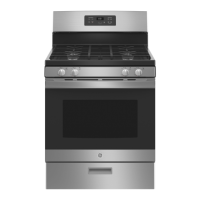
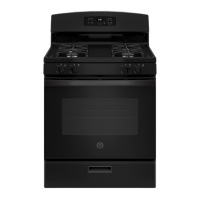
GE JGBS61 - User Manual

GE JGBS61
56 pages
Print Icon
To Next Page IconTo Next Page
Loading...
Write the model and serial
numbers here:
Model # _________________
Serial # _________________
You can find the rating label on the
front behind the range drawer.
ESPAÑOL
Para consultar una version en
español de este manual de
instrucciones, visite nuestro sitio de
internet GEAppliances.com.
OWNER’S MANUAL
RANGES
Single Oven Gas
49-2000316 Rev. 6 12-21 GEA
SAFETY INFORMATION .......... 3
USING THE RANGE
In Case of a Power Failure ............... 7
Surface Burners ........................ 7
Griddle ................................ 9
Oven Controls ..........................10
Special Features ........................12
Sabbath Mode - OU and CRC .............12
Sabbath Mode - Standard ................13
Cooking Modes .........................14
Oven Racks ............................15
Aluminum Foil and Oven Liners ...........15
Cookware ..............................15
Oven Air Vents .........................15
Cooking Guide .........................16
CARE AND CLEANING
Range – Exterior ........................17
Range – Interior ........................18
Cooktop ...............................19
Door and Drawer .......................21
Oven Light ............................ 22
Oven Door ............................ 23
TROUBLESHOOTING TIPS .......24
LIMITED WARRANTY ............ 26
ACCESSORIES .................... 27
CONSUMER SUPPORT ........... 28
GE is a trademark of the General Electric Company. Manufactured under trademark license.
RGBS400
JGBS60
JGBS61
JGBS62
JGBS66
JGSS61
JGSS66
JGB635
JGB645
JGB660
JGB700
JGB720

Questions and Answers

  • C
    charlesrobertsonAug 21, 2025
    What to do if the burners on my GE JGBS61 do not light?
    • R
      Robert KnappAug 22, 2025
      If your GE Ranges burners do not light, ensure the electrical plug is fully inserted into a properly grounded outlet. Also, check that the gas supply is connected and turned on. A blown fuse or tripped circuit breaker could also be the cause, so replace the fuse or reset the breaker. Incorrectly replaced burner parts, clogged burner slots, or food residue on the electrode can also prevent ignition. Refer to the Care and Cleaning section for proper burner replacement and cleaning. Lightly polish the electrode tip with a nail file or sandpaper if there's food residue.
  • T
    tcrosbySep 4, 2025
    Why is my food not baking properly in my GE JGBS61 Ranges oven?
    • F
      Felicia WrightSep 4, 2025
      If food does not bake properly in your GE Ranges oven, it could be due to several reasons. First, the oven controls might be improperly set. Second, the rack position might be incorrect or not level. Third, you might be using incorrect cookware or cookware of an improper size. Finally, the oven temperature might need adjustment. See the Cooking Modes, Cooking Guide, Cookware, and Oven Controls sections for more details.
  • A
    Abigail SmithSep 2, 2025
    Why are the burner flames on my GE JGBS61 very large or yellow?
    • T
      teresawoodsSep 3, 2025
      If the burner flames on your GE Ranges are very large or yellow, it indicates an improper air to gas ratio. If your range is connected to Propane gas, contact the technician who installed your range or made the conversion.
  • J
    James PetersonSep 1, 2025
    Why is there excessive smoking during broiling in my GE JGBS61 Ranges oven?
    • K
      Kimberly GraySep 1, 2025
      If you experience excessive smoking during broiling in your GE Ranges, it could be because the food is too close to the burner element. Lower the rack position of the food.
  • R
    ramirezsarahAug 30, 2025
    What to do if food does not broil properly in my GE JGBS61 oven?
    • B
      Bryan BellAug 31, 2025
      If food does not broil properly in your GE Ranges oven, first, make sure you select the appropriate broil mode. Second, check the Cooking Guide for rack location suggestions. Third, if using aluminum foil on the broil pan, wrap it tightly and add slits conforming to those in the pan to allow grease to drain.
  • L
    leejonAug 29, 2025
    Why does my GE Ranges oven and/or display appear not to work?
    • M
      Michael GregoryAug 29, 2025
      If your GE Ranges oven and/or display appears not to work, check if a fuse in your home may be blown or the circuit breaker tripped and replace the fuse or reset the circuit breaker. Also, ensure the oven controls are properly set. If a single bracket "]" shows in the display, press Bake and Broil pads at the same time and hold for three seconds until a beep appears. Press the Set Clock pad or the Cook Time pad until "On" appears, then press Start. If the clock is turned off, see the Oven Controls or Special Features section.
  • M
    Michelle MillerAug 28, 2025
    How to adjust the oven temperature on my GE Ranges?
    • S
      Seth RitterAug 28, 2025
      If your GE Ranges oven temperature is too hot or too cold, the oven temperature likely needs adjustment. See the Oven Controls section for instructions on how to adjust it.
  • K
    Kelly NorrisAug 27, 2025
    How to reset the clock on my GE JGBS61 after a power outage?
    • H
      hriveraAug 27, 2025
      If the clock flashes on your GE Ranges due to a power outage, reset the clock. If the oven was in use, you must reset it by pressing the Cancel/Off pad, setting the clock, and resetting any cooking function.
  • R
    Robin MoranAug 25, 2025
    Why is my GE JGBS61 Ranges oven not clean after the self-clean cycle?
    • C
      Chad PinedaAug 26, 2025
      If your GE Ranges oven is not clean after running a clean cycle, it could be due to improperly set oven controls. Also, if the oven was heavily soiled, it may need to self-clean again. Clean up heavy spillovers before starting the clean cycle.
  • A
    Amanda CharlesAug 23, 2025
    What to do if the oven door of my GE JGBS61 Ranges will not open?
    • C
      Caitlyn EricksonAug 23, 2025
      If the oven door on your GE Ranges will not open when you want to cook, it is likely locked because the temperature inside the oven has not dropped below the locking temperature. Simply allow the oven to cool down until it is below the locking temperature.

Summary

Safety Information

Anti-Tip Device

Details the importance and installation of the anti-tip bracket to prevent range tipping.

General Safety Instructions

Essential safety guidelines for appliance use, including warnings and precautions.

Cooktop Safety

Specific safety warnings for operating the cooktop, including fire prevention.

Oven Safety

Important safety guidelines for using the oven, including self-cleaning operations.

Using the Range

Surface Burners

Guidance on lighting, using, and cookware for surface burners.

Griddle

Instructions for positioning, preheating, and using the griddle.

Oven Controls

Detailed explanation of the oven's control panel and functions.

Cooking Modes

Description of various oven cooking modes like Bake, Broil, Convection.

Care and Cleaning

Range Exterior

Instructions for cleaning the exterior surfaces of the range.

Range Interior

Procedures for manual, steam, and self-cleaning the oven interior.

Cooktop Cleaning

Steps for cleaning cooktop components like burners and grates.

Oven Door and Drawer

Methods for cleaning the oven door and storage drawer.

Troubleshooting Tips

Before You Call For Service

Common problems, possible causes, and solutions before contacting service.

Limited Warranty

Accessories

Accessories

List of available optional accessories for the range.

Cleaning Supplies

List of recommended cleaning supplies for maintenance.

Consumer Support

GE Appliances Website

Information on the GE Appliances website for support and product information.

Register Your Appliance

Instructions and benefits of registering the appliance online.

Schedule Service

How to schedule repair service online or by phone.

Extended Warranties

Information on purchasing extended warranty plans.

Parts and Accessories

How to order replacement parts and accessories.

Contact Us

How to contact GE Appliances customer relations for feedback.

GE JGBS61 Specifications

General IconGeneral
BrandGE
ModelJGBS61
CategoryRanges
LanguageEnglish

Related product manuals