EasyManua.ls Logo

GE JS760 - User Manual

GE JS760
32 pages
Print Icon
To Next Page IconTo Next Page
Loading...
Write the model and serial
numbers here:
Model # _________________
Serial # _________________
You can find them on a label
behind the door or drawer.
ESPAÑOL
Para consultar una version en
español de este manual de
instrucciones, visite nuestro sitio de
internet GEAppliances.com.
OWNER’S MANUAL
RANGES
Electric Free-Standing
49-2000999 Rev. 1 11-21 GEA
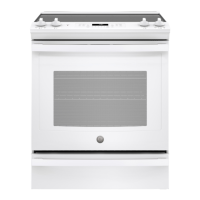
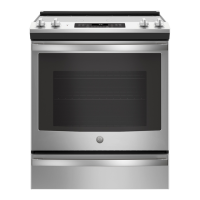
30" Free-Standing Range
PB935, JB735, JS760
GE is a trademark of the General Electric Company. Manufactured under trademark license.
SAFETY INFORMATION .......... 3
USING THE RANGE
Surface Units ........................... 7
Cookware for Radiant Glass Cooktop. . . . . . 9
WiFi Connect ..........................10
Oven Controls ..........................11
Special Features ........................12
Sabbath Mode ..........................13
Oven Racks ............................14
Aluminum Foil and Oven Liners ...........14
Oven Cookware ........................14
Cooking Modes .........................15
Cooking Guide .........................16
Air Fry Cooking Guide ...................17
CARE AND CLEANING
Cleaning the Range – Exterior ............18
Cleaning the Range – Interior ............19
Cleaning the Glass Cooktop ..............21
Oven Light ............................ 23
Oven Door ............................24
Storage Drawer. . . . . . . . . . . . . . . . . . . . . . . . 24
Removable Storage Drawer ............. 25
TROUBLESHOOTING TIPS .......26
LIMITED WARRANTY ............30
ACCESSORIES .....................31
CONSUMER SUPPORT ........... 32

Other manuals for GE JS760

Questions and Answers

  • W
    Wanda ChristensenAug 27, 2025
    What to do if surface units on my GE JS760 Ranges do not work properly?
    • M
      Melissa GrayAug 27, 2025
      If the surface units on your GE Ranges aren't working, first check your home's fuse box or circuit breaker and replace the fuse or reset the breaker if needed. Also, ensure the cooktop controls are correctly set for the specific surface unit you're trying to use.
  • L
    Larry HawkinsSep 6, 2025
    How to broil food properly in GE Ranges?
    • M
      Melinda ThomasSep 6, 2025
      To broil food properly in your GE Ranges, ensure you select the appropriate broil mode and use the correct rack position. Make sure food is cooked in a cool pan specifically designed for broiling. If using aluminum foil on the broiling pan and grid, ensure it has been fitted properly and slit as recommended. In some areas the power (voltage) may be low, preheat the broil element for 10 minutes.
  • C
    Charles NewtonAug 27, 2025
    How to fix GE JS760 Ranges clock and timer that do not work?
    • C
      Cheryl PriceAug 27, 2025
      If the clock and timer on your GE Ranges are not working, check the following: * Ensure that a fuse in your home hasn't blown or the circuit breaker hasn't tripped; replace the fuse or reset the circuit breaker if necessary. * Make sure the range's electrical plug is fully inserted into a properly grounded outlet. * Verify that the oven controls are properly set. * Check if the clock display is turned off in the Special Features section.
  • S
    Scott GonzalesSep 18, 2025
    What does “F— and a number or letter” mean on my GE JS760 display?
    • J
      Julie OwenSep 18, 2025
      If “F— and a number or letter” flash in the display of your GE Ranges, it indicates a function error code. Press the Cancel/Off pad and allow the oven to cool for one hour before putting it back into operation. If the function code repeats, disconnect all power to the oven for at least 30 seconds and then reconnect power. If the error persists, call for service.
  • R
    Ronald GreenSep 12, 2025
    What to do if plastic melted to the surface of my GE JS760 Ranges?
    • B
      Brian SanchezSep 12, 2025
      If plastic has melted to the surface of your GE Ranges, it's because the hot cooktop came into contact with plastic. See the Cleaning the glass cooktop section as there is potential for permanent damage without proper care.
  • C
    Cynthia CampbellSep 8, 2025
    What does 'F— and a number or letter' mean on my GE Ranges display?
    • V
      Victor GillSep 8, 2025
      If you see “F— and a number or letter” flashing on your GE Ranges display, it indicates a function error code. Press the Cancel/Off pad and allow the oven to cool for one hour before putting it back into operation. If the code repeats, disconnect power to the oven for at least 60 seconds, then reconnect it. If the error persists, call for service.
  • S
    sanchezannaSep 14, 2025
    How to remove scratches on my GE Ranges cooktop glass surface?
    • J
      Jill HuffmanSep 14, 2025
      Scratches on the cooktop glass surface of your GE Ranges are not removable, and incorrect cleaning methods are often the cause. Tiny scratches will become less visible over time as a result of cleaning. To avoid scratches, use the recommended cleaning procedures. Ensure the bottoms of your cookware are clean before use, and use cookware with smooth bottoms to prevent further scratching.
  • A
    Angela WhiteSep 22, 2025
    Why is there fan noise on my GE JS760?
    • C
      Cindy HansenSep 22, 2025
      A convection fan may automatically turn on and off. This is normal. The fan is designed to operate intermittently to maximize cooking evenness. The convection fan will operate during preheat of the bake cycle. The fan will turn off after the oven is heated to the set temperature. This is normal. Also, a cooling fan may automatically turn on and off, which is normal on some models. The cooling fan will turn off and on to cool internal parts and may run after the oven is turned off.
  • A
    Austin PrattAug 28, 2025
    Why is my GE JS760 Ranges making a 'clicking' noise when using my oven?
    • T
      thomas72Aug 28, 2025
      Your GE Ranges cycles the heating elements by turning relays on and off to maintain the oven temperature. This is normal.
  • S
    stefanie44Aug 28, 2025
    Why clock and timer do not work in my GE JS760 Ranges?
    • L
      leecharlesAug 28, 2025
      If the clock and timer on your GE Ranges aren't working, several factors could be the cause. Check whether a fuse in your home has blown or a circuit breaker has tripped, and replace the fuse or reset the breaker if necessary. Ensure the range is fully plugged into a properly grounded electrical outlet. Also, check Clock Display settings in the Special Features section.

Summary

Safety Information for Your GE Appliances Range

Anti-Tip Device Installation and Safety

Guidelines for securing the range to prevent tipping hazards and ensure stability.

General Safety Guidelines for Appliance Use

Essential safety rules for proper appliance operation, installation, and maintenance.

Fire Prevention and Response Procedures

Warnings about flammable materials and steps to prevent fires and ensure safe response.

Cooktop and Oven Safety Precautions

Specific safety advice for operating cooktops, ovens, and during self-cleaning.

Oven and Self-Cleaning Safety Instructions

Safety guidelines for oven operation, including self-cleaning and proper disposal.

Using Your GE Appliances Range

Surface Unit and Warming Zone Operation

How to use and control the range's surface heating elements and warming zone.

Cookware Selection for Radiant Glass Cooktops

Recommendations for choosing and using cookware suitable for the glass cooktop.

WiFi Connect and Remote Control Setup

Instructions for connecting the oven to WiFi and enabling remote operation.

Oven Control Panel and Functions Overview

Explanation of oven controls, cooking modes, timers, and special functions.

Special Oven Features and Adjustments

Details on features like temperature adjustment, sound volume, and auto-conversion.

Sabbath Mode Setup and Usage

Instructions for setting up and using the Sabbath Mode for specific cooking needs.

Oven Racks, Foil, and Cookware Guidance

Guidance on oven rack placement, foil usage, and cookware considerations.

Oven Cooking Modes and Techniques

Descriptions of various cooking modes like Bake, Broil, Convection, and Air Fry.

Care and Cleaning Procedures for Your Range

Oven Cooking Guide and Air Fry Tips

Food preparation guidance and specific tips for Air Fry cooking mode.

Exterior Surface Cleaning and Maintenance

Procedures for cleaning the range's exterior, knobs, and control panel.

Interior Oven Cleaning Methods

How to clean the oven interior using manual, steam, or self-clean cycles.

Glass Cooktop Cleaning and Protection

Steps for cleaning the glass cooktop, removing residue, and preventing damage.

Oven Light Bulb Replacement Guide

Instructions for safely removing and replacing the oven light bulb.

Oven Door and Storage Drawer Servicing

Procedures for removing and reinstalling the oven door and storage drawer.

Removable Storage Drawer Maintenance

Guide for removing and reinserting the removable storage drawer for cleaning.

Troubleshooting, Warranty, and Support

Range Troubleshooting and Problem Resolution

Solutions for common problems with surface units and general cooking performance.

Oven Operation Troubleshooting

Addressing issues related to oven temperature, controls, and door functionality.

Oven Error Codes and System Indicators

Interpreting error messages, operational noises, and display indicators.

Limited Warranty Information

Details of the GE Appliances electric range limited warranty coverage and terms.

Available Accessories and Parts

Listing of optional accessories and replacement parts available for purchase.

Consumer Support and Contact Options

Information on how to get assistance, schedule service, and utilize online support.

GE JS760 Specifications

General IconGeneral
TypeSlide-In
Number of Burners5
Oven Capacity5.3 cu. ft.
ConvectionYes
Self-CleaningYes
Fuel TypeElectric
Oven TypeConvection
Burners5
Ignition TypeElectronic
GrillNo
GriddleNo
Color OptionsStainless Steel
Width29.88 inches
Cooktop MaterialCeramic Glass
Depth28.25 inches

Related product manuals