EasyManua.ls Logo

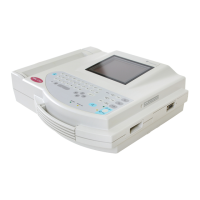
GE MAC 1200 - Service Manual

GE MAC 1200
151 pages
Print Icon
To Next Page IconTo Next Page
Loading...
g
MAC
1200/MAC
1200 ST
Resting ECG Analysis System
(2018357-003 & 2013503-003 PWAs)
Service Manual
2012250-095 Revision D
GE Healthcare

Table of Contents

Other manuals for GE MAC 1200

Questions and Answers

  • J
    jonesjohnAug 15, 2025
    What to do if GE MAC 1200 shows irregular AC line interference?
    • J
      James LopezAug 15, 2025
      If you see irregular AC line interference on your GE Medical Equipment, it's likely due to muscle artifact caused by patient movements such as hiccupping or coughing. To resolve this, ensure the patient is warm and comfortable, using cushions for support. You can also try to comfort or distract the patient. If the issue persists, enable the muscle filter (20 Hz / 40 Hz) on the device.
  • A
    Angela JohnsonAug 18, 2025
    Why GE MAC 1200 Medical Equipment recorder does not start or aborts the recording?
    • R
      Regina KnightAug 18, 2025
      If your GE Medical Equipment recorder doesn't start or aborts the recording, and you're using battery power, the battery may be discharged. Connect the recorder to the power line. After a few minutes, the recorder should resume operation. Always connect the recorder to the power line when the indicator light is on. Keep in mind that battery capacity depends on age, temperature, and charge level.
  • K
    Kathryn VargasAug 21, 2025
    How to fix periodic AC line interference on GE MAC 1200 Medical Equipment?
    • K
      Kelly OrrAug 21, 2025
      If you're experiencing periodic superimposition of AC line interference (50 Hz) on your GE Medical Equipment, this is likely due to interference from the power line. You can address this by grounding the bed, verifying the position of the leadwires, and switching on the AC line filter.
  • S
    Stephanie CabreraAug 25, 2025
    Why is the date and time incorrect on my GE MAC 1200?
    • J
      Jennifer Anderson DVMAug 26, 2025
      If the printed date and time are incorrect on your GE Medical Equipment, the built-in lithium battery is likely depleted. This battery typically lasts about 5 years. You should notify service to check and/or replace the battery.
  • R
    rochapeterAug 28, 2025
    What to do if GE Medical Equipment has no recording in Automatic mode?
    • J
      john92Aug 28, 2025
      If there is no recording in Automatic mode on your GE Medical Equipment, it may be due to the failure of at least one electrode. Check all electrodes or enable the Override function.
  • I
    ijohnsonAug 31, 2025
    Why green indicator does not light up on GE MAC 1200?
    • A
      April CardenasAug 31, 2025
      If the green indicator on your GE Medical Equipment doesn't light up even when connected to the power line, it could be a defective AC power adapter or fuse. Notify service to check and/or replace the fuse.
  • C
    christianwadeSep 4, 2025
    Why GE MAC 1200 Medical Equipment recorder continues to feed paper in Automatic mode?
    • R
      reynoldshaileySep 4, 2025
      If, in Automatic mode, the recorder does not stop and continues to feed paper (but works in Manual mode) on your GE Medical Equipment, the paper pad was likely inserted incorrectly, preventing the recorder from detecting the cue mark. Insert the paper pad as instructed.
  • L
    Luke WoodSep 7, 2025
    How to fix if GE MAC 1200 Medical Equipment recorder doesn't write over the entire paper width?
    • J
      Jeanette SchneiderSep 7, 2025
      If the recorder on your GE Medical Equipment does not write over the entire paper width, the paper compartment might not be properly closed. Ensure the paper door locks into place on both sides.
  • S
    Shannon StanleySep 12, 2025
    How to resolve paper jam in GE MAC 1200 Medical Equipment?
    • U
      ujohnsonSep 12, 2025
      To address a paper jam in your GE Medical Equipment: * Open the paper compartment. * Remove the jammed sheet. * Place the beginning of the paper between the marks. * Close the paper compartment and press the specified button.

Summary

2 Functional Description

PCB NC Battery Charge

Information on the PCB for NC battery charging and status.

PCB Control CS_CI

Description of the main control PCB and its functions.

3 System Test Function

Self-Test

Information on the device's self-test function and error codes.

Setting the Device Model

Instructions for configuring the device model settings.

4 Repair Instructions

Safety Instructions

Essential safety precautions for repairing the ECG system.

Replacing Components

Detailed steps for replacing various components of the device.

5 Troubleshooting

Printout and Paper Transport Issues

Troubleshooting common issues with printouts and paper feed.

7 Service and Maintenance

Technical Inspections;Preventative Maintenance

Procedures for annual technical inspections and preventative maintenance.

9 Specifications

10 Drawings

PCB Assembly Drawing

Detailed PCB assembly drawing for the main board.

Schematic Drawings

Collection of schematic diagrams for the ECG system components.

Battery Charge PCB Drawings

Schematic diagrams for the battery charge PCB.

GE MAC 1200 Specifications

General IconGeneral
ECG Channels12
DisplayLCD
Power SupplyAC or battery
Frequency Response0.05 to 150 Hz
MemoryInternal storage for ECG data
Device TypeECG
PrintingThermal
FiltersAC filter
ConnectivityRS-232, USB
Sampling Rate1000 samples per second per channel

Related product manuals