MDS 05-3305A01, Rev. E MDS 4710/9710 Technical Manual 37
4. Measure the radio’s RSSI using one of the following methods:
• With an HHT (see Section 4.0, TRANSCEIVER PROGRAM-
MING on Page 15).
• With GE MDS Radio Configuration Software (see Section 6.5,
Upgrading the Radio’s Software on Page 40).
• With a voltmeter connected to Pin 21 of the DATA INTERFACE
connector (See Section 3.2, RSSI Measurement on Page 14).
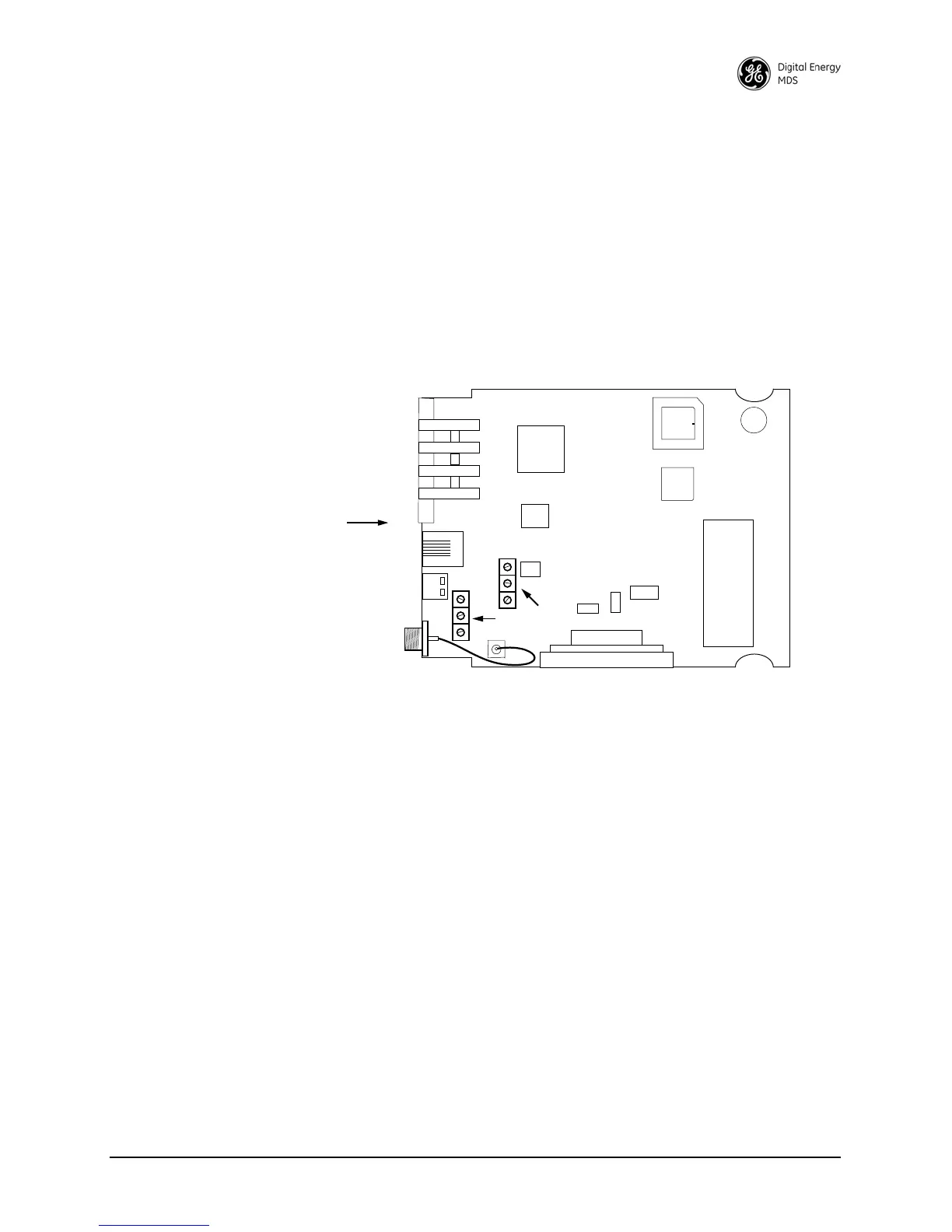
5. With a non-metallic adjustment tool, adjust each section of the
helical filters for maximum RSSI. Re-install the cover to the trans-
ceiver.
Invisible place holder
Figure 12. Helical Filter Locations
6.3 Performing Network-Wide Remote Diagnostics
Diagnostics data from a remote radio can be obtained by connecting a
laptop or personal computer running GE MDS InSite NMS software to
any radio in the network. Figure 13 shows an example of a setup for per-
forming network-wide remote diagnostics.
FRONT PANEL
OF RADIO
J301
U104
U101
U202
HELICAL
ADJUSTMENTS
U203
SHIELD
COVER



 To Next Page