INSTRUCTION MANUAL
MULTINET SERIAL TO ETHERNET CONVERTER – INSTRUCTION MANUAL 13
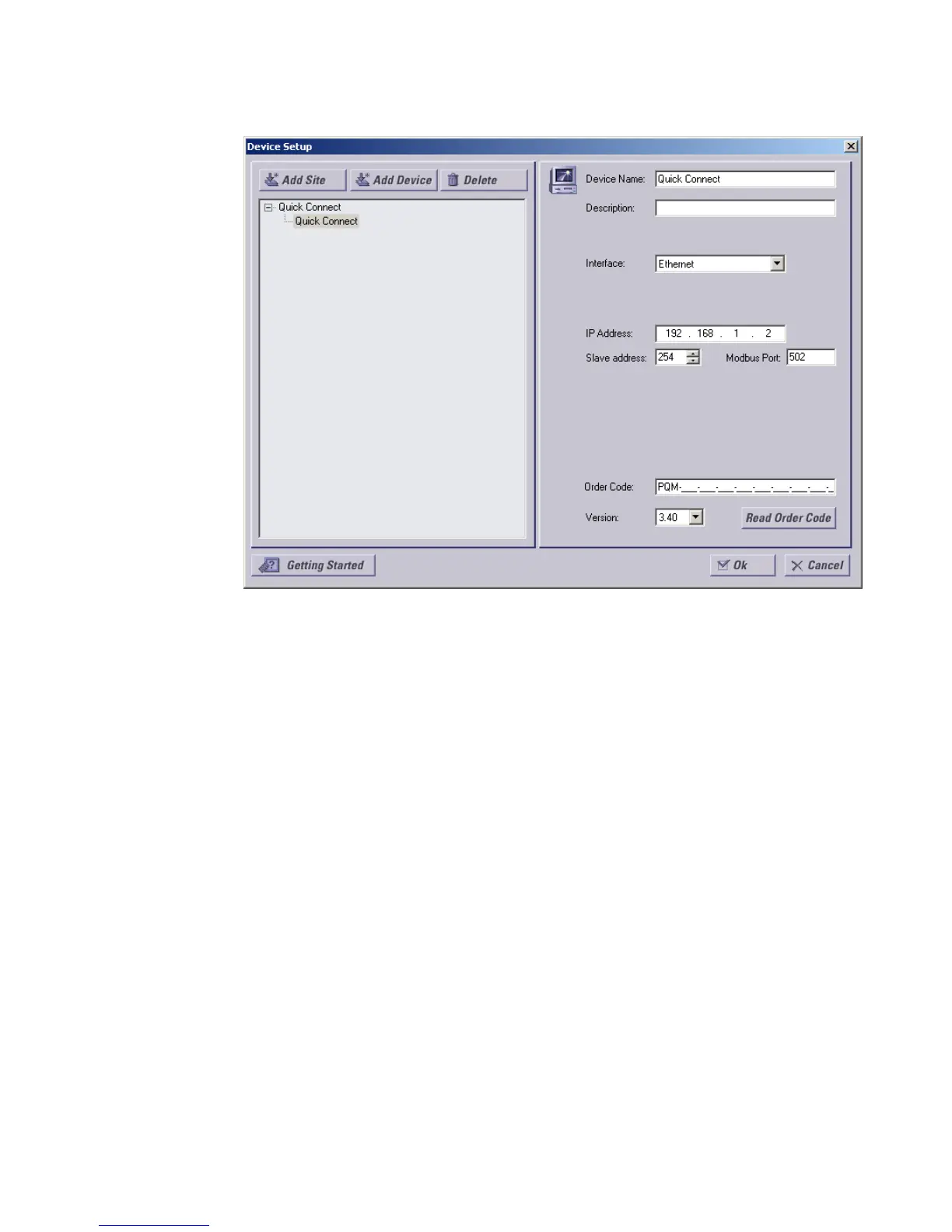
FIGURE –5: Device Setup Screen within Viewpoint
8. On the left is the device list showing the “Quick Connect” default site. Click on the plus
sign next to the “Quick Connect” site to reveal the “Quick Connect” default device.
Selecting this device allows parameters to be entered in the right pane.
9. For this example, we are going to configure the “Quick Connect” device as our PQM.
Select Ethernet as the interface and fill in the IP address and slave address of the PQM.
10. Click Read Order Code. Viewpoint will locate the PQM device and connect to it. Once
this order code has been read, click OK to save the configuration.
11. Select the Plug & Play > Create Schema menu item to open the Plug and Play Device
dialog box. Ensure that “PQM” is selected within the drop down selection. Click Create
to automatically create plug and play screens for the PQM.



 To Next Page