EasyManua.ls Logo

GE PK7500 - User Manual

GE PK7500
40 pages
Print Icon
To Next Page IconTo Next Page
Loading...
49-80753 08-14 GE
PK7000 - 27" Single Wall Oven
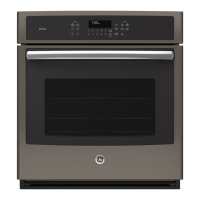
CK7000 - 27" Single Wall Oven
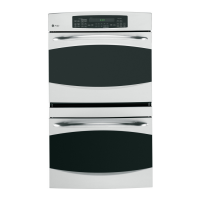
PK7500 - 27" Double Wall Oven
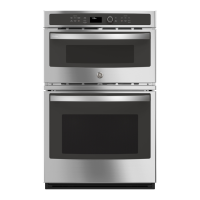
CK7500 - 27" Double Wall Oven
Owner’s Manual
GEAppliances.com
Safety Information ...........2
Warranty .......................6
Assistance / Accessories .....7
Using The Oven
Single Wall Oven Controls .........8
Double Wall Oven Controls ........9
Special Features .................10
12-hour Auto Shut-Off
and Sabbath (SAbbAtH) .........11
Oven Racks ......................12
Aluminum Foil and Oven Liners . . .13
Cookware ........................13
Cooking Modes ..................14
Cooking Guide ...................15
Care and Cleaning
Control Panel ....................16
Oven Exterior ....................16
Stainless Steel Surfaces ..........16
Oven Interior .....................16
Oven Racks ......................17
Maintenance .....................18
Troubleshooting Tips ........19
Wall Oven
Built-In Electric
Write the model and serial
numbers here:
Model # __________________
Serial # ___________________
You can find them on a label on
the side trim or on the front of the
(lower) oven behind the oven door.
Printed in the United States
Printed on
Recycled Paper
For a Spanish version of this
manual, visit our Website at
GEAppliances.com.
Para consultar una version
en español de este manual
de instrucciones, visite
nuestro sitio de internet
GEAppliances.com.


Other manuals for GE PK7500

Questions and Answers

  • T
    Tina GarciaSep 14, 2025
    Why does my GE PK7500 Oven have a strong odor?
    • S
      Sierra StephensonSep 14, 2025
      An odor from the insulation around the inside of the GE oven is normal for the first few times the oven is used. This is temporary and will go away after several uses or a self-clean cycle.
  • A
    Andrew SandersAug 25, 2025
    What to do if my GE PK7500 is not working?
    • J
      Jamie GrayAug 25, 2025
      If your GE oven does not work, check if a fuse in your home may be blown or the circuit breaker tripped, and replace the fuse or reset the circuit breaker. Also, make sure the oven controls are properly set. Verify that the oven is not in Sabbath Mode.
  • A
    andreaalvarezAug 25, 2025
    Why is my GE PK7500 smoking excessively during the clean cycle?
    • H
      Holly RitterAug 26, 2025
      Excessive smoking during the clean cycle of your GE oven is likely due to excessive soil or grease. Press the Cancel/Off pad, open the windows to rid the room of smoke, wait until the LOCKED light goes off, wipe up the excess soil, and reset the clean cycle.
  • S
    sjohnsonAug 26, 2025
    Why is the LOCKED light on when I want to cook in my GE PK7500?
    • N
      Natalie CantrellAug 26, 2025
      The oven door is locked because the temperature inside the GE oven has not dropped below the locking temperature. Press the Cancel/Off pad and allow the oven to cool.
  • X
    xstricklandSep 14, 2025
    Why is there fan noise coming from my GE PK7500?
    • D
      Debbie RobinsonSep 14, 2025
      A cooling fan may automatically turn on in your GE oven. This is normal. The cooling fan will turn on to cool internal parts and may run for up to 1-1/2 hours after the oven is turned off.
  • M
    mdiazSep 23, 2025
    Why does my GE PK7500 Oven have a strong odor when I use it?
    • B
      brenda43Sep 23, 2025
      If you notice a strong odor from your GE Oven, especially during the first few uses, it is normal. This odor comes from the insulation around the inside of the oven. It is temporary and will go away after several uses or a self-clean cycle.
  • W
    williamwhiteSep 7, 2025
    Why is my GE PK7500 not clean after a clean cycle?
    • W
      Wesley JordanSep 7, 2025
      If your GE Oven is not clean after running a clean cycle, it could be due to improperly set oven controls. See the Cleaning the Oven section for guidance. Alternatively, the oven may have been heavily soiled. Clean up heavy spillovers before starting the clean cycle. For heavily soiled ovens, you may need to run the self-clean cycle again or for a longer period.
  • J
    James GloverSep 8, 2025
    Why are the clock and timer not working on my GE Oven?
    • K
      Kaitlyn MooreSep 8, 2025
      If the clock and timer on your GE Oven are not working, a fuse in your home may be blown or the circuit breaker tripped. Replace the fuse or reset the circuit breaker.
  • J
    joshuatranSep 23, 2025
    What to do if the oven light does not work in my GE PK7500?
    • A
      Adam WilliamsSep 23, 2025
      If the oven light does not work in your GE Oven, try tightening or replacing the bulb, as it may be loose or defective. If the pad operating the light is broken, call for service.
  • J
    Jennifer WhiteAug 31, 2025
    Why is my GE PK7500 smoking excessively during broiling?
    • S
      Sheila GomezAug 31, 2025
      Excessive smoking during broiling in your GE oven can occur if the food is too close to the burner element. Lower the rack position of the food.

Summary

Safety Information

General Safety Instructions

Important safety guidelines for operating the appliance, including warnings and precautions.

California Proposition 65 Warning

Warning regarding chemicals known to cause cancer or reproductive harm in California.

Flammable Materials and Fire Safety

Keep flammable items away from the oven; steps to take in case of fire.

Oven and Self-Cleaning Safety

Guidelines for safe oven operation and specific precautions for the self-cleaning feature.

FCC Compliance and Interference

Information regarding radio frequency interference and FCC regulations for remote operation.

Warranty Information

GE Electric Range Warranty Details

Details of GE's limited warranty coverage, exclusions, and service information for electric ranges.

Assistance and Accessories

Service and Support Contact

How to get assistance, schedule service, order parts, and find online support resources.

Oven Accessories and Film Removal

Information on purchasing optional accessories, parts, and instructions for removing shipping film.

Using the Oven

Single Wall Oven Control Panel

Overview of buttons and functions for single wall oven controls.

Oven Cooking Modes Explained

Descriptions of convection and traditional bake, broil, proof, and warm modes.

Oven Timer and Clock Features

How to use the timer, clock, delay time, and other control functions.

Remote Enable and Lock Controls

Instructions for connecting and using remote features and control lock.

Double Wall Oven Control Panel

Overview of control buttons and functions for both upper and lower ovens.

Double Oven Cooking Modes & Features

Descriptions of modes and features applicable to both ovens in a double wall unit.

Oven Temperature Adjustment

How to adjust baking and convection temperatures for personal preference.

Clock Display and Sound Volume

Customizing clock display formats and oven tone volume levels.

Auto Recipe Conversion

Automatic conversion of regular baking temperatures to convection temperatures.

12-Hour Auto Shut-Off and Sabbath Mode

How to use the 12-hour auto shut-off and Sabbath mode features.

Oven Rack Positions and Usage

Information on the six rack positions and general rack use for optimal cooking.

Extension Rack Installation and Maintenance

Instructions for installing, removing, and lubricating oven extension racks.

Flat Rack Removal and Replacement

How to remove and replace traditional flat oven racks safely.

Aluminum Foil and Oven Liner Safety

Cautions and guidelines for using aluminum foil and oven liners in the oven.

Cookware Selection and Use

Advice on cookware materials, finishes, and sizes for best baking results.

Baking and Roasting Modes Explained

Detailed descriptions of Traditional Bake, Convection Bake, and Convection Roast modes.

Broiling Modes, Proof, and Warm

Instructions for using Broil Hi/Lo, Proof, and Warm cooking modes.

Cooking Guide for Food Preparation

Recommendations for rack positions and modes for various food types.

Care and Cleaning

Cleaning Control Panel and Oven Surfaces

Methods for cleaning the control panel, exterior, and interior of the oven.

Steam Clean vs. Self Clean Modes

How to use Steam Clean and Self Clean modes, including important safety notes.

Oven Rack Cleaning and Lubrication

Maintenance for oven racks, including cleaning and lubrication of extension rack slides.

Oven Light Replacement Procedure

Step-by-step guide for safely replacing the oven light bulb.

Lift-Off Oven Door Removal and Reinstallation

Instructions for safely removing and reinstalling the oven door.

Troubleshooting Tips

Baking and Broiling Performance Issues

Solutions for problems like food not baking/broiling properly or incorrect oven temperatures.

Oven Operation and Timer;Clock Issues

Troubleshooting for a non-functional oven, clicking sounds, and clock/timer malfunctions.

Cleaning Cycle and Door Operation Problems

Solutions for excessive smoking during cleaning, door lock issues, and cleaning effectiveness.

Error Codes, Odors, and Connectivity Issues

Troubleshooting error codes, unusual odors, fan noise, and remote connectivity problems.

GE PK7500 Specifications

General IconGeneral
BrandGE
ModelPK7500
CategoryOven
LanguageEnglish

Related product manuals