EasyManua.ls Logo

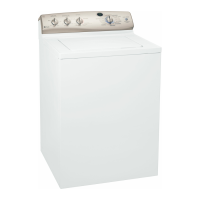
GE Profile WPGT9350 - User Manual

GE Profile WPGT9350
32 pages
Print Icon
To Next Page IconTo Next Page
Loading...
Safety Instructions . . . . . . . . . . 2, 3
Operating Instructions
Controls . . . . . . . . . . . . . . . . . . . . . .4
Cycle Options . . . . . . . . . . . . . . . . .6
Help Feature . . . . . . . . . . . . . .13, 14
Troubleshooter . . . . . . . . . . . . . .13
Loading and Using
the Washer . . . . . . . . . . . . . . . .17, 18
“My Cycles” Feature . . . . . . . . .11, 12
Other Features . . . . . . . . . . . . .15, 16
Quick Start Feature . . . . . . . . . . . . .5
Stain Inspector . . . . . . . . . . . . . .7, 8
Summary Screen . . . . . . . . . . . .9, 10
Installation Instructions
Before You Begin . . . . . . . . . . .19–21
Step-by-Step Instructions . . . . .21–24
Switching the Washer and
Dryer Backsplashes . . . . . . . . .25–28
Troubleshooting Tips . . . . . .29, 30
Consumer Support
Consumer Support . . . . . Back Cover
Warranty . . . . . . . . . . . . . . . . . . . . 31
www.GEAppliances.com
Washers
3828EA3023 175D1807P415 49-90151 03-03 JR
Profile
Write the model and serial
numbers here:
Model # ______________
Serial # ______________
You can find them on the
rear cover of the washer
backsplash.
WPGT9350
Owner’s Manual
and Installation
Instructions

Questions and Answers

  • R
    Rachael SmithOct 27, 2025
    What to do if my GE Profile WPGT9350 Washer won’t operate?
    • P
      pmillerOct 27, 2025
      If your GE Washer won't operate, here are several things to check: * Ensure the control panel isn't asleep by pressing POWER, the Touch Screen, or any button. * Verify the washer is securely plugged into a working outlet. * Make sure both hot and cold water faucets are fully turned on. * Confirm the cycle is set correctly, the lid is closed, and START is pressed. * Check if a circuit breaker is tripped or a fuse is blown; reset or replace as needed and ensure the washer has a separate outlet. * Try resetting the electronics by unplugging the washer for 2 minutes, then plugging it back in and pressing POWER. * Also, ensure START was pressed after setting the cycle and that water pressure isn't extremely low (press START again). If the washer is too cold, allow it to warm up b...

Summary

Safety Instructions

General Safety Precautions

Covers water heater safety, proper installation, and laundry area hazards.

Safe Washer Operation and Storage

Guidelines for using the washer and safety measures when not in use.

Installation Instructions

Pre-Installation Requirements

Safety, electrical, plumbing, and general checks before installation.

Washer Location and Clearances

Guidelines for proper placement, ventilation, and dimensions.

Connecting Water and Drain Hoses

Detailed instructions for connecting water inlet and drain outlet hoses.

Leveling and Final Connections

Adjusting leveling legs for stability and connecting serial cable.

Problem Solver

GE Profile WPGT9350 Specifications

General IconGeneral
BrandGE
ModelProfile WPGT9350
CategoryWasher
LanguageEnglish

Related product manuals