EasyManua.ls Logo

GE PT7050 - User Manual

GE PT7050
48 pages
Print Icon
To Next Page IconTo Next Page
Loading...
49-80727 03-14 GE
GEAppliances.com
Safety Information ............2
Warranty ........................6
Assistance / Accessories ......7
Using The Oven
Oven Controls ......................8
Special Features .................10
Oven Racks ......................12
Aluminum Foil and Oven Liners . . . 13
Cooking Modes ..................14
Cookware ........................15
Cooking Guide ...................16
Care and Cleaning
Control Panel ....................17
Oven Exterior ....................17
Stainless Steel Surfaces ..........17
Oven Interior .....................17
Oven Racks ......................18
Maintenance .....................19
Troubleshooting Tips ........22
Wall Oven
Direct Air Convection Built-In Electric
Write the model and serial
numbers here:
Model # __________________
Serial # ___________________
You can find them on a label
on the side trim or on the front of
the (lower) oven behind the oven
door.
Printed in the United States
Printed on
Recycled Paper
For a Spanish version of this
manual, visit our Website at
GEAppliances.com.
Para consultar una version
en español de este manual
de instrucciones, visite
nuestro sitio de internet
GEAppliances.com.
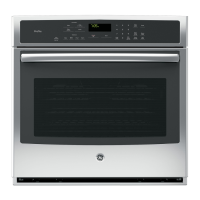
PT7050 - 30" Single Wall Oven
PT9050 - 30" Single Wall Oven
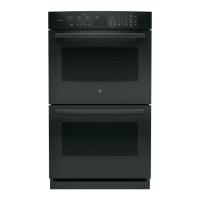
PT7550 - 30" Double Wall Oven
PT9550 - 30" Double Wall Oven
Owner’s Manual


Other manuals for GE PT7050

Questions and Answers

  • C
    Craig ElliottAug 31, 2025
    What to do if my GE PT7050 is not clean after a clean cycle?
    • K
      Kelly BlankenshipAug 31, 2025
      Ensure the oven controls are properly set. Also, if the oven was heavily soiled, clean up heavy spillovers before starting the clean cycle. Heavily soiled ovens may need to self-clean again or for a longer period of time.
  • J
    Jennifer BrownSep 12, 2025
    Why does my GE PT7050 Oven sometimes take longer to preheat?
    • S
      Stephen SanchezSep 12, 2025
      If your GE oven sometimes takes longer to preheat to the same temperature, the cookware or food in the oven will cause the oven to take longer to preheat. Remove items to reduce preheat time. Adding more racks to the oven will also cause the oven to take longer to preheat, so remove some racks. The different cooking modes use different preheat methods to heat the oven for the specific cooking mode and some modes will take longer than others.
  • A
    aroblesAug 30, 2025
    Why is the LOCKED light on when I want to cook in my GE Oven?
    • C
      cdonaldsonAug 30, 2025
      If the LOCKED light is on when you want to cook with your GE oven, the oven door is locked because the temperature inside the oven has not dropped below the locking temperature. Press the Cancel/Off pad and allow the oven to cool.
  • L
    Lauren CruzSep 12, 2025
    Why is my GE Oven fan making noise?
    • D
      dominiquebrownSep 13, 2025
      A cooling fan may automatically turn on. This is normal. The cooling fan will turn on to cool internal parts and may run for up to 30 minutes after the oven is turned off.
  • M
    michaeljimenezSep 12, 2025
    Why is my GE Oven display blank?
    • B
      Brian WilliamsSep 12, 2025
      A blank display may indicate a blown fuse or tripped circuit breaker, so replace the fuse or reset the breaker. Also, the clock may be turned off, or the oven may be in Sabbath Mode. Refer to the Special Features section to adjust the clock settings or to exit Sabbath Mode.
  • A
    Alexandra CarrollSep 16, 2025
    What to do if the light in my GE Oven doesn't work?
    • A
      Adrienne JenningsSep 16, 2025
      If the oven light in your GE oven isn't working, first check if the light bulb is loose or defective. Tighten or replace the bulb. If the pad operating light is broken, you should call for service.
  • K
    kayla89Sep 23, 2025
    Why does my GE PT7050 door glass look tinted or have a rainbow color?
    • J
      Jessica BrightSep 23, 2025
      The inner oven glass of your GE oven is coated with a heat barrier to reflect the heat back into the oven to prevent heat loss and keep the outer door cool while baking. This is not a defect.
  • N
    Nancy YatesAug 27, 2025
    Why is my GE Oven clock and timer not working?
    • R
      robertgrantAug 27, 2025
      If the clock and timer are not working, a fuse in your home may be blown or the circuit breaker tripped. Replace the fuse or reset the circuit breaker.
  • M
    Matthew WallaceAug 26, 2025
    How to reset the clock on my GE PT7050 Oven after a power outage?
    • J
      jessicaburchAug 26, 2025
      After a power outage or surge, reset the clock. If the oven was in use, you must reset it by pressing the Cancel/Off pad, setting the clock and resetting any cooking function.
  • R
    Roy YoderAug 25, 2025
    What to do if the GE PT7050 door will not open after a clean cycle?
    • E
      Erica BowmanAug 26, 2025
      If the oven door will not open after a clean cycle, the oven may still be too hot. Allow the oven to cool below locking temperature.

GE PT7050 Specifications

General IconGeneral
BrandGE
Fuel TypeElectric
Self-CleaningYes
Convection CookingYes
Interior LightYes
Sabbath ModeYes
Number of Oven Racks2
Convection OvenYes
BroilerYes
Oven ControlElectronic
ClockYes
TimerYes
Delay StartYes
Power SourceElectric
TypeElectric
Control TypeTouch

Related product manuals