EasyManua.ls Logo

GE PT7050 - User Manual

GE PT7050
48 pages
Print Icon
To Next Page IconTo Next Page
Loading...
49-80727 03-14 GE
GEAppliances.com
Safety Information ............2
Warranty ........................6
Assistance / Accessories ......7
Using The Oven
Oven Controls ......................8
Special Features .................10
Oven Racks ......................12
Aluminum Foil and Oven Liners . . . 13
Cooking Modes ..................14
Cookware ........................15
Cooking Guide ...................16
Care and Cleaning
Control Panel ....................17
Oven Exterior ....................17
Stainless Steel Surfaces ..........17
Oven Interior .....................17
Oven Racks ......................18
Maintenance .....................19
Troubleshooting Tips ........22
Wall Oven
Direct Air Convection Built-In Electric
Write the model and serial
numbers here:
Model # __________________
Serial # ___________________
You can find them on a label
on the side trim or on the front of
the (lower) oven behind the oven
door.
Printed in the United States
Printed on
Recycled Paper
For a Spanish version of this
manual, visit our Website at
GEAppliances.com.
Para consultar una version
en español de este manual
de instrucciones, visite
nuestro sitio de internet
GEAppliances.com.
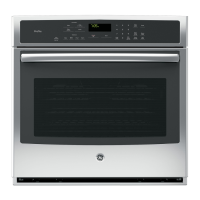
PT7050 - 30" Single Wall Oven
PT9050 - 30" Single Wall Oven
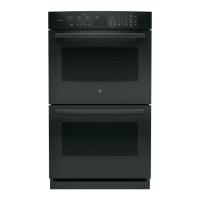
PT7550 - 30" Double Wall Oven
PT9550 - 30" Double Wall Oven
Owner’s Manual


Other manuals for GE PT7050

Questions and Answers

  • A
    aroblesAug 30, 2025
    Why is the LOCKED light on when I want to cook in my GE Oven?
    • C
      cdonaldsonAug 30, 2025
      If the LOCKED light is on when you want to cook with your GE oven, the oven door is locked because the temperature inside the oven has not dropped below the locking temperature. Press the Cancel/Off pad and allow the oven to cool.
  • J
    Jeffrey MossAug 30, 2025
    What to do if my GE Oven door won't open after a clean cycle?
    • N
      Nancy WhiteAug 31, 2025
      If the oven door of your GE oven will not open after a clean cycle, the oven is likely too hot. Allow the oven to cool below locking temperature.
  • D
    Danielle SuttonAug 25, 2025
    Why is my GE Oven not heating to the correct temperature?
    • N
      Natalie MackAug 25, 2025
      The oven temperature may need adjustment. Consult the Special Features section for instructions on how to adjust the oven temperature.
  • S
    Stephanie MyersSep 1, 2025
    Why is my GE PT7050 Oven smoking excessively during the clean cycle?
    • C
      cassandra27Sep 1, 2025
      Excessive smoke during the clean cycle is often due to excessive soil or grease. Press the Cancel/Off pad, open the windows to rid the room of smoke, wait until the LOCKED light goes off, wipe up the excess soil, and then reset the clean cycle.
  • K
    kyle80Sep 2, 2025
    How to stop excessive smoking during broiling in my GE PT7050?
    • M
      Monica HarveySep 2, 2025
      If you experience excessive smoking during broiling, lower the rack position of the food to increase the distance from the burner element.
  • D
    Doris RobertsSep 2, 2025
    Why is my GE PT7050 food not baking properly?
    • J
      Jennifer WoodsSep 2, 2025
      Several factors can affect baking. Ensure oven controls are properly set. Check that the rack position is correct and level. Use the correct cookware of the proper size. The oven temperature may need adjustment. Also, substituting ingredients can change the recipe outcome.
  • K
    Kyle EllisonSep 3, 2025
    Why is my GE Oven food not broiling properly?
    • K
      Kimberly JohnsonSep 3, 2025
      Make sure you select the appropriate broil mode. Note that convection crisp is not for broiling foods. Use the Cooking Guide for rack location suggestions. Ensure cookware is cool and suited for broiling. If using aluminum foil, conform to pan slits. In some areas the power (voltage) may be low, so preheat the broil element for 10 minutes.
  • A
    Ariel PowersSep 4, 2025
    Why does the "DOOR" flash in the display of my GE PT7050 Oven?
    • S
      Sarah HumphreySep 4, 2025
      The message "DOOR" flashes in the display because the self-clean cycle has been selected but the door is not closed. Close the oven door and wait for it to finish locking. Also, "DOOR" will flash while the oven door is locking to start self-clean and steam clean, which is normal.
  • E
    Ernest HowellSep 5, 2025
    What to do if the "DOOR" light is on when I want to cook in my GE PT7050 Oven?
    • M
      mortondanielSep 5, 2025
      If the "DOOR" light is on when you want to cook, the oven door is locked because the temperature inside the oven has not dropped below the locking temperature. Press the Cancel/Off pad and allow the oven to cool.
  • W
    williamsbrianSep 5, 2025
    Why does my new GE Oven smell like it's "burning"?
    • J
      John DiazSep 5, 2025
      This is normal in a new oven and will disappear in time. To speed the process, set a self-clean cycle for a minimum of 3 hours. See the Cleaning the Oven section.

GE PT7050 Specifications

General IconGeneral
BrandGE
Fuel TypeElectric
Self-CleaningYes
Convection CookingYes
Interior LightYes
Sabbath ModeYes
Number of Oven Racks2
Convection OvenYes
BroilerYes
Oven ControlElectronic
ClockYes
TimerYes
Delay StartYes
Power SourceElectric
TypeElectric
Control TypeTouch

Related product manuals