0150-0193G 17 DVMRe Triplex
2 DMVRe Triplex Basic Operations
2.1 Principal Operating Modes
The DVMRe Triplex has three principal modes of operation:
• Live Viewing.
• Playback.
• Recording.
All three of these modes can operate simultaneously. Each mode is discussed in detail later in this
section.
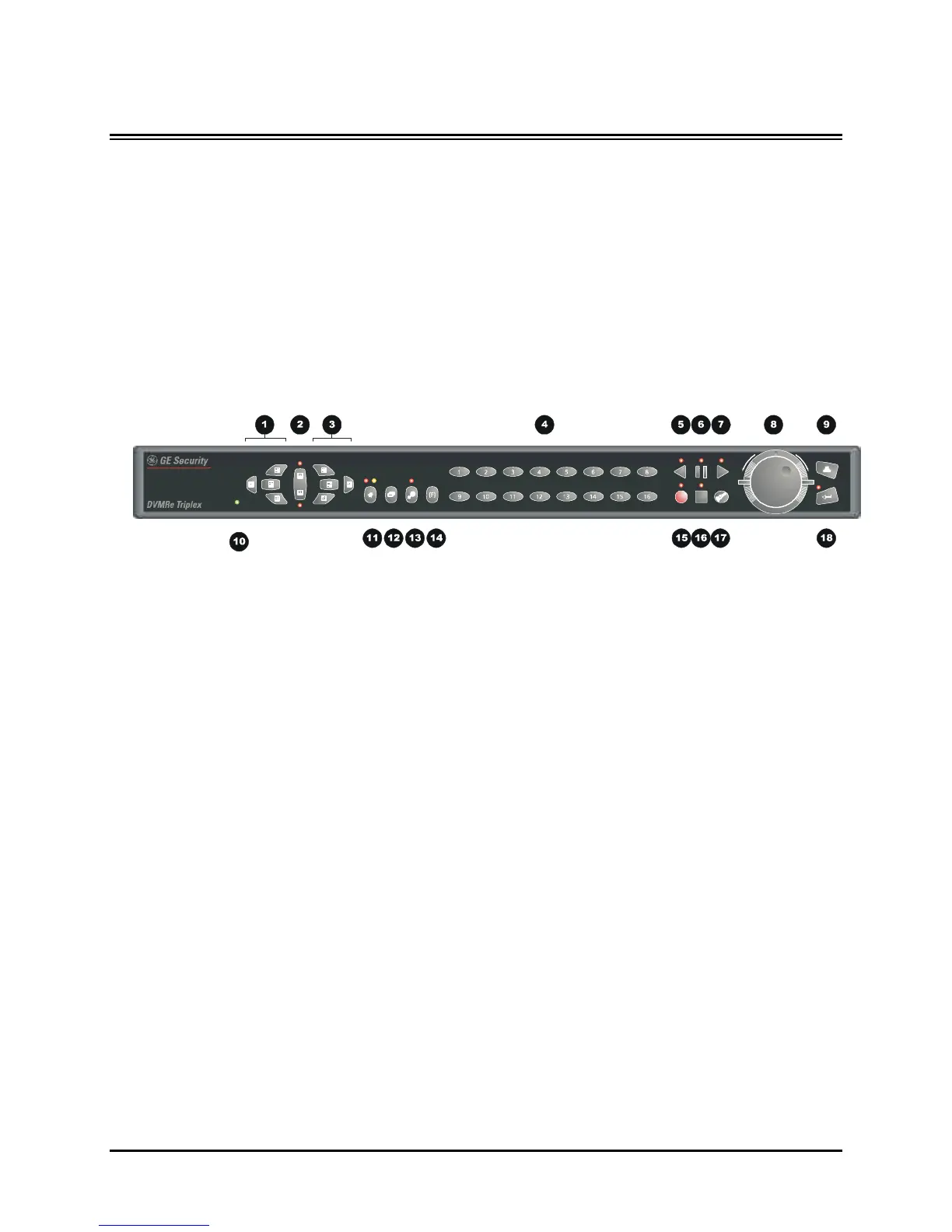
2.2 The Front Panel
1. Multiscreen Selection Buttons: 16, 10, 7, and 4 way.
2. Monitor Selection Button: Monitor A or Monitor B.
3. Multiscreen Selection Buttons: 13, 9, 6 way, and Picture-in-Picture.
4. Camera Selection Number buttons: Camera numbers 1 through 16.
5. Reverse Play Button: Playback in Reverse.
6. Freeze Button: Freezes camera images on-screen in Live mode. Pauses Playback.
7. Play Forward Button: Begins Playback.
8. Jog/Shuttle: Controls Playback speed and Menu selections.
9. Menu Button: Provides access to on-screen menus.
10. Power Indicator: Indicates power on/off condition.
11. Alarm button: Allows user to acknowledge and silence alarms.
12. Sequence Button: Sequences camera views.
13. Zoom Button: Provides a 2X digital zoom.
14. Function Button: Used in conjunction with Camera Buttons to run Macros.
15. Record Button: Used to Start and Stop Recording.
16. Stop Button: To stop Playback and return to Live mode.
17. Search Button: Access to stored video data.
18. Enter Button: Confirms selection in menus.



 To Next Page