0150-0193G 79 DVMRe Triplex
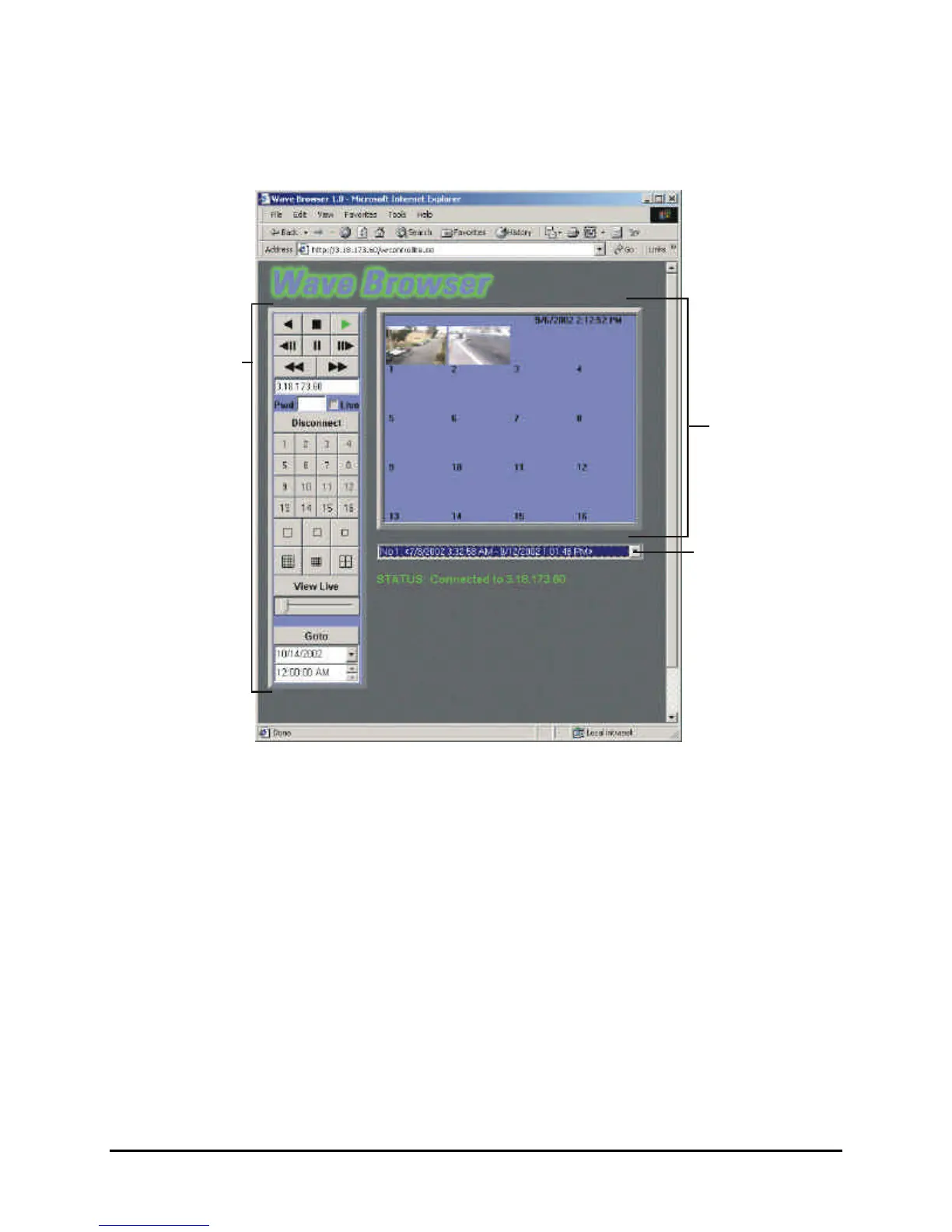
6.1 WaveBrowser Overview and Controls
Button Panel
Area
The Main program window consists of the following areas:
• The Main Viewing Area: The large blue area.
• The Button Panel: The left side of the window.
• The Drop Down Volume List: Allows the selection of available Disk volumes.
The Main Viewing Area
Pictures are displayed in this area in Multi-Camera, and Single-Camera formats. Picture display order
is according to the information encoded by the unit used to create the original video data file.
Choose from the following displays:
• 16-way Multiscreen Display (Large and Medium)
• 4-way Display
• Single Camera Display Large
• Single Camera Display Medium
• Single Camera Display Small



 To Next Page