GE HEALTHCARE - KRETZTECHNIK VOLUSON® 730EXPERT (BT03)
D
IRECTION 105899, REVISION 3 DRAFT (APRIL 29, 2008) SERVICE MANUAL
Chapter 7 - Diagnostics/Troubleshooting 7-5
Section 7-4
Screen Captures and Logs
There may be times when the customer or field engineer will want to capture a presentation on the
screen so it may be recovered by the OnLine Center.
This is accomplished by saving the image(s):
A.) to SonoView and export them (as jpg, bmp or tiff ) to DVD/CD+(R)W or MO-disk
B.) as jpg and bmp to D:\export by pressing the ALT
+ P key on the alphanumeric keyboard
7-4-1 Capturing a screen
The following is the generic process to capture any screen from the scanner.
1.) Navigate to and display the image/screen to be captured.
2.) Press the SAVE
key and save the image to Sonoview.
3.) Select the stored image(s) in Sonoview (Exam List) and export the image(s) to DVD/CD+(R)W or
or optional MO-Disk (jpg, bmp or tiff).
7-4-2 Export Log’s and System Data
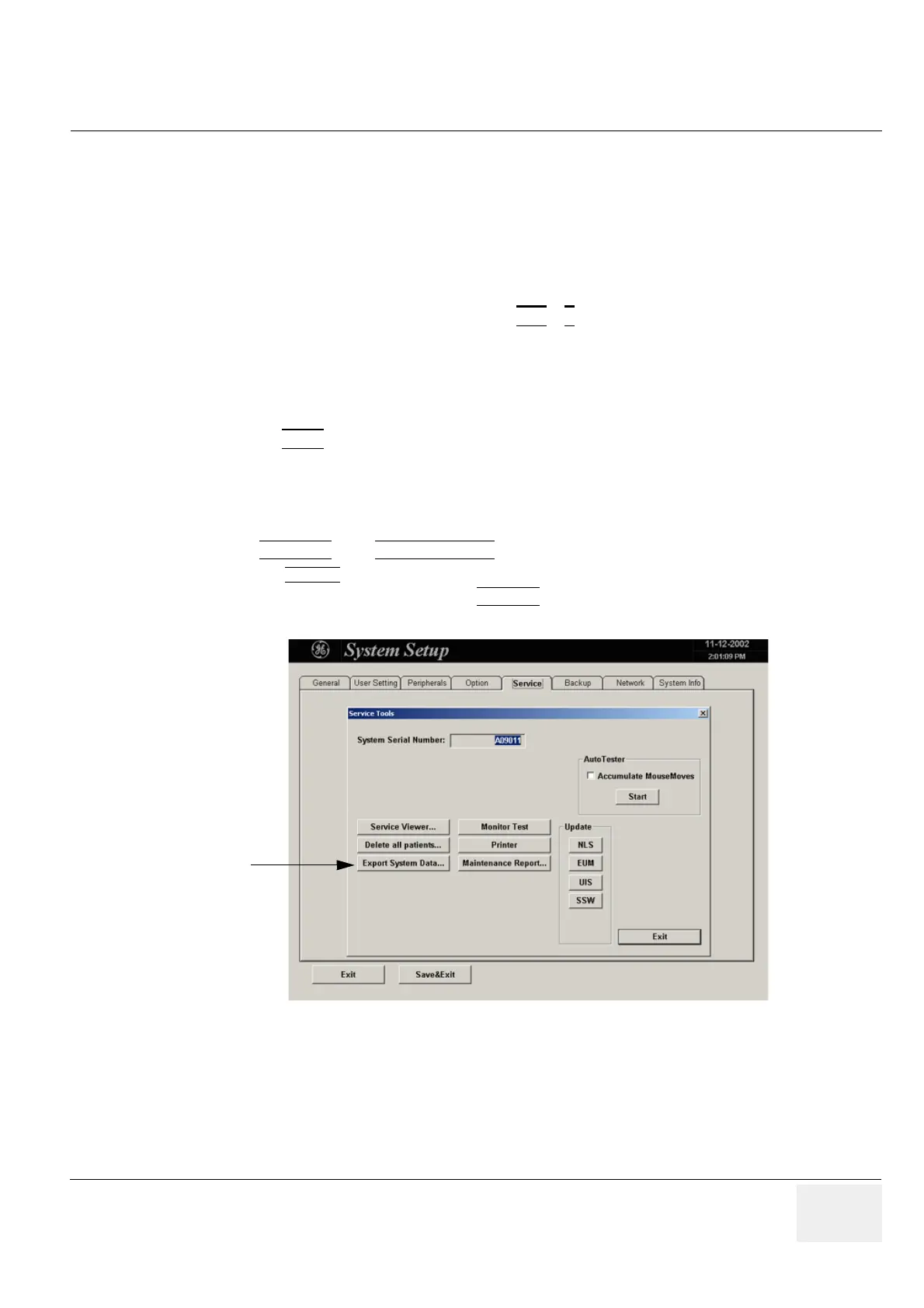
1.) Touch UTILITIES, then SYSTEM SETUP.
2.) Select the
SERVICE page on the screen. The “password window” appears automatically.
3.) Enter the password SHE and click the ACCEPT
button to display the Service Tools window.
Figure 7-3 Service Tools window
Export System Data


 To Next Page