EasyManua.ls Logo

Geberit 50 - User Manual

Geberit 50
100 pages
Go to English
Print Icon
To Next Page IconTo Next Page
Loading...






Questions and Answers

  • P
    Paul MyersJul 29, 2025
    What to do if Geberit Plumbing Product has no flush actuation?
    • K
      kimberlywhiteJul 29, 2025
      If your Geberit Plumbing Product isn't flushing, here's what you can check: * **Mains Operation:** * If the green LED on the power supply unit isn't lit, check the power supply. * If the power supply unit is faulty, it should be replaced. * **Battery Operation:** If the LED in the sensor window lights up, the batteries are dead and should be replaced. * Check for disconnected or damaged plug connections and test them. * Ensure the water supply valve is open.
  • J
    Joseph WebbAug 3, 2025
    Why does my Geberit Plumbing Product have incorrect flushes?
    • R
      Rodney MyersAug 3, 2025
      Incorrect flushes with your Geberit Plumbing Product could stem from a few causes: * A contaminated or wet sensor window. In this case you should clean or dry the sensor window. * A scratched sensor window. If this is the case, replace the cover plate with a new sensor window. * Interference with the IR sensor from mirrors, metal surfaces, or glass washbasins in the room. For this issue, it's best to contact the Geberit sales company.
  • K
    Kevin JacksonAug 10, 2025
    How to fix inadequate flushing of Geberit Plumbing Product?
    • J
      johnfoleyAug 10, 2025
      If the flushing of your Geberit Plumbing Product is inadequate, consider these potential solutions: * Use the Geberit App to set the flush time correctly. * Clean the basket filter in the solenoid valve if it's blocked. * Ensure the throttle is sufficiently open. * Check the water pressure to ensure it's adequate.
  • K
    kimberlychurchAug 16, 2025
    What to do if water is running continuously into the Geberit Plumbing Product?
    • K
      Kenneth MooreAug 16, 2025
      If water continuously runs into the urinal ceramic of your Geberit Plumbing Product, here are a couple of things to try: * Interrupt the power supply for 10 seconds to address a potential software fault. * If the issue persists, it may be due to a technical fault, requiring replacement of the sensor electronics or the solenoid valve.
  • C
    Christopher ThomasAug 21, 2025
    Why is water splashing out from the Geberit Plumbing Product?
    • K
      Kevin RoblesAug 21, 2025
      If water is splashing out from the urinal ceramic of your Geberit Plumbing Product, it's likely due to an excessive flow rate. To resolve this, mount a flow limiter.

Summary

Safety

About this document

Details document scope and applicability to Geberit urinal flush controls.

Target group

Defines skilled persons responsible for product maintenance and repair.

Intended use

Specifies proper application for automatic urinal flushing; other uses are improper.

Explanation of warning notes

Explains the structure and meaning of warning notes for hazard communication.

Safety notes

Highlights precautions for maintenance to prevent damage or malfunctions.

Product description

Structure

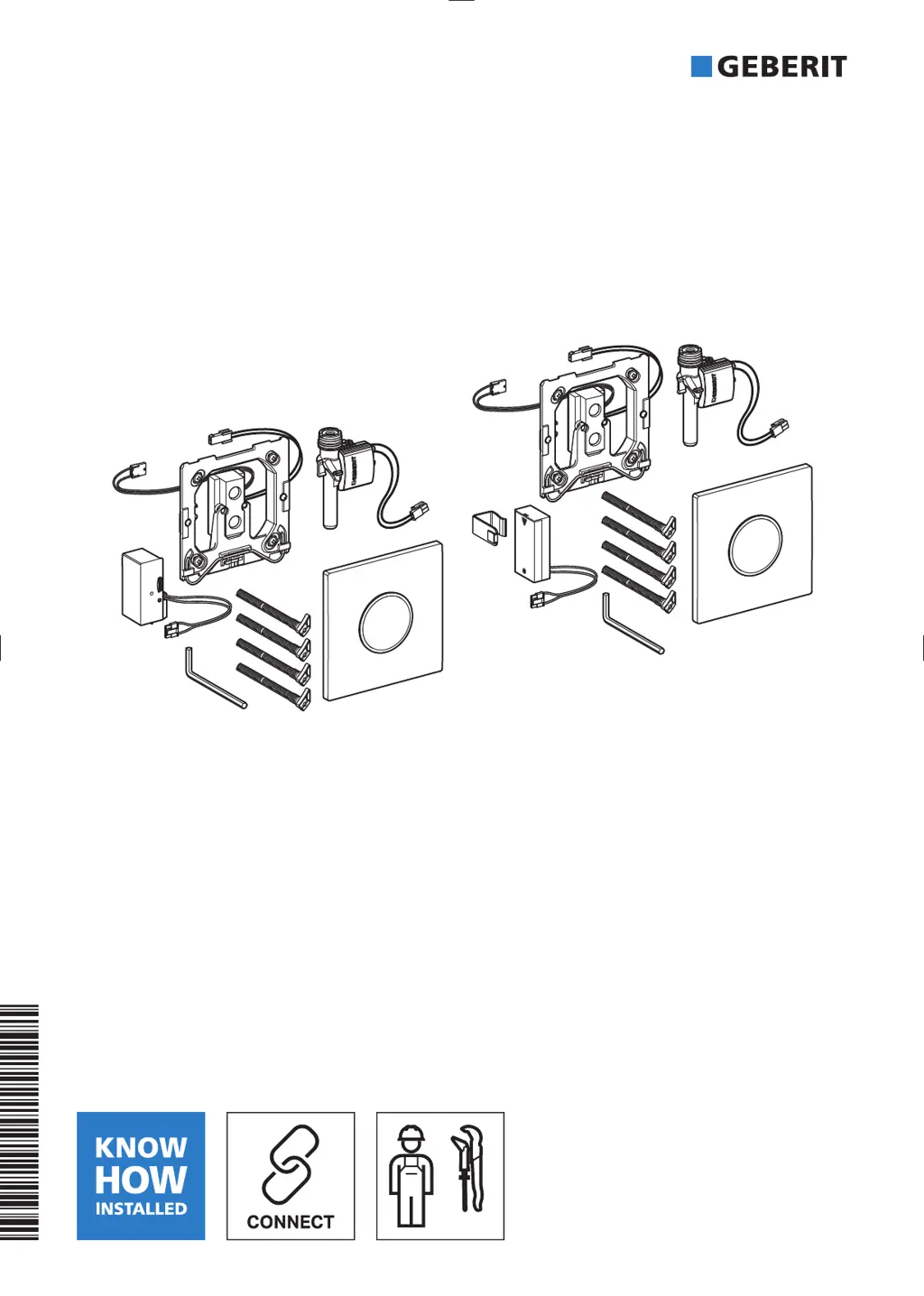
Illustrates and lists the components of Geberit urinal flush controls.

Technical data

Operation

Geberit Apps

Explains use of Geberit apps for operation, settings, and maintenance via Bluetooth.

Maintenance

Structure of Maintenance chapter

Outlines chapter structure and use of illustration sequences for maintenance.

Maintenance performed by the operator

Lists maintenance tasks executable by the user or operator.

Maintenance performed by skilled persons

Identifies maintenance requiring specialized knowledge by skilled persons.

Cleaning or replacing the basket filter

Details procedure for cleaning/replacing the solenoid valve's basket filter.

Replacing the power supply unit

Replacing the sensor electronics

Replacing the solenoid valve

Replacing the lip seal

Replacing the regulating screw

Make settings

Make settings using the Geberit Service Handy

Describes adjusting functions and parameters via the Geberit Service Handy.

Make settings with the Geberit App

Operation

Details operational functions like flushing and cleaning via the Geberit App.

Device settings

Covers device-specific settings: block flush, empty pipe, etc.

Selecting the flush mode

Hybrid mode

Explains hybrid mode for water-saving operation with periodic flushes.

Disposal

Constituents

Lists product compliance with RoHS directive on hazardous substances.

Disposal of old electrical and electronic equipment

Provides guidance on proper disposal of old electrical/electronic equipment per WEEE.

Geberit 50 Specifications

General IconGeneral
BrandGeberit
Model50
CategoryPlumbing Product
LanguageEnglish

Related product manuals