EN
27
B971-003 © 06-2015
965.598.00.0 (02)
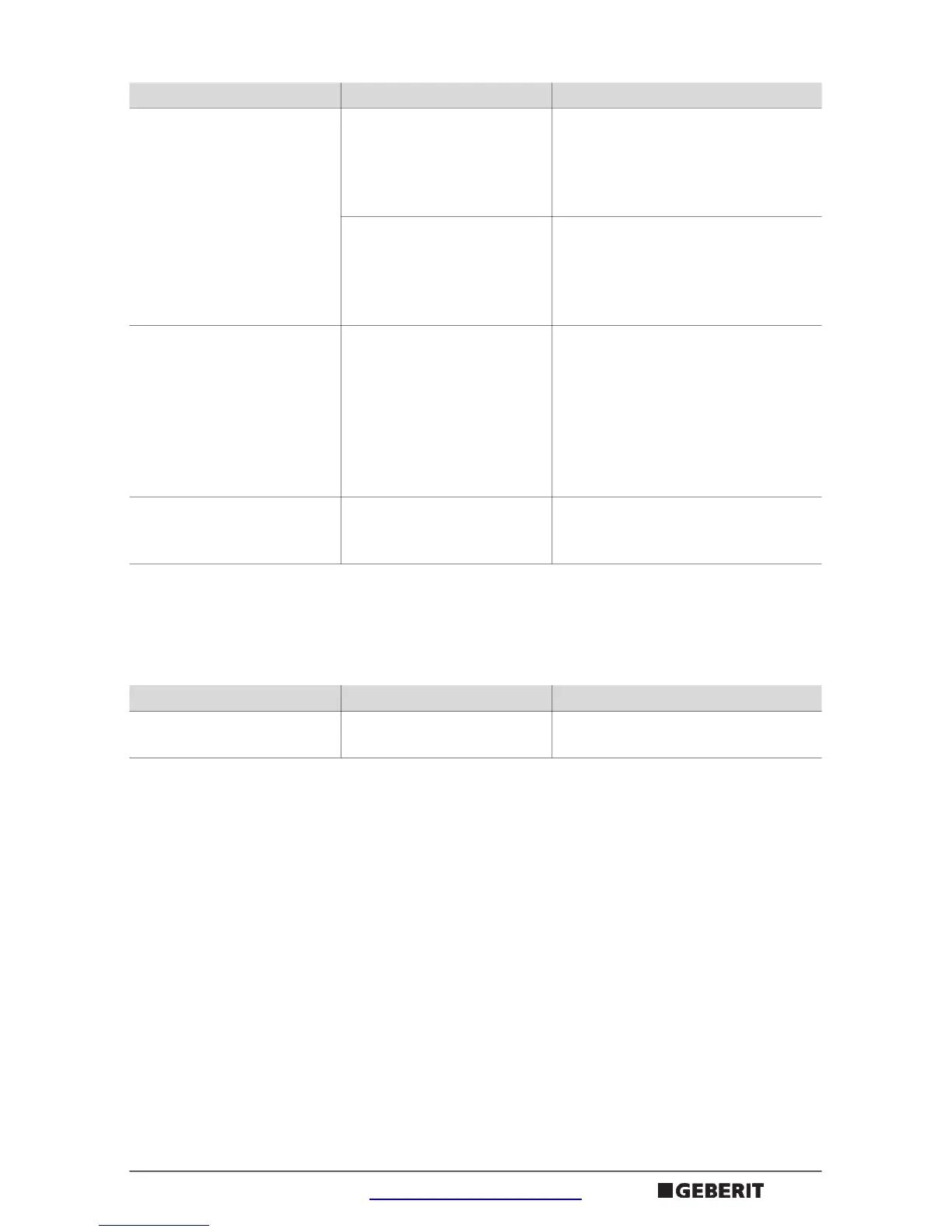
Troubleshooting after the pressing sequence
Red LED lights up Pressing tool is
overloaded. Non-
permissible pressing
systems were processed
` Release start button.
` Press unlocking button
` Only process permissible
pressing systems
` Repeat the pressing operation
Pressing tool is defective
` Press unlocking button
` Press the start button
` If this is not successful, send the
pressing tool to a repair shop for
testing
1)
Pressing tool stops and no
LED lights up
Rechargeable battery is
defective
` Release start button
` Replace the rechargeable
battery and have it examined by
a skilled person
` Press unlocking button: roller
drive moves to its starting
position
` Repeat the pressing operation
Red and green LEDs flash
alternately
Maintenance interval has
been reached
` Send the pressing tool to an
authorised repair shop for
testing
1)
1) The addresses of authorised repair shops can be requested from the Geberit sales companies or found
at www.geberit.com
Fault Cause Actions
Green LED flashes Rechargeable battery not
charged up sufficiently
` Charge the rechargeable battery
or replace it
Fault Cause Actions


 To Next Page