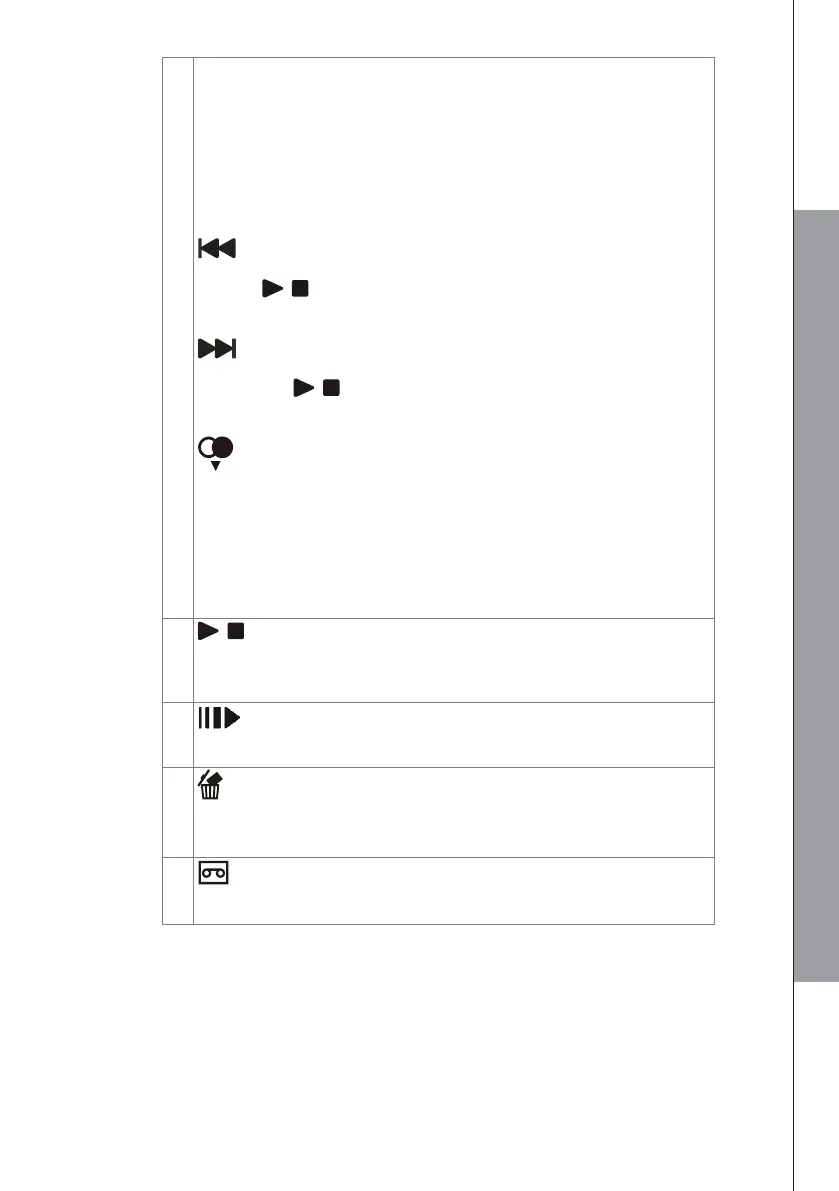
NAVIGATION KEYS
▲ UP
● In menu mode: Press to scroll up the menu items.
● In Phonebook list / Redial list / Call list: Press to scroll up the
list.
● In editing mode: Press to move the cursor one character to the
right.
● During a call or TAM message playback: Press to increase the
volume.
REPEAT / OGM
● In Idle mode: Press and hold 2 sec until beep to record OGM.
● Press / to stop the recording.
● In TAM message playback mode: Press to go back to previous
message.
MEMO / SKIP FORWARD
● In Idle mode: Press and hold 2 sec until beep to record a memo
and press / to stop the recording.
● In TAM message playback mode: Press to skip to next
message.
DOWN / REDIAL LIST
● In Idle mode: Press to access the redial list.
● In menu mode: Press to scroll down the menu items.
● In Phonebook list / Redial list / Call list view mode: Press to
scroll down the list.
● In editing mode: Press to move the cursor one character to the
left.
● During a call or TAM message playback: Press to decrease the
volume.
DELETE
● In TAM message playback mode: Press to delete the current
TAM message playback.
● In idle mode: Press and hold to delete all old messages.
ANS ON / OFF
● In Idle: Press to switch the answering machine ON or OFF.
● The cassette tape icon is displayed on the screen if activate.



 To Next Page