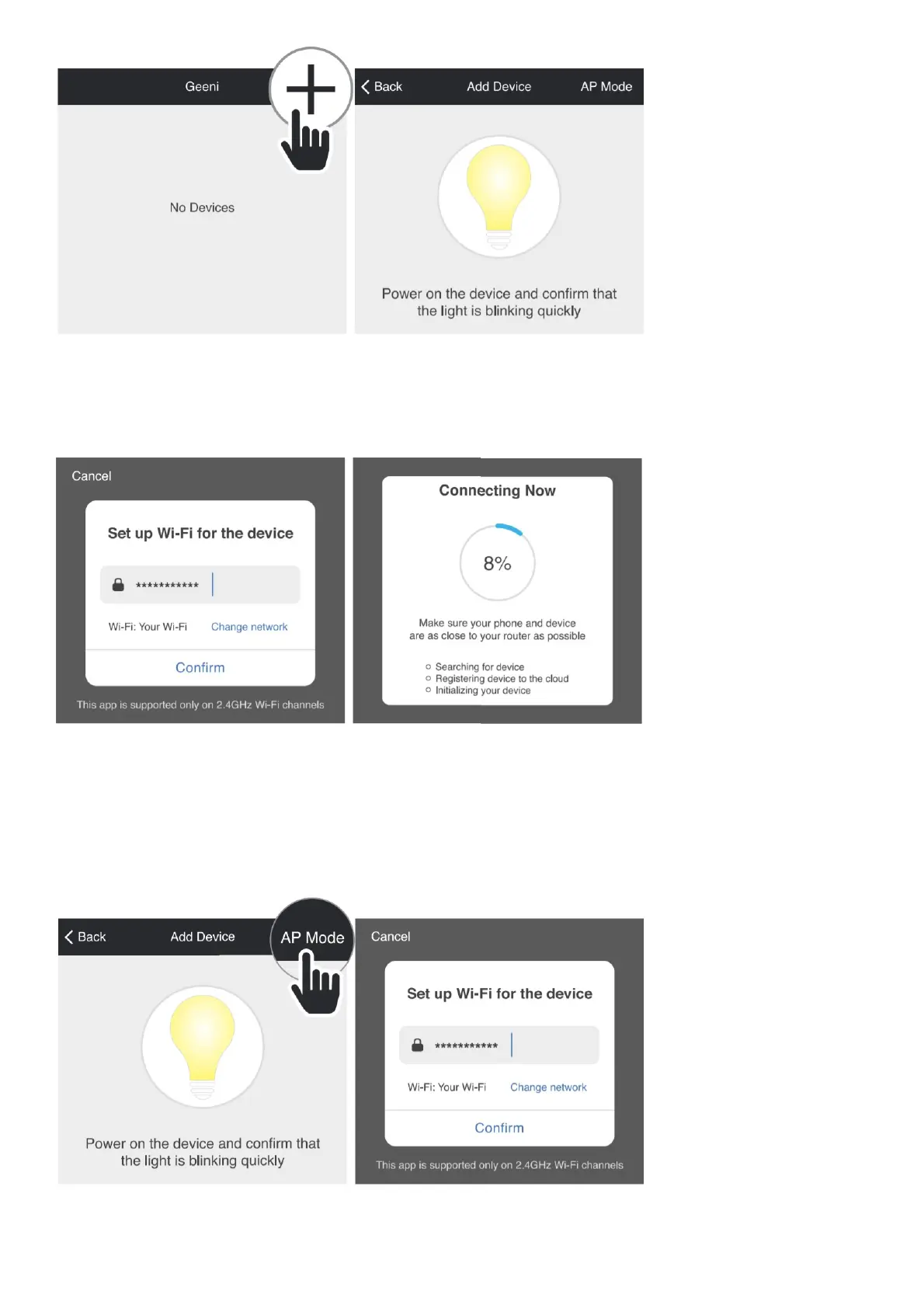
STEP 1. In the Geeni app, on
the top corner of the Devices screen, click (+).
STEP 2. Make sure the bulb is flashing quickly, indicating it’s ready to connect. If not, turn the bulb off and on 3 times
until
it is flashing. Press “Next Step.”
STEP 3. Enter your Wi-Fi network and password.
STEP 4. The Geeni app will try to connect your device.
NOTE: Geeni can’t connect to 5GHz networks. *If the connection fails, try to connect using AP Mode.
Add device. Method 2: Backup AP Mode
STEP 1. Make sure the device is in AP Mode, blinking slowly (see reset instructions on p. 5)
STEP 2. In the Geeni app, on the top corner of the Devices screen, click (+). Choose “AP Mode” in the top corner.



 To Next Page