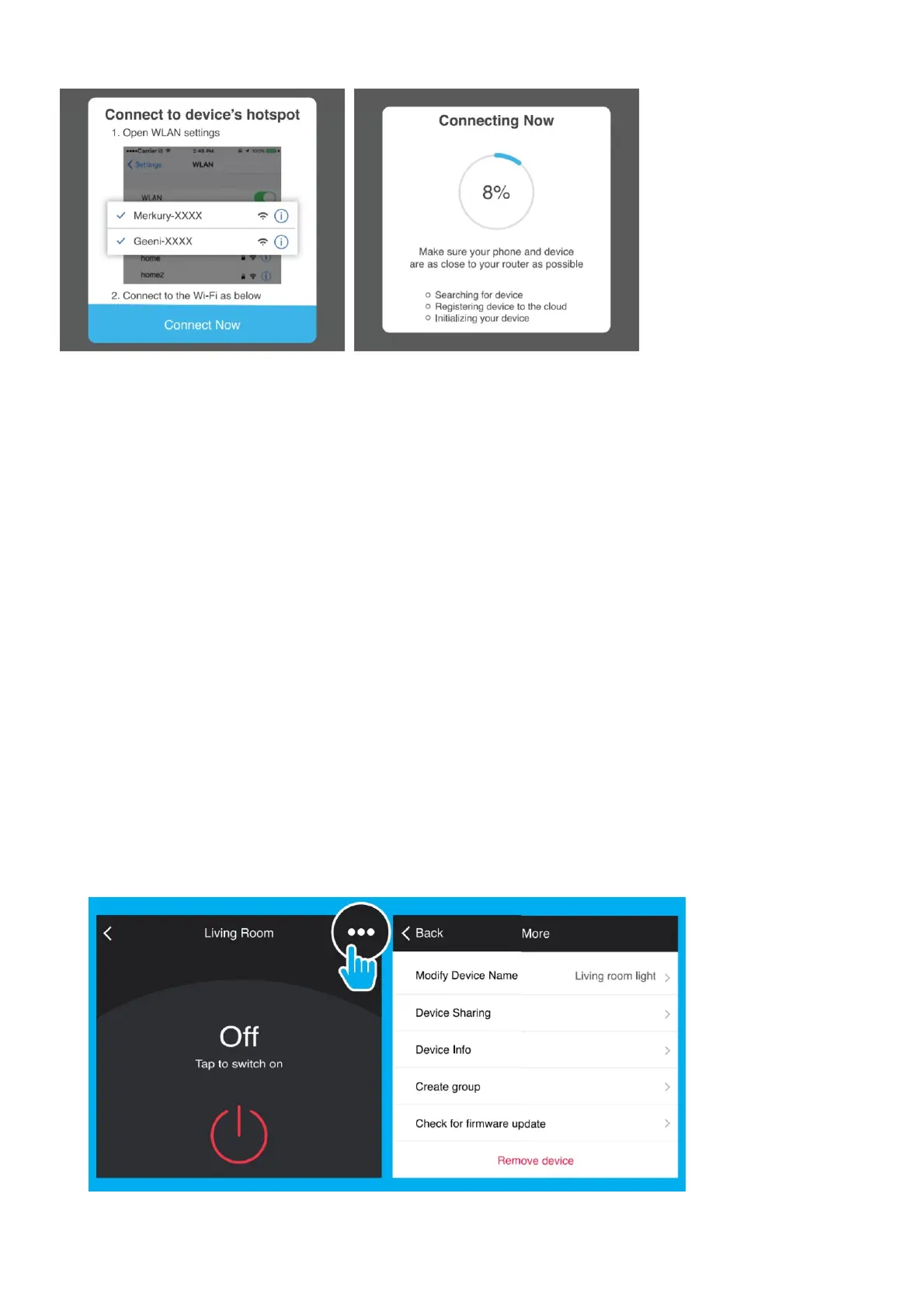
STEP 3. Click Next and enter your Wi-Fi details.
STEP 4. Follow the instructions to choose the device from your Wi-Fi list.
STEP 5. The device will connect.
NOTE: Geeni can’t connect to 5GHz networks. 9
Frequently Asked Questions
1. Can I share with family and friends?
Yes, you can share your bulbs with family and friends who will have access to control your bulbs, plugs,
cameras, and other Geeni devices. In the Geeni app, press the Profile button and click on the “Device Sharing”
button, and you will be able to give or revoke sharing permissions. In order to share, the other user should
already have downloaded the Geeni app and registered a new account.
2. Can I group multiple Geeni devices together?
Yes, you can group multiple devices of the same type together, by room, location, or however else you want.
The same devices can be in multiple groups. (For example, create a group for “Bedroom” and another group for
“Entire House”, and your Bedroom lights can be included in both groups). From your main device list, click on
one of the devices you want to group, press the “···” button on the top right for advanced settings, and click
Create Group. You’ll then be able to choose which devices you’d like to group together and will be able to
rename them.
3. How Many Devices Can I Control?
Geeni’s app can control an unlimited amount of devices in an unlimited amount of locations. Your router may
have a limit of how many devices can be connected to one router.
4. My Geeni device has a funny name. How do I rename it?
From your main device list, click on one of the devices you want to rename, press the “···” button on the top
right for advanced settings, and click Modify Device Name (or Modify Group Name, if applicable). You’ll then be
able to choose a more familiar name.
5. The bulb appears offline or unreachable, what should I do?
Check the light switch and make sure that it’s switched ON. The light bulb requires an “always-on” power supply
to operate properly. Make sure your Wi-Fi router is online and in range. Make sure you have the latest Geeni



 To Next Page