EasyManua.ls Logo

Gefen EXT-USB-400FON - User Manual

Gefen EXT-USB-400FON
21 pages
Print Icon
To Next Page IconTo Next Page
Loading...
®
®
®
®
®
®
®
®
®
®
®
®
®
®
®
®
®
®
®
®
®
®
®
®
®
www.gefen.com
f
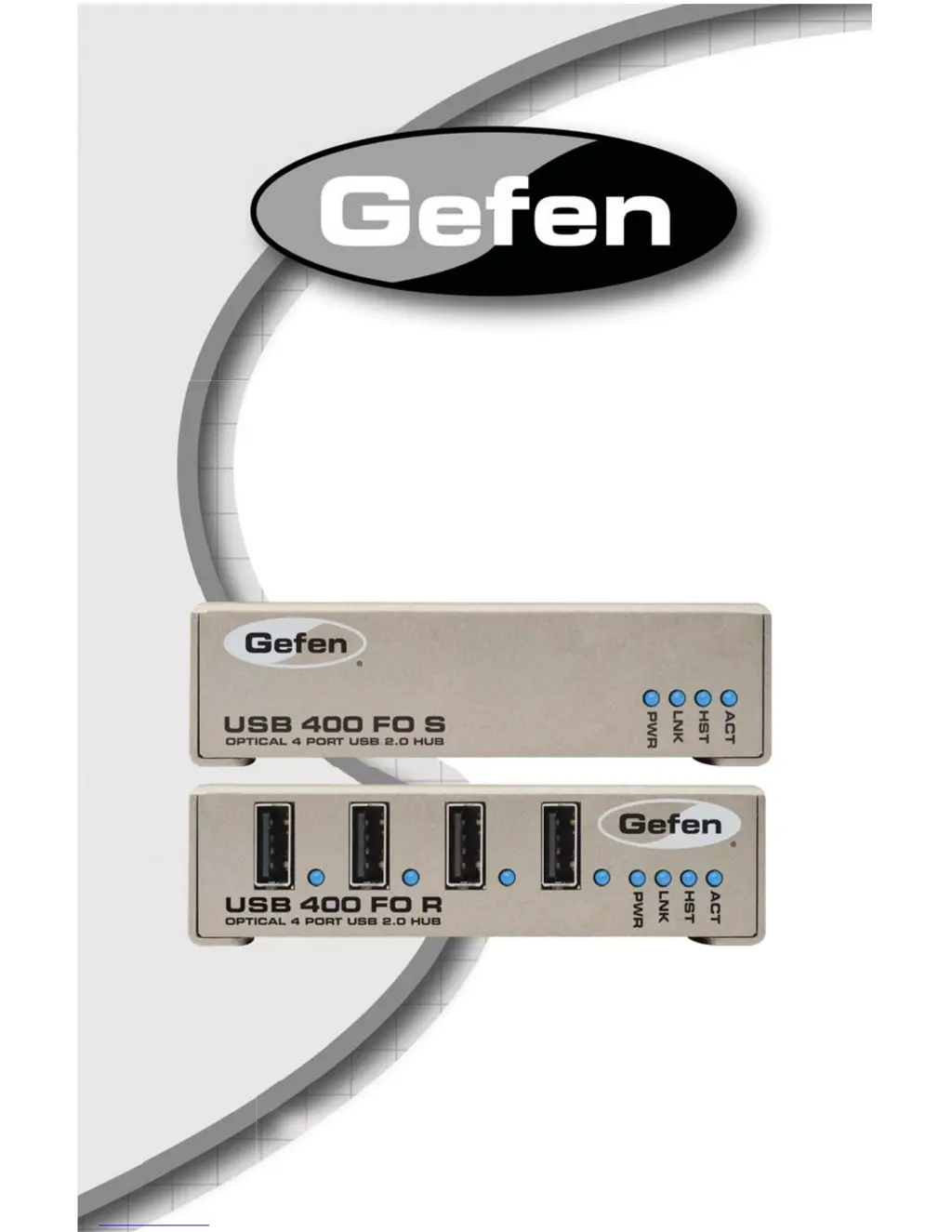
USB 400 FO
EXT-USB-400FON
User Manual

Questions and Answers

Summary

Introduction

How It Works

Explains the connection and power flow of the Sender and Receiver units.

Operation Notes

Important Installation and Operation Guidelines

Key points before installing and operating the USB-400FO.

System Requirements

Lists necessary items for installation, including computer and cable compatibility.

Sender Unit Panel Descriptions

Receiver Unit Panel Descriptions

Connecting and Operating the USB-400 FO Extender

Installation Steps

Guides on connecting the Sender and Receiver units to the computer and power.

Troubleshooting the USB-400 FO Extender

Sender Unit LEDs Off

Addresses issues where all LEDs on the Sender unit are off.

Receiver Unit LEDs Off

Addresses issues where all LEDs on the Receiver unit are off.

Link LEDs Off

Troubleshooting steps for when Link LEDs on both units are off.

Device Not Operating Correctly

Addresses device malfunction or detection as 'Unknown Device'.

Device LED Orange

Addresses overcurrent conditions indicated by an orange Device LED.

Summary

Introduction

How It Works

Explains the connection and power flow of the Sender and Receiver units.

Operation Notes

Important Installation and Operation Guidelines

Key points before installing and operating the USB-400FO.

System Requirements

Lists necessary items for installation, including computer and cable compatibility.

Sender Unit Panel Descriptions

Receiver Unit Panel Descriptions

Connecting and Operating the USB-400 FO Extender

Installation Steps

Guides on connecting the Sender and Receiver units to the computer and power.

Troubleshooting the USB-400 FO Extender

Sender Unit LEDs Off

Addresses issues where all LEDs on the Sender unit are off.

Receiver Unit LEDs Off

Addresses issues where all LEDs on the Receiver unit are off.

Link LEDs Off

Troubleshooting steps for when Link LEDs on both units are off.

Device Not Operating Correctly

Addresses device malfunction or detection as 'Unknown Device'.

Device LED Orange

Addresses overcurrent conditions indicated by an orange Device LED.

Gefen EXT-USB-400FON Specifications

General IconGeneral
BrandGefen
ModelEXT-USB-400FON
CategorySwitch
LanguageEnglish

Related product manuals