EasyManua.ls Logo

Gefen EXT-UHD600-41 - User Manual

Gefen EXT-UHD600-41
136 pages
Print Icon
To Next Page IconTo Next Page
Loading...
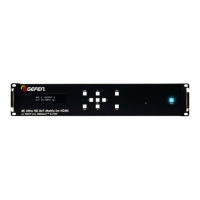
EXT-UHD600-41
User Manual
4x1 Switcher for HDMI w/HDR
Release A2
*Preferred
600 MHz
4K ULTRA
4K 60 Hz 4:4:4
HDCP 2.2 & Auto Switching
Question and Answer IconNeed help?

Do you have a question about the Gefen EXT-UHD600-41 and is the answer not in the manual?

Summary

Getting Started

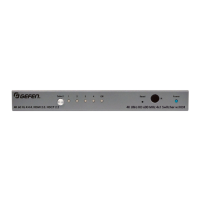
Front Panel

Details the buttons, LEDs, and IR sensor on the front panel.

Rear Panel

Description of the various input, output, and control ports on the rear.

Connection Instructions

Step-by-step guide for video and power connections.

Basic Operation

Switching Inputs

How to select different video sources using front panel buttons or IR remote.

Using the Front Panel Buttons

Detailed steps for cycling through inputs using the Select button.

Using the IR Remote Control

Instructions for switching inputs using the handheld IR remote.

The Web Interface

Accessing and navigating the switcher's web interface for configuration and control.

Routing

How to select and manage video signal routing between inputs and outputs.

HDCP

Configure HDCP pass-through, rejection, or encoding for inputs and outputs.

Configuring Network Settings

Set up static or DHCP IP addressing, subnet, gateway, and HTTP port.

Download Current Configuration to PC

Save the current switcher configuration settings to a file on your computer.

Restore; Upload Configuration File

Load saved configuration settings back onto the switcher from a file.

Firmware Update

Apply the latest firmware to the switcher for new features or fixes.

Performing a Factory Reset

Restore the switcher to its original factory default settings.

Advanced Operation

Commands

Reference for all available commands for device control and status.

Network Settings

Commands for retrieving and setting IP, gateway, netmask, and Telnet/UDP.

Summary

Getting Started

Front Panel

Details the buttons, LEDs, and IR sensor on the front panel.

Rear Panel

Description of the various input, output, and control ports on the rear.

Connection Instructions

Step-by-step guide for video and power connections.

Basic Operation

Switching Inputs

How to select different video sources using front panel buttons or IR remote.

Using the Front Panel Buttons

Detailed steps for cycling through inputs using the Select button.

Using the IR Remote Control

Instructions for switching inputs using the handheld IR remote.

The Web Interface

Accessing and navigating the switcher's web interface for configuration and control.

Routing

How to select and manage video signal routing between inputs and outputs.

HDCP

Configure HDCP pass-through, rejection, or encoding for inputs and outputs.

Configuring Network Settings

Set up static or DHCP IP addressing, subnet, gateway, and HTTP port.

Download Current Configuration to PC

Save the current switcher configuration settings to a file on your computer.

Restore; Upload Configuration File

Load saved configuration settings back onto the switcher from a file.

Firmware Update

Apply the latest firmware to the switcher for new features or fixes.

Performing a Factory Reset

Restore the switcher to its original factory default settings.

Advanced Operation

Commands

Reference for all available commands for device control and status.

Network Settings

Commands for retrieving and setting IP, gateway, netmask, and Telnet/UDP.

Gefen EXT-UHD600-41 Specifications

General IconGeneral
CategorySwitch
ModelEXT-UHD600-41
HDCP Support2.2
HDR SupportYes
EDID ManagementYes
HDMI Version2.0
Maximum Pixel Clock600 MHz
Maximum TMDS Clock18 Gbps
Max Resolution4K@60Hz (3840x2160)
Color DepthUp to 12-bit Deep Color
Chroma Subsampling4:4:4
ControlRS-232, IR
Weight2.2 lbs
Video Input ConnectorHDMI
Video Output ConnectorHDMI
RS-232 ConnectorYes
IR Ext ConnectorYes
Operating Temperature32°F to 104°F (0°C to 40°C)

Related product manuals