page | 27
Basic OperationBasic Operation
The Web Interface
Copying EDID Data
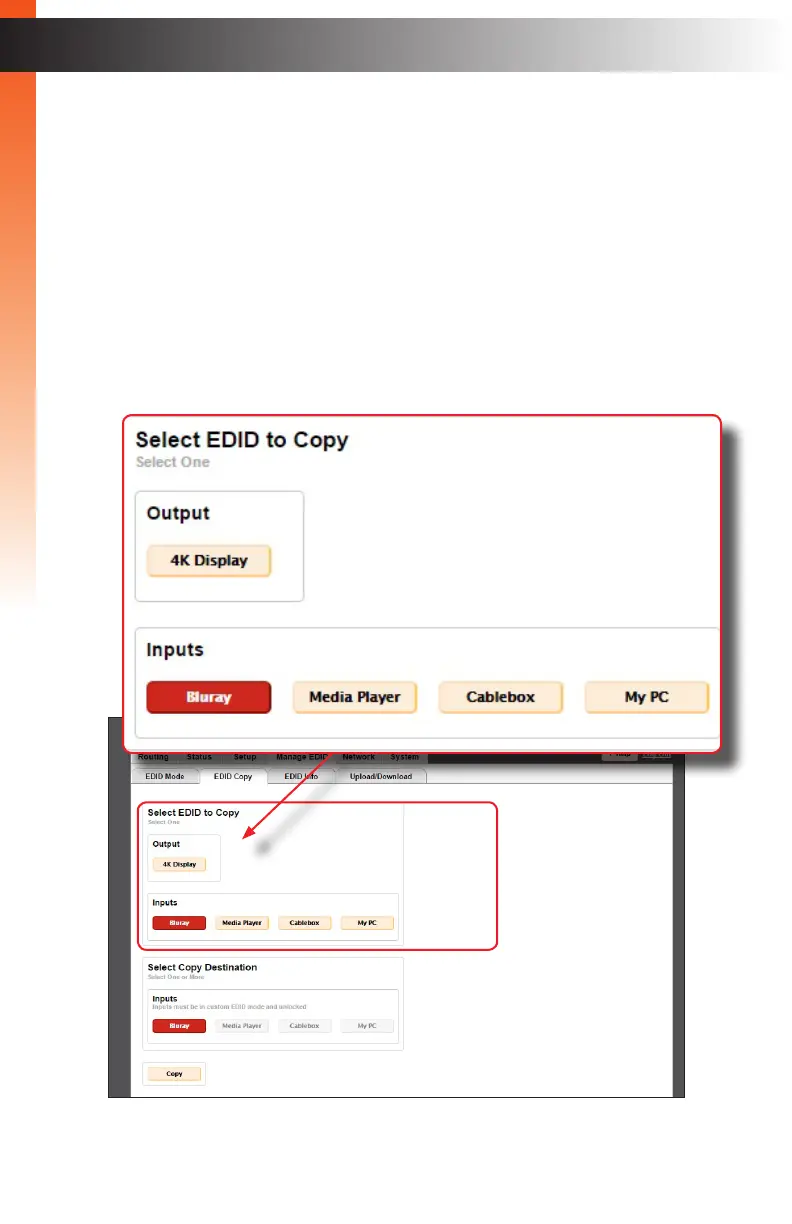
The EDID Copy tab allows an EDID to be copied from an input or output (sink device) to
any input. In order to copy an EDID to an input, the input must be set to User-dened
mode and then unlocked. See Setting the EDID Mode (page 25) for more information.
1. Click the Manage EDID tab within the built-in web interface.
2. Click the EDID Copy sub-tab.
3. Click the button of the output or input from the Select EDID to Copy section. Only
one input can be selected at a time.


 To Next Page