page | 18
Basic OperationBasic Operation
The Web Interface
Routing
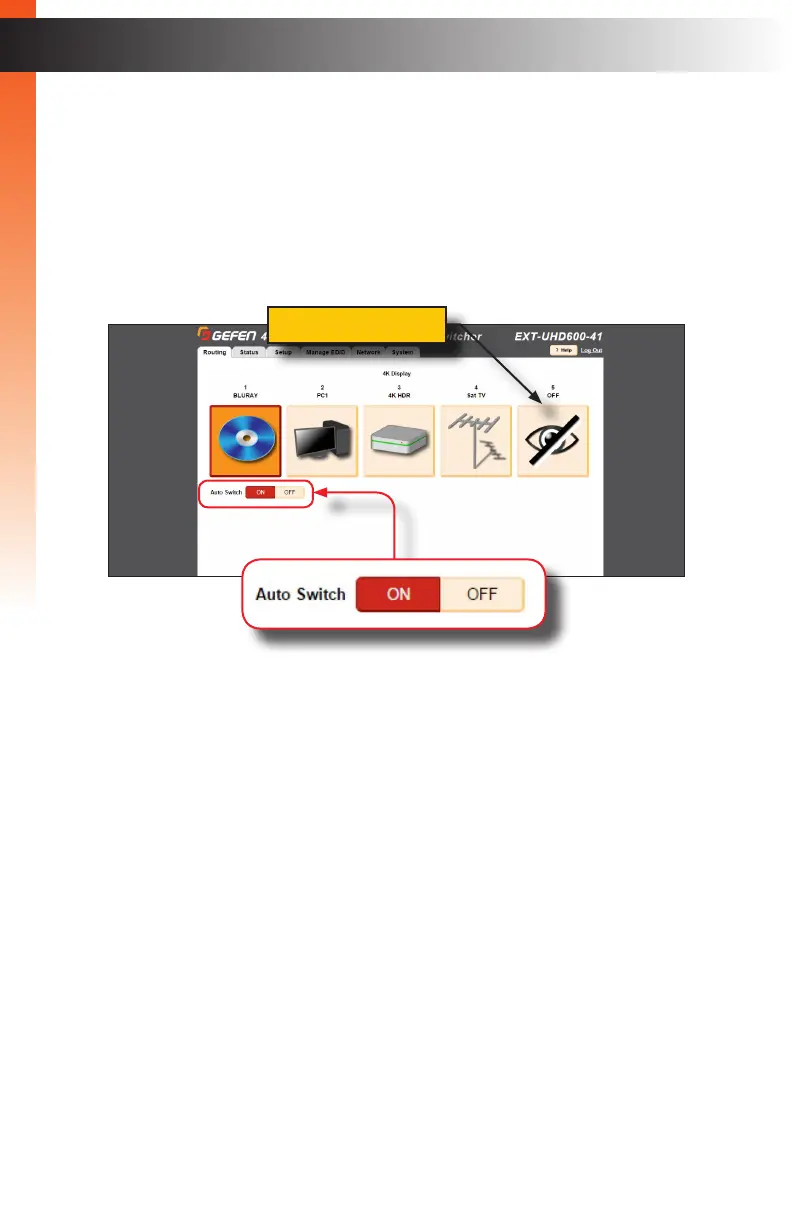
The Routing tab will be the rst tab to automatically be displayed after logging in to the
web interface.
1. Click the desired input from the list of icons. Once clicked, the icon background will
turn orange, indicating that it is the currently-active input.
2. To prevent audio/video from being output, click the OFF button.
3. The Auto Switch feature is disabled by default. Click the ON button to enable this
feature. When enabled, the device will automatically switch to the input that is
receives a hot-plug detect.
4. See Icon Selection (page 24) for information on changing the icon representation of
each “input”.
Basic OperationBasic Operation
OFF button


 To Next Page