page | 30
Basic OperationBasic Operation
The Web Interface
Uploading and Downloading EDID Data
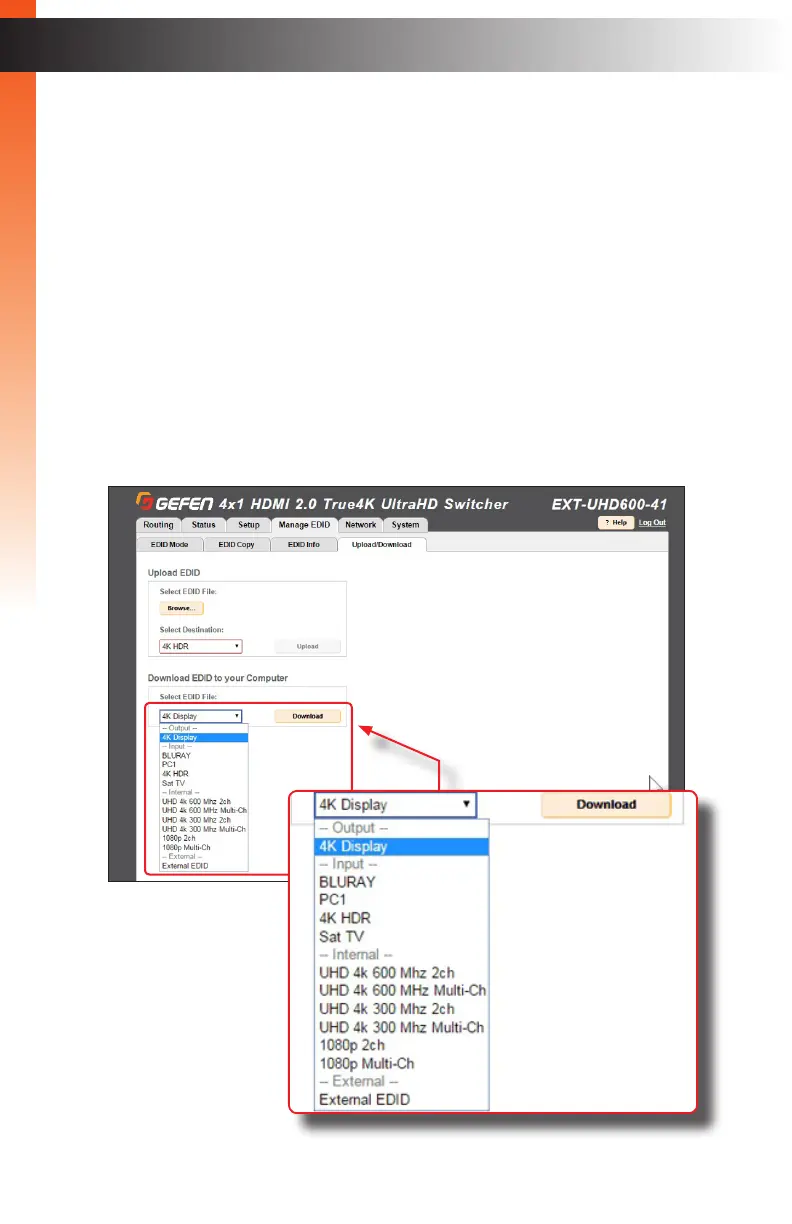
The Upload / Download tab allows EDID data from an input, output, or one of the internal
EDID presets, to be downloaded and saved as a le on your computer. An EDID le can
also be uploaded to any (unlocked) input.
► Downloading an EDID
1. Click the Manage EDID tab within the built-in web interface.
2. Click the Upload/Download sub-tab.
3. Select the desired input, output, or internal EDID preset to be downloaded
using the Select EDID File drop-down list.
4. Click the Download button.
Basic OperationBasic Operation


 To Next Page