24
OPERATING THE GEFEN TV SD PVR
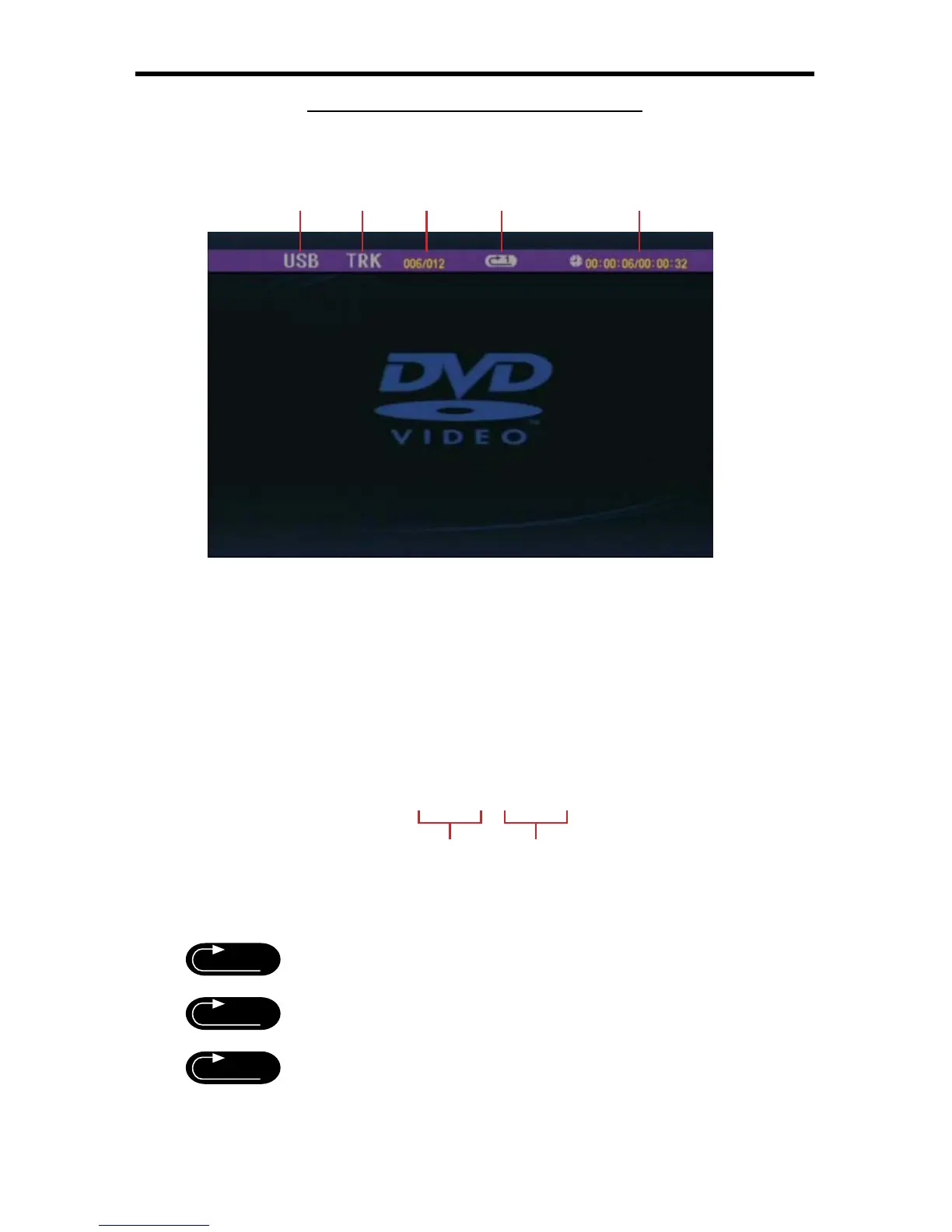
MOVIE INFORMATION DISPLAY PANEL
Pressing the Display button on the IR remote while playing a movie will bring up
the Movie Information Display Panel as shown below (4A-7).
4A-7
RECORDING MEDIUM1
This indicates what type of recording device is connected. This will always
be listed as USB.
TRACK2
This indicates that currently a track is playing.
TRACK NUMBER3
This shows the track number of the currently playing movie fi le. The format is
as follows:
0 0 0 / 0 0 0
REPEAT MODE4
This icon displays the currently selected repeat mode. Each Repeat Mode is
listed below
Sequential Play (SEQ PLAY)
Repeat Single Track (FILE REP)
Directory Repeat (DIR REPEAT)
13245
Track Number Total Number Of Tracks
A
1
DIR



 To Next Page