SCANNING & BARCODE LEARNING
The AX150 is capable of scanning. You must ensure that the scanner has been
connected to the port at the rear of the AX150. The scanner should be supplied and
configured by your dealer.
The AX150 has a barcode learning system which allows you to scan an item at the
point of sale, enter a price and link the product to a department that is pre-
configured on the keyboard.
Scan Item
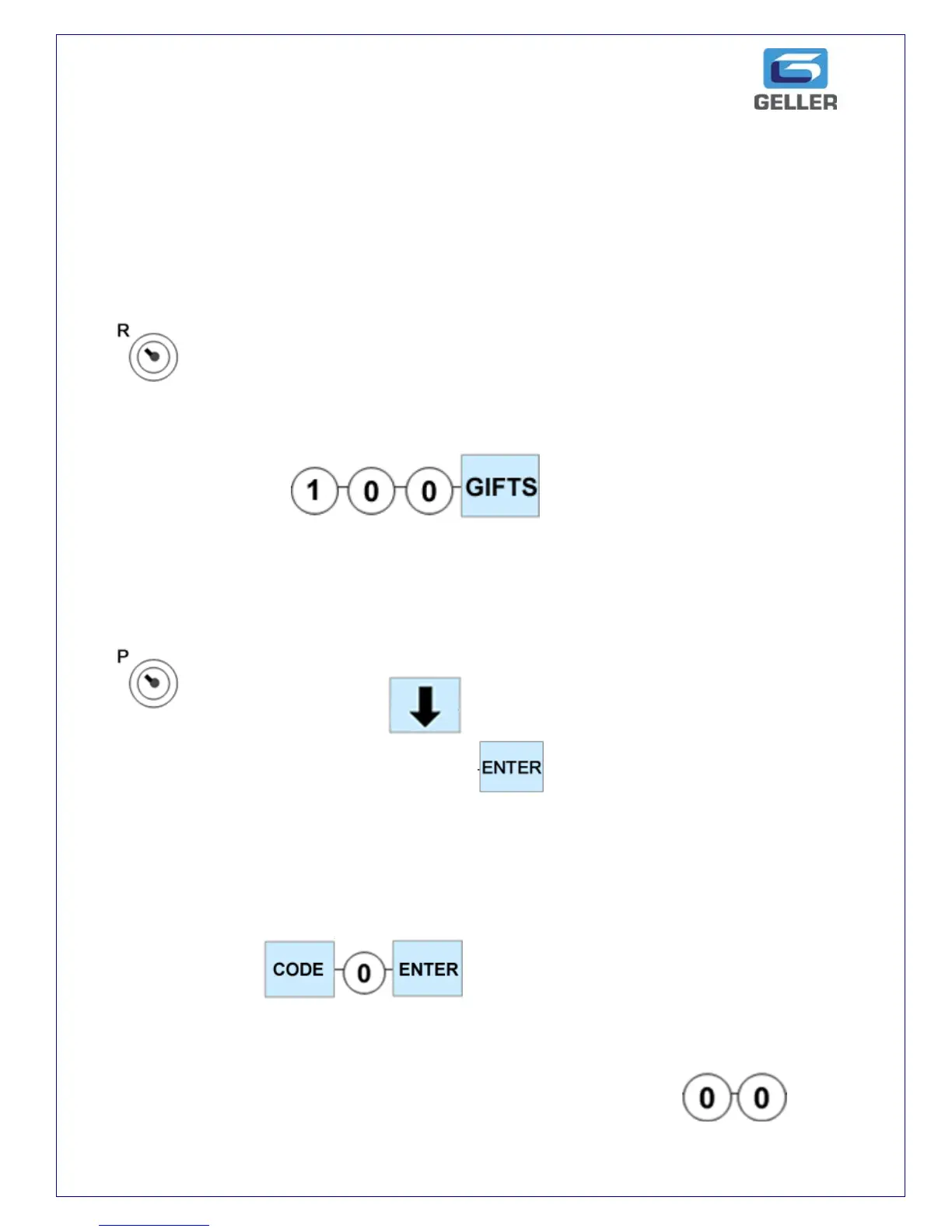
The AX150 will prompt you to enter the price and to press the desired department
on the keyboard
e.g. £1.00 Gifts
The item has now been added and the transaction can be tendered
CHANGING PRICES FOR SCANNED ITEMS
To change the price of a scanned item, simply do the following
Scan the Item. Press until the current price is displayed. You
can now enter the new price and press
NOTE: Using the above procedure, you can also change Names and Dept Links.
Use the Down Arrow key until the desired option is highlighted
DELETING SCANNED ITEMS / PLUs
To delete a PLU
PRICE CHECK
To check a price in registration mode without selling the item press
and then scan the item. Scanning the item once more will sell the product



 To Next Page