Double Sized Characters
If you would like double sized characters for the GELLER example use the double size key
00. This is ideal for your company name.
Using the previous example for Line 1, press the 00 key before each letter. Remember to
include the spaces at the start and the end of the line (Code 20)
00 - - 00 - - 00 - - 00 - - 00 - - 00 -
Dbl G Dbl E Dbl L Dbl L DBL E DBL R
VAT / TAX PROGRAMMING
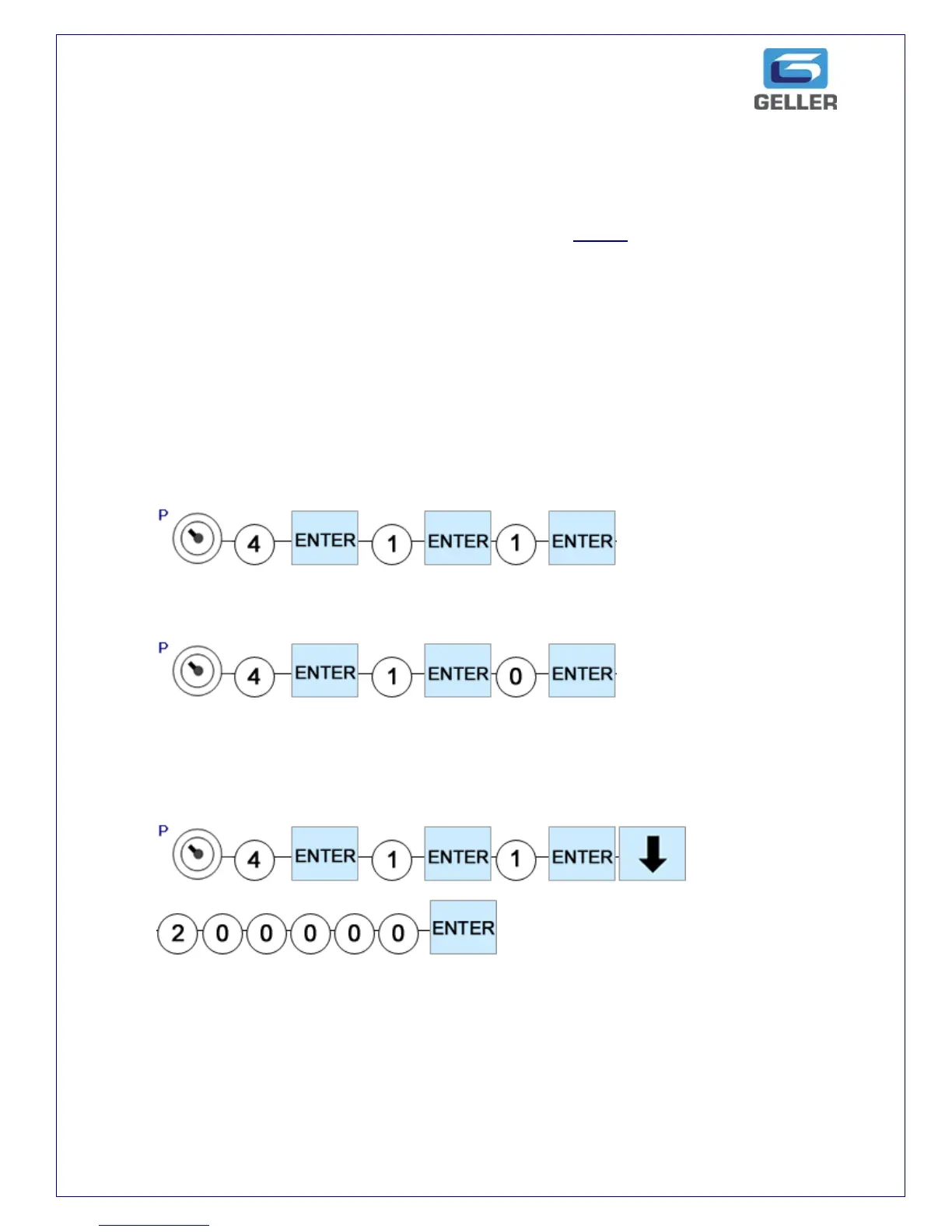
The AX-150 can have up to 4 tax rates. The following example will program Department 1
and link it to a tax rate of 20%
SETTING THE TAX TYPE (A or B)
The above example will set the tax to be inclusive.
The above example will set the tax to be added to the sale price.
SETTING THE TAX RATE
The above example will set the tax rate to 20%.



 To Next Page