Need help?
Do you have a question about the Gemas GSC 101 and is the answer not in the manual?
Crucial safety instructions regarding electrical connections, professional installation, and placement of the device.
GEMAŞ reserves the right to make improvements to the products described in these documents at any time.
Detailed technical specifications for GSC101, GSC201, and GSC301 models.
Details electrical safety measures, residual current relay, grounding requirements, and supply cable specifications.
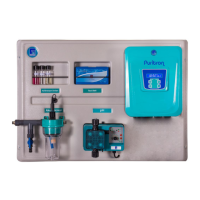
Diagram illustrating the connection points of the device within the pool system.
Guidelines for selecting the mounting location and physically attaching the control panel.
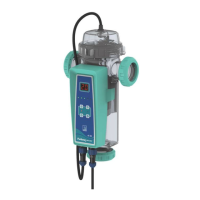
Instructions on positioning the electrode cell and connecting pipes for proper water flow.
Critical warning about potential corrosion of electrodes if acid interacts with them.
Details the required salt, pH, TAC, TH, Stabilizer, and Temperature levels for pool water.
Important notes on dissolving salt, pool volume calculation, and adding salt near the return line.
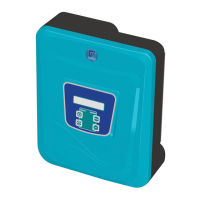
Overview of the control panel interface, buttons, and their functions.
Explanation of the icons, production rate, pH value, and error indicators on the display.
Setting the frequency of electrode polarization changes for automatic cleaning.
Instructions for selecting the display language of the device.
Setting the pH dosing mode (OFF, ON, AUTO) for the dosing pump.
Setting the desired target pH value for the pool water.
Defining the acceptable deviation from the target pH value.
Parameter to specify if the dosed liquid is a pH reducer or booster.
Procedure for calibrating the pH sensor using calibration liquids.
Displays the current instantaneous pH value read by the sensor.
Configuring the sensor for the pH reducer/booster liquid tank level.
Adjusting chlorine production rate when the pool cover is closed.
Access to advanced settings for technical personnel only.
Instructions for switching the device ON/OFF, to chlorine production, and to Boost Mode.
Detailed steps for cleaning limescale and residue from the electrodes.
Safety precautions for using acid solution for electrode cleaning.
Recommendations to ensure optimal electrode performance and longevity.
 General
| Brand | Gemas |
|---|---|
| Model | GSC 101 |
| Category | Swimming Pool Filter |
| Language | English |

 To Next Page