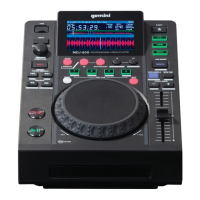
Need help?
Do you have a question about the Gemini MDJ-900 and is the answer not in the manual?
Ensures safe operation by detailing electrical hazards, grounding, and servicing procedures.
Provides guidance on proper placement, ventilation, and environmental conditions for safe operation.
Explains how to use the MDJ-900 for MIDI control and audio playback with DJ software.
Guides users on connecting the MDJ-900 to PC or MAC for MIDI and audio functionality.
Details how to start, stop, pause playback, and set/adjust master cue points.
Covers adjusting tempo, pitch bend, pitch range, and engaging keylock for pitch preservation.
Describes BPM modes (Tap, Manual, Auto) and the BPM Lock feature.
Details how to set, delete, and trigger hot cues for quick track access.
Covers setting, adjusting, canceling, returning to, and resizing manual loops.
Explains auto beat loops and auto loop rolls for creating loops based on track BPM.
Details how Slip Mode works with scratch, loop, and reverse effects.
Details the MIDI and HID protocols for controlling DJ software.
Instructions for setting up the MDJ-900 as a MIDI and Audio device in DJ software.
Addresses issues related to USB storage, MIDI errors, and general operational problems.
 General
| Number of Channels | 2 |
|---|---|
| Decks | 2 |
| USB Audio Interface | Yes |
| Effects | Yes |
| MIDI Control | Yes |
| Type | Media Player |
| Connectivity | USB |
| Jog Wheel | Yes |
| Loops | Auto, Manual |
| Media Support | USB, CD |

 To Next Page