GTP110D / GTP211D
3
69-2425EFS—03
ENGLISH
Quick reference to controls
M32288
Heat Off Cool
Auto On
Fan
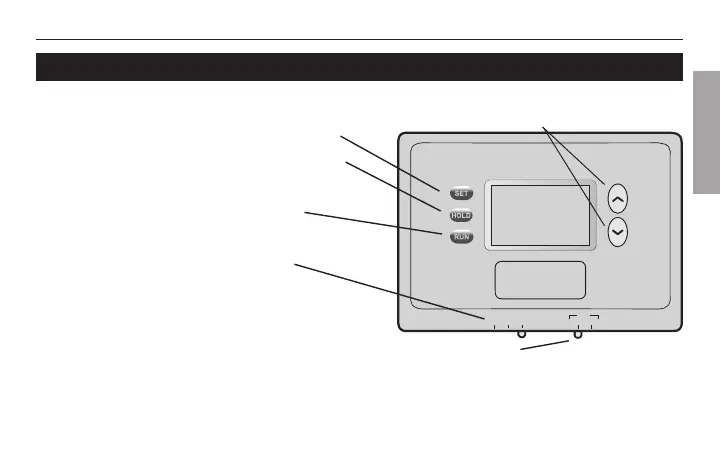
Temperature adjustment (see pages 8-11)
Fan Switch (see page 7)
On: Fan runs continuously.
Auto: Fan runs only when
heating or cooling system is on.
• Set: Press to set time/day/schedule.
• Hold: Press to override programmed
temperature control.
• Run: Press to resume program
schedule.
System Switch (see page 6)
• Cool: Cooling system control.
• Off: All systems off.
• Heat: Heating system control.
• Em Heat: Emergency & Auxiliary
Heat control. Compressor is locked out
(GTP211D only).



 To Next Page