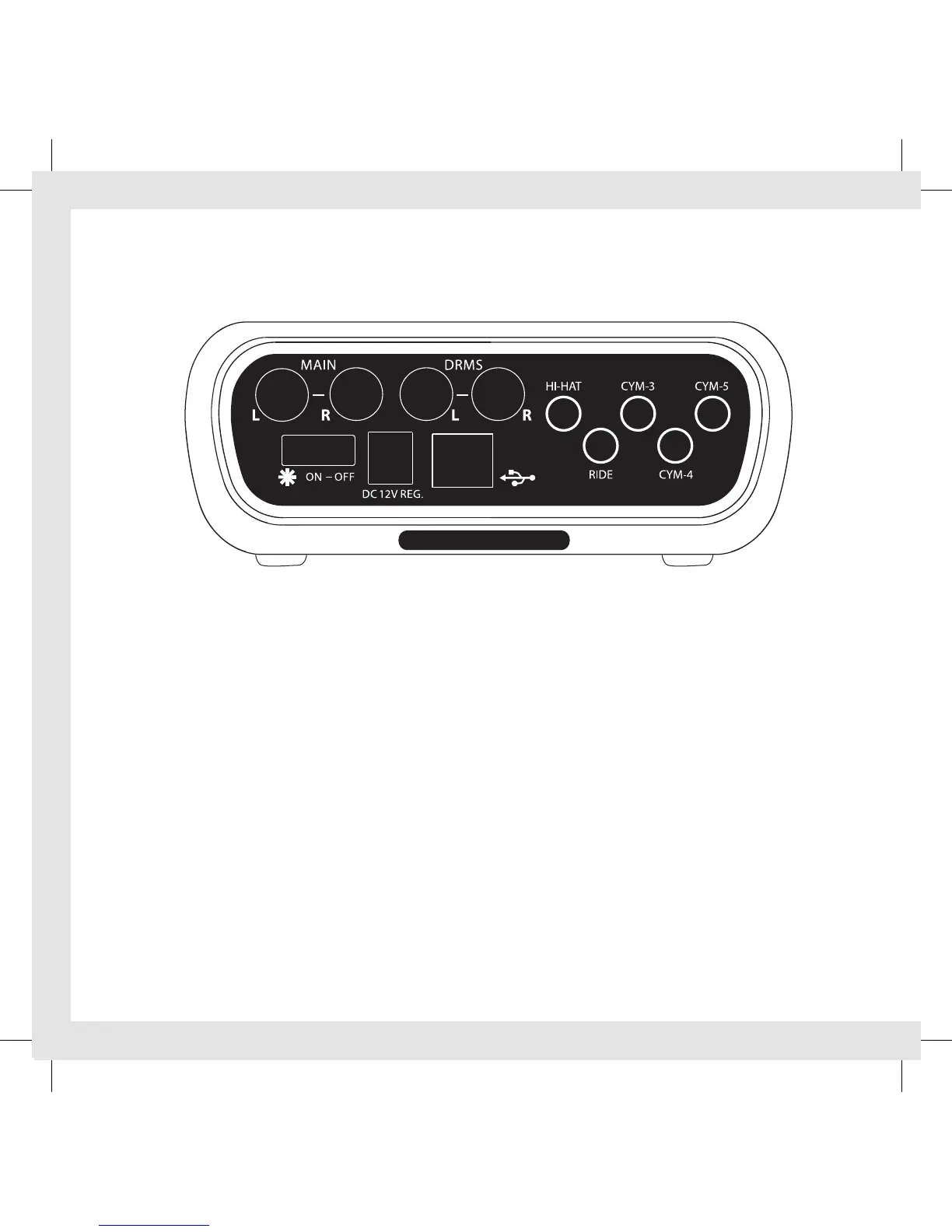
Connect color coded cable snake to DCP and matching cymbal pickups (note
connection is tight, fully engage).
Connect audio output to mixer / PA system (R & L stereo, L-mono) and / or connect
headphones (cables & headphones sold seperately).
Connect Edrum controller audio input for blend option (Edrums sold seperately).
With volume off, connect power supply / plug into wall outlet. Turn on the DCP. Use
the 3 position switch on the rear panel to turn power on. This switch has 2 settings
(positions) for the ON position:
Position (1) powers up the DCP with the pickup “light ring” off.
Position (2) powers up the DCP with the pickup “light ring” on.
Set master volume at 1:00.
Gradually increase each channel volume to preference .
If connecting Edrum controller, blend Edrum controller and AE Cymbal audio levels (mix).
Connecting Pickups to DCP
DCP - REAR VIEW


 To Next Page