
 Need help?
Do you have a question about the Genee Vision 6100 and is the answer not in the manual?
Details the functions of various buttons on the remote control for operating the visualiser.
Identifies and describes the rear and side panel connection ports for external devices.
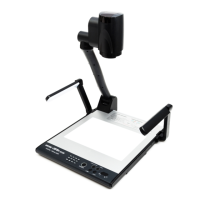
Guides through unfolding the visualiser and connecting the power source.
Instructions for connecting the visualiser to a projector using RGB and RS232 cables.
Steps for connecting the visualiser to a desktop computer via RGB and USB.
Explains controlling the visualiser from a computer via RS232 or USB.
Step-by-step guide for installing the visualiser software and drivers.
Details hardware requirements, operating systems, and important connection notes.
Covers placing material, adjusting light, image size, and using negative mode.
Using the RS232 interface for controlling the visualiser from a computer.
Capturing static images and video streams using the USB interface.
Connecting the visualiser, projector, and computer for projector control.
Choosing the correct projector model or inputting its control code.
 General
| Frame Rate | 30fps |
|---|---|
| Focus | Auto/Manual |
| Lamp | LED |
| Microphone | Built-in |
| Power Supply | USB Powered |
| Dimensions | Folded: 330 x 150 x 75 mm; Operating: 330 x 150 x 380 mm |
| Weight | 0.78 kg |
| Connectivity | USB |
| Interface | USB |
| Compatibility | Windows, macOS |

 To Next Page