
 Need help?
Do you have a question about the Generac Power Systems PWRcell X7602 and is the answer not in the manual?
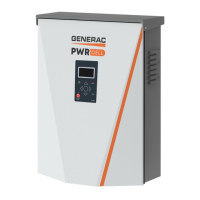
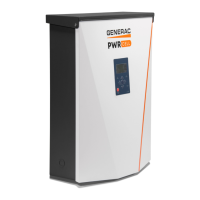
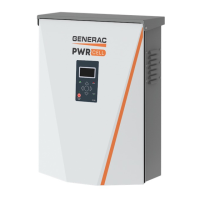
Overview of the Generac PWRcell Inverter and its system components.
Guidance on thoroughly reading and understanding the manual before product use.
Adherence to safety alerts, warnings, and general safety practices for hazardous operations.
Instructions on how to contact Generac Customer Service or an Authorized Service Dealer.
Details specific hazards such as electrocution, automatic start-up, and fatigue related risks.
Covers electrical hazards like water contact, battery cover removal, and proper grounding.
Detailed technical specifications for Generac PWRcell Inverter models X7602 and X11402.
Guidance on locating the unit's serial number and recording it for reference.
Illustrates the physical dimensions of the PWRcell Inverter with labels.
Diagram showing the location of key components on the PWRcell Inverter unit.
Explanation of how the PWRcell inverter connects to optimizers and batteries for solar-plus-storage.
Description of the LCD display, navigation keys, and status LEDs on the inverter control panel.
Explanation of REbus LED colors (Green, Yellow, Red) and their meanings.
Interpretation of Inverter LED colors (Green, Yellow, Red) indicating grid and inverter status.
Meaning of the Internet LED (illuminated blue) indicating connection to the PWRview server.
Instructions for initiating a system shutdown using the control panel for safe servicing.
Introduction to various system modes for installation configurations and applications.
Description of Grid Tie mode as a conventional grid-tied inverter system.
Details on Clean Backup mode prioritizing battery charging from solar power during grid outages.
Explanation of Priority Backup mode for keeping batteries charged for grid interruptions.
Description of Self Supply mode prioritizing local loads and battery storage for energy savings.
Explanation of TargMinImprtP and TargMaxImprtP setpoints for managing grid import.
Description of Sell mode for exporting all available power to the grid.
Details on the Export Override feature to restrict power export to the grid.
How to use the PWRcell inverter control panel for system settings and device interaction.
Explanation of the home screen display showing power flow, voltages, and current system mode.
Step-by-step guide on how to navigate and select different system modes on the inverter.
Information on accessing individual device pages for power level and state details.
Procedure for enabling or disabling REbus devices after a system shutdown.
Guide to accessing and adjusting user-adjustable parameters within the Mod. Settings menu.
Instructions for connecting the inverter to the internet via Ethernet for remote monitoring.
Information on locating serial number and registration code for system registration.
Overview of Generac Beacon for Time of Use (TOU) energy management.
Details on using Generac Beacon for managing energy production and storage.
Guidance that the PWRcell inverter must be serviced by a qualified technician.
List of annual maintenance tasks including cleaning, inspecting vents, and checking connections.
Instructions to verify that intake and exhaust vents are clear at all times.
Procedure for cleaning the intake filter using a brush or vacuum cleaner.
Steps to recover a device from an error state by disabling and then enabling it.
 General
| Brand | Generac Power Systems |
|---|---|
| Model | PWRcell X7602 |
| Category | Inverter |
| Language | English |



 To Next Page
