EasyManua.ls Logo

Generalscan GS-M300BT - User Manual

Default Icon
66 pages
Print Icon
To Next Page IconTo Next Page
Loading...
Quick Start Guide
VERSION: 2.1

Questions and Answers

Summary

Copyright

Charging

Scanning Techniques

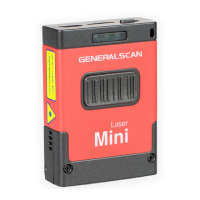
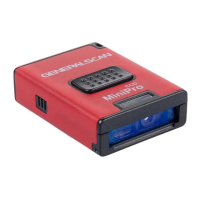
Product Outlook

Function Description

LED Indicator Description

Working with Mobile Phone Adapter

Charging

Scanning Techniques

WT Series Product Outlook

Function Description

Velcro Wear Instruction

WT Series Installation

Scanbuddy Product Outlook

Function Description

Installation

Generalscan Barcode Configuration Guide

Output Interface

Defines the output interface modes for barcode scanners.

Bluetooth Mode Setting

Configures various Bluetooth operational modes for scanners.

Hibernation Time

Sets the scanner's hibernation duration to save power.

Hardware Information

Provides information regarding scanner hardware details.

Enter DFU Mode-Firmware Update

Instructions for entering DFU mode for firmware updates.

Default Factory Setting

Resets the scanner to its default factory settings.

On-Board Build-In Suffix for CR+LF

Configures suffix settings for CR+LF character combinations.

Offline Storage Mode

Manages offline data storage and retrieval modes.

Offline Storage Mode (Upload Speed)

Configures data upload speeds for offline storage.

Auto Trigger Mode

Sets the auto-trigger functionality for the scanner.

Reset Bluetooth Name

Resets the scanner's Bluetooth name to default.

HID Keyboard Layout

Selects the HID keyboard layout for the scanner.

TAB, LF, CR, CR LF, SPACE Function Key

Configures function keys for TAB, LF, CR, CR LF, and SPACE.

Bluetooth Dongle Setting

Manages settings for Bluetooth dongles, including pairing.

Beep Setting

Adjusts the beep sound settings for the scanner.

Vibration Setting

Configures vibration levels for the scanner.

Volume Setting

Sets the volume levels for the scanner's audio output.

Bluetooth Pairing Guide

Bluetooth HID Mode Pairing

Guides on pairing the scanner with devices via Bluetooth HID mode.

Bluetooth SPP Mode Pairing

Guides on pairing the scanner with devices via Bluetooth SPP mode.

Bluetooth BLE Mode Pairing

Guides on pairing the scanner with devices via Bluetooth BLE mode.

Trouble Shooting

Regulatory Information

Health and Safty Recommendations

Laser Devices

Batteries

Battery Safety Guidelines

Service Information

Warranty

Generalscan GS-M300BT Specifications

General IconGeneral
BrandGeneralscan
ModelGS-M300BT
CategoryBarcode Reader
LanguageEnglish

Related product manuals