I. Configuration of Microsoft SCOM 2007 as CS121 Trap Receiver (Monitor)
In this section we will configure Microsoft Operations Manager 2007 (SCOM/OpsMgr) as an
SNMP Trap receiver, discover SNMP-enabled cs121 network devices, and configure an alert-
generating SNMP-trap-based monitor to raise alerts when specific traps are received from
cs121 devices.
Installation of the SNMP service (on Windows Server 2003)
In the Control Panel, select Add Remove Programs
Click on Add/Remove Windows Components
Scroll down and select Management and Monitoring Tools, click Details.
Click on the checkboxes for Simple Network Management Protocol (and optionally
WMI SNMP Provider) and click OK.
Click Next and click Finish.
Configuration of the SNMP service (on Windows Server 2003)
Close Add or Remove Programs.
Click Start, Run, type services.msc, and then click Enter.
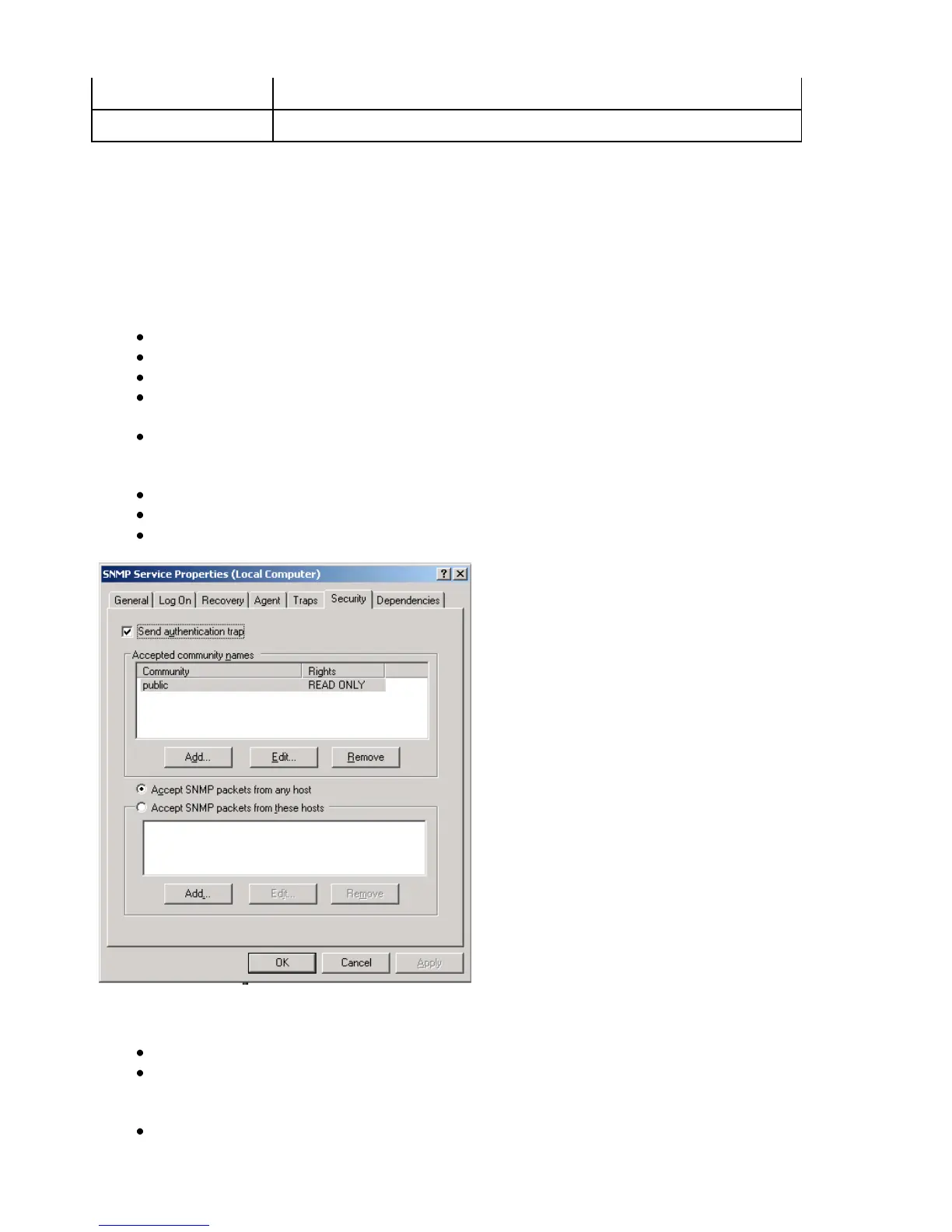
Scroll down and select SNMP Service. Right click the service and select Properties.
Figure 139: SNMP Service Properties
Select the Security tab.
Check the Send Authentication Traps checkbox. In the Accepted Community
Names list, type “public” and click the Add to list button. Rights should be set to
READ CREATE.
Select the Accept SNMP packets from these hosts radio button. Use the add button
to add the IP addresses of the managed devices that will forward SNMP traps to the



 To Next Page