27
3.2.2 Network & Security
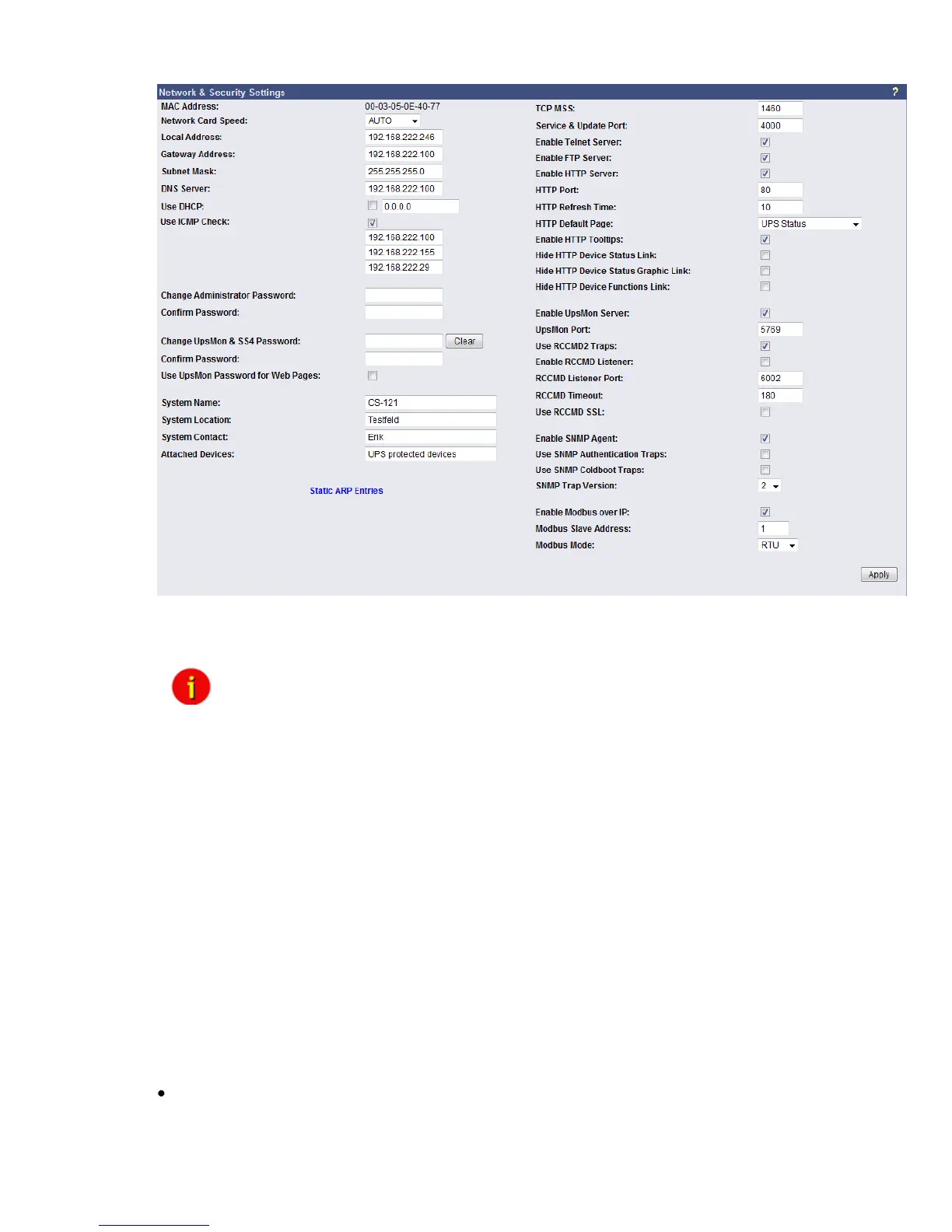
Figure 18: HTTP - Network & Security Settings
This menu configures the CS121 network card settings, passwords and enable/disables
several adapter and network services.
Note: We recommend to set the Network Card Speed NOT to “Auto”, but
rather to the accordant speed of your switch. In addition we
recommend to open the TCP/IP and UDP ports only, that the CS121
is using. Please take a look into the chapter Appendix D. D.9 for
further information. To fend foreign reboots out of the network, we
recommend to disable the port 4000 at your switch. Please note,
that you are not able to update the CS121 firmware anymore.
Enable the port 4000 again, if you want to update the firmware.
The CS121 firmware version 4.30.x provides the definition of the TCP MSS value. The
Maximum Segment Size defines the amount of bytes, which will be send as reference data into
a TCP segment. The default is 1460. If you got problems with a VPN connection, change the
TCP MSS value to 1100. The TCP MSS value is valid for HTTP only!
Enable RCCMD Listener: Among others, here you can allow the CS121 to act as an RCCMD
listener client. This makes it possible for another UPSMAN-Manager, CS121, SITEMANAGER
or other RCCMD compatible sender to send the adapter an RCCMD command like sending
one of the AUX output ports a high or low signal – or to start other actions.
You can also set the MODBUS configurations in this menu. The configuration requires only the
following entries:
Enable Modbus over IP: Every CS121 model with Firmware Version 2.0 (or higher) can
also transfer UPS data via the MODBUS-protocol on IP (port 502). You may use any
MODBUS client to read the UPS value from CS121. For using the RS-485 interface, you must



 To Next Page