29
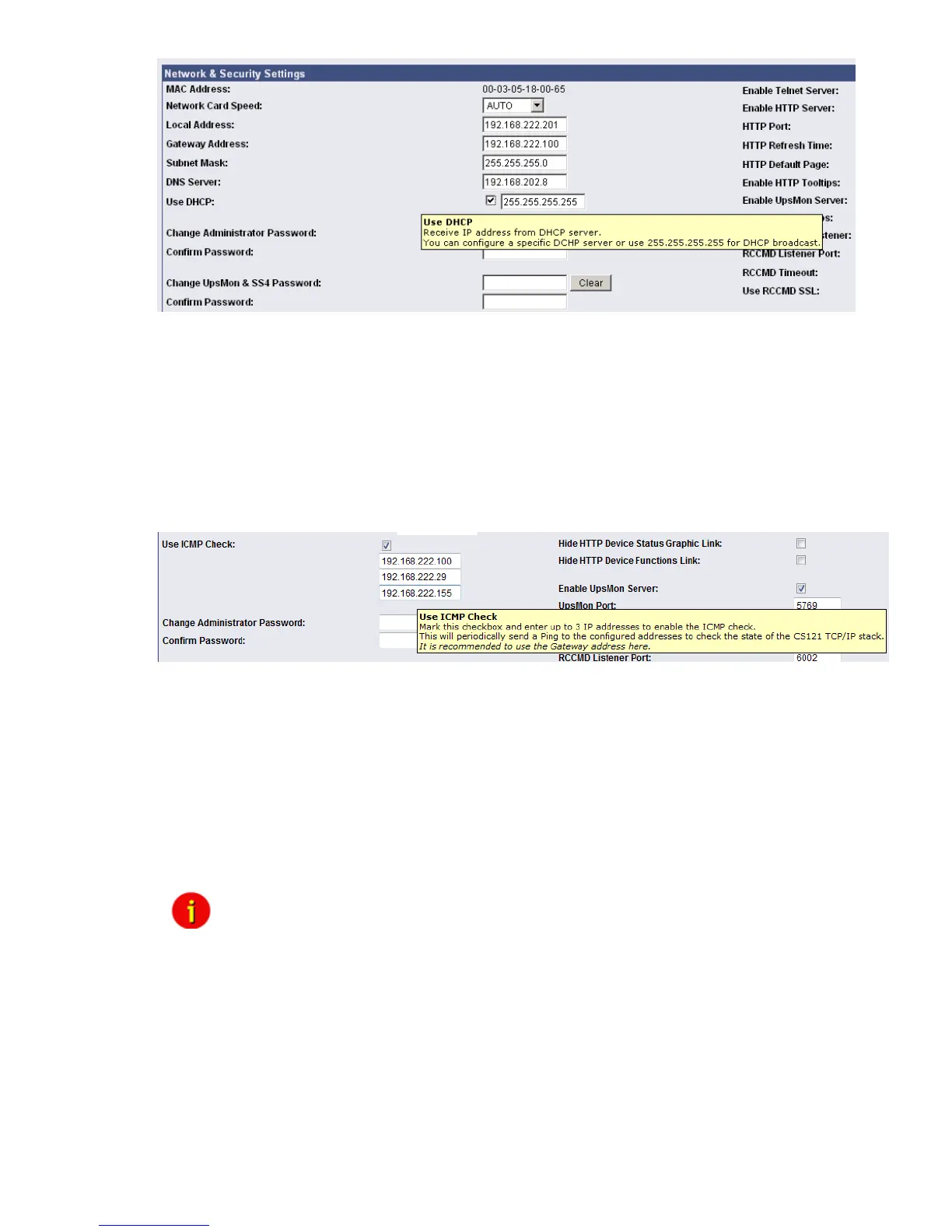
Figure 19: HTTP - Network & Security DHCP Settings
Click the “Apply” button and reboot the CS121 with the “Save, Exit & Reboot” function.
Fallback address: If the DHCP server will not be available, just reboot the CS121 to use the
fallback address. This address is equivalent to the settings of the local address in the menu
„Network & Security Settings“. When DHCP will be available again, just reboot the CS121 to
use the DHCP address.
3.2.4 The CS121 with ICMP Check
From the firmware version 4.26.x the CS121 is able to answer and send ICMP polls, to check
the quality of the network and, in need, can reboot itself.
Figure 20: HTTP - Network & Security ICMP Check
You can enter up to 3 addresses, which will be checked via ICMP. If all 3 addresses are not be
reachable, the CS121 will reboot itself after 750 seconds (default). We recommend to use the
IP address of a gateway and 2 more addresses, which are reachable steady. If you enter only
1 or 2 addresses, the amount of the checkable addresses is reduced and the possibility to
initiate a reboot will increase unnecessarily, because less addresses are at hand for the check
of the network quality. If the CS121 will reboot itself often at enabled ICMP check, an analysis
of the network is required (e. g. Wireshark), to be able to find the reason. If this should not be
possible, you should disable all ports at your switch, which are not required for the CS121, to
avoid unnecessarily network traffic. Please take a look into chapter Appendix D., D.9 for further
information.
Note: The CS121 supports 3 functions of ICMP via RFC 792:
0 – Echo reply
3 – Destination unreachable
8 – Echorequest
Other RFC 792 functions are not supported
3.2.5 Function hide of HTTP links
The CS121 firmware version 4.23 or higher provides the function to disable the following
HTTP links into the “Network & Security” menu:



 To Next Page