Portable Archive Player User Guide | The Portable Archive Player user interface
genetec.com | Security Center 5.1 | Archive Player User Guide 5.1 7
EN.500.008-V5.1.C3(1)
About the Playback pane and Tool pane
The playback pane is where you view video clips. You can view up to 16 playback sequences
simultaneously.
NOTE The Portable Archive Player does not support multiple monitors on a single
workstation.
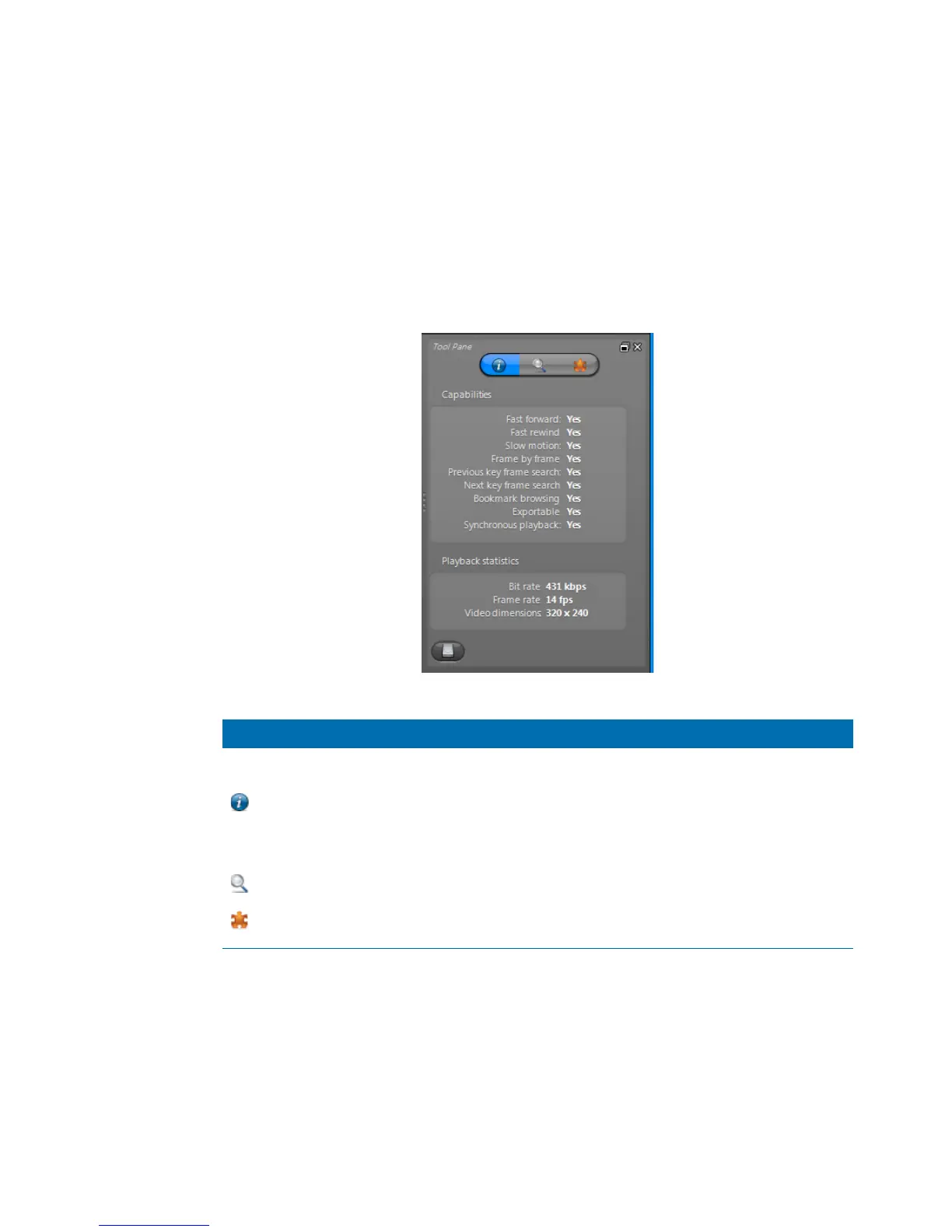
The tool pane contains a series of tabs which provide additional information about the
selected playback sequence that you are viewing.
The following table gives a brief description of each tab.
Icon Name Description
Properties
View information regarding the selected playback sequence
The Capabilities section shows the playback capabilities of the
selected sequence. Unsupported capabilities may cause certain
commands to be disabled in the playback controls.
The Playback statistics section displays the current bit rate, frame
rate and video dimensions (resolution).
Digital Zoom
Apply digital zoom to the recorded video sequence.
Metadata
View the metadata events (if any) associated to the recorded video
sequence.



 To Next Page