Need help?
Do you have a question about the GENEVO One and is the answer not in the manual?
Details the primary functions of the Genevo One and its notification system for radar alerts.
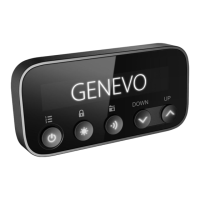
Explains the operation of the left, middle, and right buttons for menu, brightness, sensitivity, and GPS points.
Describes how to use the side buttons (+/-) to adjust the device's volume.
Guides users on how to enter, navigate, and confirm settings within the device's menu.
Details various menu settings including Test, Sensitivity, Band control, sound, GPS, time, and language.
Lists the specific operating frequencies for GPS, Ka, K, X bands, and laser detection.
Provides technical specifications such as operating temperature, voltage, power consumption, and dimensions.
Informs users on the recommended frequency and process for updating the device's database.
 General
| GPS | Yes |
|---|---|
| Display | OLED |
| False Alert Filtering | Yes |
| Laser Protection | Yes |
| Voice Alerts | Yes |
| Power | 12V DC |
| Auto Mute | Yes |
| Detection Bands | X, K, Ka, Laser |
| Speed Camera Database | Yes |
| Red Light Camera Database | Yes |
| Sensitivity Modes | City, Highway |


 To Next Page